The Razer DeathAdder Essential keeps the DeathAdder shape and strips away everything else. This article uses the published specs and the actual review counts on the listing page to answer a concrete question: who is this mouse for, and what are you giving up?
Overview
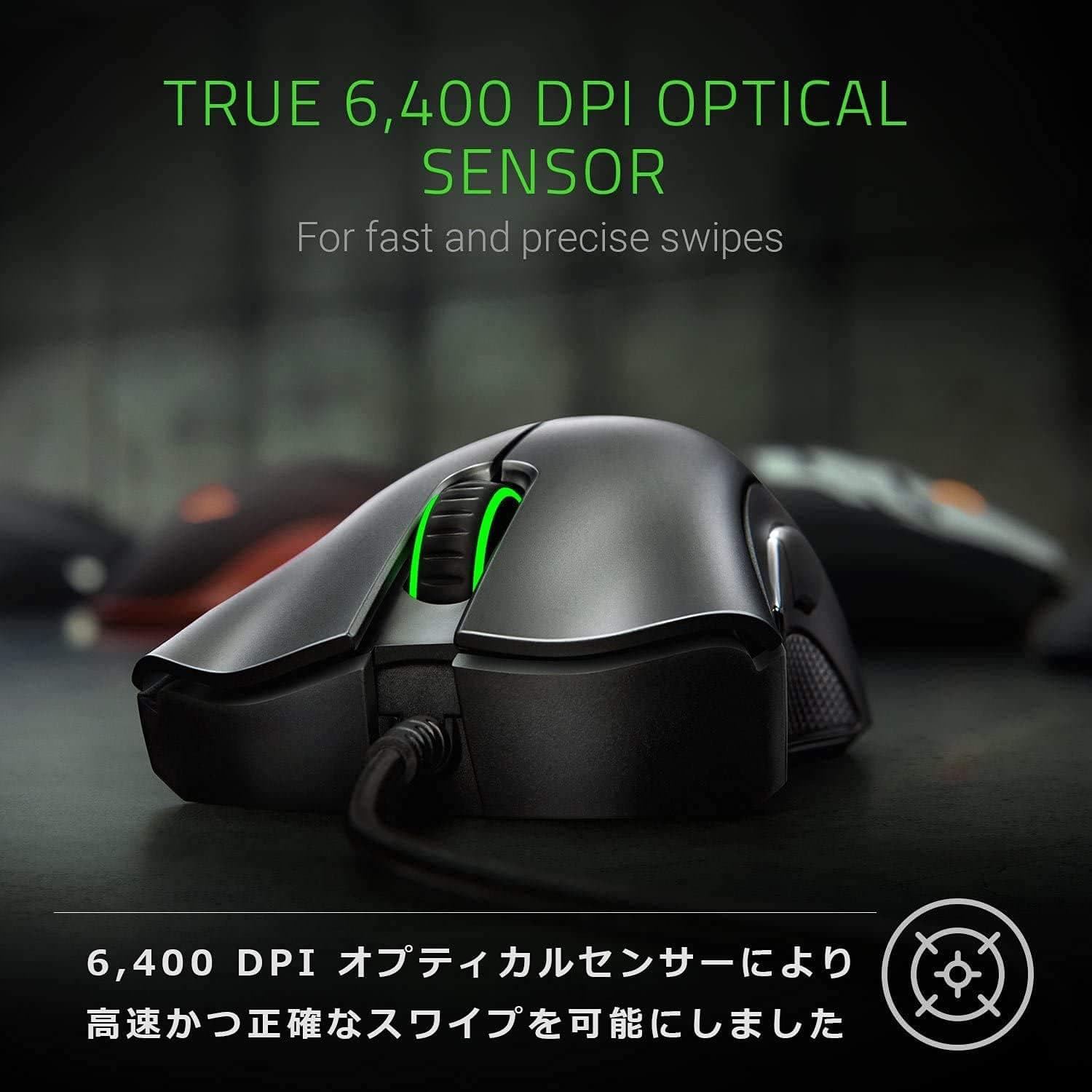
The DeathAdder Essential is Razer's entry-level wired gaming mouse. It pairs a 6,400 DPI optical sensor with Razer mechanical switches rated for 10 million clicks, giving crisp tactile feedback and dependable tracking.
The right-handed ergonomic shell keeps long sessions comfortable, and five programmable buttons cover basic remapping needs.
The honest summary: you buy this for the shape and the price, not for weight or wireless. Against other budget mice, its advantages are switch feel and the Razer Synapse 3 ecosystem.
Lighting is a single green LED rather than full RGB, which is plainer but also one less thing to configure.
Size and Grip Fit
Size is where budget mouse purchases most often go wrong. At 127 x 73 x 43 mm, this is a larger, taller-than-average mouse.
| Grip | Fit | Why |
|---|---|---|
| Palm | Excellent | The 43 mm hump fills the hand |
| Claw | Good | 73 mm width stabilizes thumb and ring finger |
| Fingertip | Poor | 127 mm length is long for fingertip control |
If your hand measures under roughly 17 cm from wrist crease to middle fingertip, try to hold one first, or at least compare the length against the mouse you use now. If small mice have always left your fingers hanging off the back, this shape is an easy recommendation.
Compatibility Guide
Connection is USB wired via an approximately 1.8 m braided cable.
It works on Windows 7 and later plus macOS, and it is plug-and-play: cursor movement and all five buttons work with no driver install.
Remapping buttons, setting DPI stages, and changing polling rate require Razer Synapse 3, which is Windows-only. On macOS the mouse is recognized, but detailed customization is not available.
Mac users should either configure it once on a Windows machine or run it at defaults.
Two physical caveats. The 1.8 m cable is fine for a typical desktop but can run short if your PC sits far back under the desk or the cable is routed through a monitor arm.
And the plug is USB-A, so thin laptops or mini PCs with only USB-C need an adapter or hub. Power comes entirely from USB; there are no batteries.
Product Info
| Item | Value |
|---|---|
| Sensor | 6,400 DPI optical |
| Switches | Razer mechanical |
| Switch lifetime | 10 million clicks |
| Buttons | 5 (programmable) |
| Connection | USB wired (approx. 1.8 m braided cable) |
| Dimensions | 127 x 73 x 43 mm |
| Lighting | Green LED (single color) |
| Software | Razer Synapse 3 |
This is an entry-level wired mouse that appeared around 2019.Check the retailer's page for the latest price.
Both are snapshot values that move with sales, exchange rates, and individual sellers, so check the product page for the current figure.
Check the retailer's page for the latest user reviews. That is a stable score for the class, without a heavy tail of very low ratings.
It does not mean the mouse is flawless: the complaints that do exist tend to concern size and cable stiffness, both covered below. The box contains only the mouse and a quick-start guide, with no spare feet or weights.
Razer's standard warranty is two years, but see the note on parallel imports.
Compared to Alternatives
- If weight matters most, look elsewhere. Sub-70 g mice now exist at this price, and they favor fast flick aiming. This is not a lightweight design.
- If shape matters most, this wins. The right-handed DeathAdder contour has years of proven support behind it and feels far more planted than a thin lightweight shell.
- If you need more features, compare against the DeathAdder Elite or V2 for a higher-end sensor or wireless.
- Ignore DPI headline numbers. Products claiming 12,800 or 26,000 DPI exist, but most players actually use 800-1,600 DPI, and 6,400 is rarely a limitation.
Best Use Cases
This is a strong first gaming mouse on a tight budget. 6,400 DPI is plenty for MOBA and FPS play, and five buttons cover leaning, push-to-talk, or a simple MMO macro.
It suits medium-to-large hands, palm grip users, and anyone who would rather not manage charging or worry about wireless latency.
It also works well as an office mouse thanks to the definite click, and as a backup for situations where a dead battery would be costly, such as streaming or meetings. Left-handed users should skip it and choose an ambidextrous shape.
Before You Buy
The biggest caveat is the parallel-import status. Because these units do not pass through a domestic distributor, warranty handling and local-language support may differ from officially imported stock.
Read the seller's warranty and return terms before ordering rather than assuming the generic two-year figure applies locally.
Size is the next issue. At 127 mm long and 43 mm tall, small hands and fingertip grippers will struggle.
Buying on brand reputation without checking dimensions is the most common mistake in this category.
Weight and cable require compromise too. Anyone coming from a lightweight mouse will find it substantial, and the braided cable, while durable, drags more than a soft paracord type.
A mouse bungee fixes most of that, at extra cost. On aesthetics, the lighting is a single green LED, so color-matched RGB setups are out of scope.
Finally, watch the listing data itself. In the pricing data referenced here, an entry labeled "Amazon US" pointed to a yen price on the Japanese Amazon site — store labels and actual sales regions do not always agree.
Listing metadata is often auto-generated and can be inaccurate, so confirm the product from the images and title on the page before you check out.
FAQ
Q. Do I need Synapse to use it? A.
No. Cursor movement and all five buttons work on connection.
Synapse 3 is only needed for remapping, DPI stages, and polling rate.
Q. Does it work on macOS? A.
Basic operation works. Synapse 3 is Windows-only, so detailed customization is not possible on a Mac alone.
Q. Is 6,400 DPI enough? A.
For almost everyone, yes. Most players sit in the 800-1,600 DPI range even at 4K, so the ceiling rarely matters.
Q. Is it suitable for competitive FPS? A.
Usable, but not optimal. Weight and cable drag put it behind current lightweight designs.
Treat it as an entry model chosen for shape and price.
Q. Can I replace the mouse feet? A.
None are included, but third-party feet for the DeathAdder shape are widely sold. Confirm the set matches this specific model.
Q. Can left-handed users use it?
A. Not recommended; the shell is asymmetric and right-handed. Choose an ambidextrous model instead.
Product Disclosure (Amazon)
- Manufacturer: Razer(レイザー)
- Seller: Rusion
- Fulfilled by: Amazon
- ASIN: B0876B7592
- Note: This article covers a manufacturer-made product based on Amazon listing details.