Overview
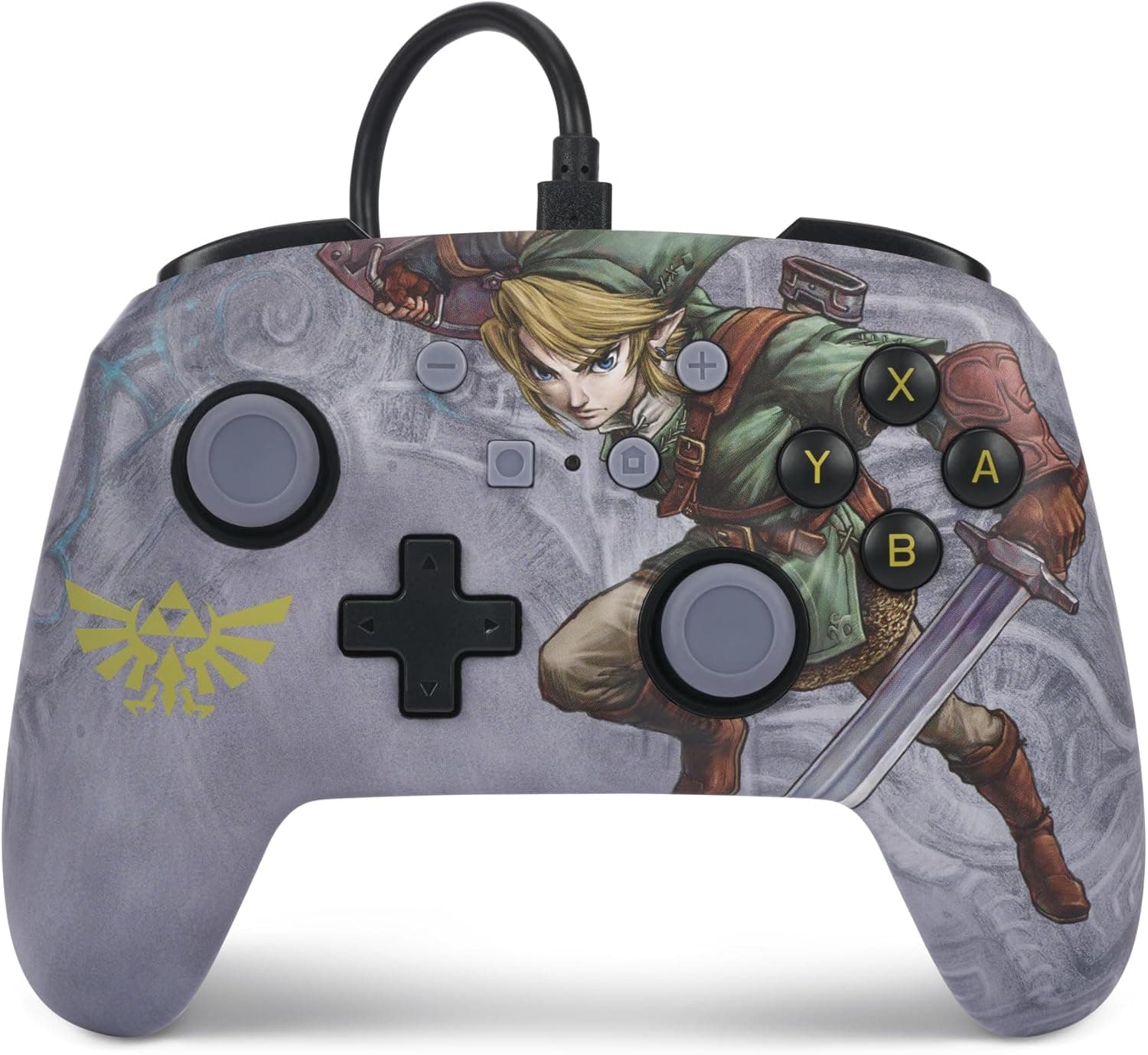
The PowerA Enhanced Wired Controller and Slim Case for Nintendo Switch - Master Sword - Master Sword Edition is a Switch controller and slim case set themed on the Master Sword from The Legend of Zelda. It is made by PowerA under a Nintendo Switch license and connects by USB cable only.
It has two remappable rear buttons and a 3.5mm audio jack.
The short version: this is for people who mostly play docked on a TV, never want to charge a controller, and care about the Master Sword design. It does not support HD Rumble or amiibo (NFC), and it is awkward to use wired in handheld mode.
If you buy it as a cheap substitute for the official Pro Controller you will probably be disappointed, so this article explains where that line is.
The controller has a metallic finish inspired by the Master Sword's blade, with details such as the Triforce and Hylian crest. Because it is wired, battery level is never a concern and it will not die in the middle of a long session.
The included slim case gives you somewhere to store things when you travel.
Compatibility Guide
The listed compatible systems are the Nintendo Switch and the Nintendo Switch OLED model. The only connection is USB; there is no Bluetooth or other wireless mode.
Here is what that means for each setup.
| System / mode | Works? | Notes |
|---|---|---|
| Switch / OLED (TV mode) | Yes | Plug into the dock's USB port. The easiest setup |
| Switch / OLED (tabletop) | Conditional | Needs a USB adapter on the console; the cable gets in the way |
| Switch Lite | Conditional | Needs a separate USB-C adapter |
| Nintendo Switch 2 | Not listed | Not in the product data's compatibility list. Check before buying |
The easiest setup is plugging it into the dock and playing in TV mode. Normally the console picks it up as soon as it is plugged into the dock.
If a wired controller does not respond, make sure Pro Controller Wired Communication is turned on in the console settings. This is a common problem with wired controllers.
On a Switch Lite you need a USB-C adapter in the console's port. The adapter and cable stick out of the bottom of the console, which makes it awkward to hold.
Plan on standing the Lite on a desk and playing with the controller.
The product data used for this article does not list Switch 2 support. If you own a Switch 2 or plan to buy one, confirm compatibility before you buy.
Product Info
These are the specs from the product data.
| Item | Details |
|---|---|
| Connection | USB wired |
| Compatible systems | Nintendo Switch / Switch OLED |
| Rear buttons | 2 (remappable) |
| Audio jack | 3.5mm |
| Product dimensions | 405 x 231 x 88 mm |
| Weight | 370.13 g |
| Model number | NSAC0070-01 |
The 405 x 231 x 88 mm listing is too large to be the controller alone. It is most likely the whole set including the case, or the box.
These numbers tell you nothing about how it feels in the hand, so if hand size matters to you, look at the listing photos and reviews.
On Amazon.co.jp it was ¥8,929 when checked on May 28, 2026, and ¥8,934 when checked on August 27, 2026.
An eBay US listing was $20.00 when checked on July 9, 2026.
That listing does not say whether it is new or used, or whether the case is included. Japanese prices depend on the seller and change with sales, so check the product page for the current price.
This set used to be described as cheaper than buying the controller and case separately. At around ¥9,000 in Japan, though, it is not clearly cheaper than an official Pro Controller.
Compare both prices when you buy. The manufacturer warranty is listed as two years, but whether you can use it depends on the seller, so check that too.
On Amazon.co.Check the retailer's page for the latest user reviews.
That is not many reviews, but they are clearly positive overall. Many people buy it for the design, so read individual reviews if you want opinions on how it plays.
Practical Considerations
Cable: With a wired controller, cable length decides how you can play. If your dock is next to the TV and you sit on a couch, you need a fairly long cable.
The cable length is not in the product data, so measure your distance to the TV and then check the listing. We do not recommend adding a USB extension cable if it is too short, because that can make the connection unreliable.
Two rear buttons: You can assign any button's function to the two rear buttons. For example, putting jump or dodge on the back means your right thumb can stay on the stick.
The official Pro Controller has no rear buttons, so this is a real advantage.
3.5mm jack: You can plug wired headphones straight into the controller.
That helps for quiet late-night play, or when you sit far from the TV and want to use earphones. Voice chat support varies by game and app.
Comparison with Alternatives
This is how it compares with the Switch controllers people usually weigh it against.
| Aspect | This set (PowerA wired) | Official Pro Controller | 8BitDo Bluetooth pads |
|---|---|---|---|
| Connection | Wired only | Wireless / wired | Wireless (Bluetooth) |
| Charging | Not needed | Needed | Needed |
| HD Rumble / amiibo | No | Yes | Varies by model |
| Rear buttons | 2 | None | Varies by model |
| Design | Master Sword theme | Standard | Varies by model |
If you want wireless play, or a controller for casual use alongside handheld mode, a Bluetooth pad such as an 8BitDo model is a better fit. If you never want to charge, want rear buttons, or want a Zelda-themed controller, this one has a clear reason to exist.
Who Should Buy It
- Legend of Zelda fans: The Master Sword design looks good on display or in use, and it keeps you close to the game's world while you play.
- Docked TV players: Leave it plugged into the dock and you will never find it out of charge.
- Fighting and action game players: A wired connection cannot run out of battery or drop out, so you can rely on it when timing matters.
- Players curious about rear buttons: You get two remappable rear buttons, which the official controller lacks, at a reasonable price.
- People buying an extra controller for family or friends: There is no charging to manage, which suits a second or third controller that only comes out now and then.
Things to Consider
No HD Rumble and no amiibo. If you play games that use vibration for feedback, or you use amiibo often, this will feel limited.
If you need those features, choose a controller that supports them, such as the official Pro Controller. The product data also does not say whether it has motion (gyro) controls, so check before buying if your games need them.
Not for handheld-first players. Tabletop mode and the Switch Lite both need an adapter, and you play with the adapter and cable sticking out of the console.
If you mostly play on the go, a wireless controller will serve you better.
Switch 2 support is not listed in the product data. If you plan to move to a Switch 2, how long this stays useful depends on that.
If you cannot confirm support, either treat it as a Switch 1 accessory or look at other controllers.
**It is not necessarily a budget alternative.Check the retailer's page for the latest price. Base your decision on whether you value the design or the rear buttons; that is how to avoid regret.
The design is not for everyone. The Master Sword theme covers the whole controller, so it may look loud if you prefer something understated.
For fans, that design is the main appeal.
Check what the slim case holds. Before you buy, confirm from the listing photos and description whether the case is meant for the Switch console or the controller.
Assuming the set's contents often leads to disappointment when it arrives.
FAQ
Q. Does it work with the Switch Lite? A.
Yes, with a separate USB-C adapter. It does not work well handheld, though, so you will need to stand the console up.
Q. It does not respond when plugged into the dock. A.
Check that Pro Controller Wired Communication is turned on in the console settings. When it is off, wired controllers may not be recognized.
Q. Does it work with the Nintendo Switch 2? A.
The product data used for this article lists only Switch and Switch OLED; Switch 2 is not mentioned. Check the product page or the manufacturer before buying.
Q. Does it vibrate or read amiibo?
A. No. It supports neither HD Rumble nor amiibo (NFC).
Q. Can I plug in headphones?
A. Yes. The controller has a 3.5mm audio jack for wired headphones or earphones.