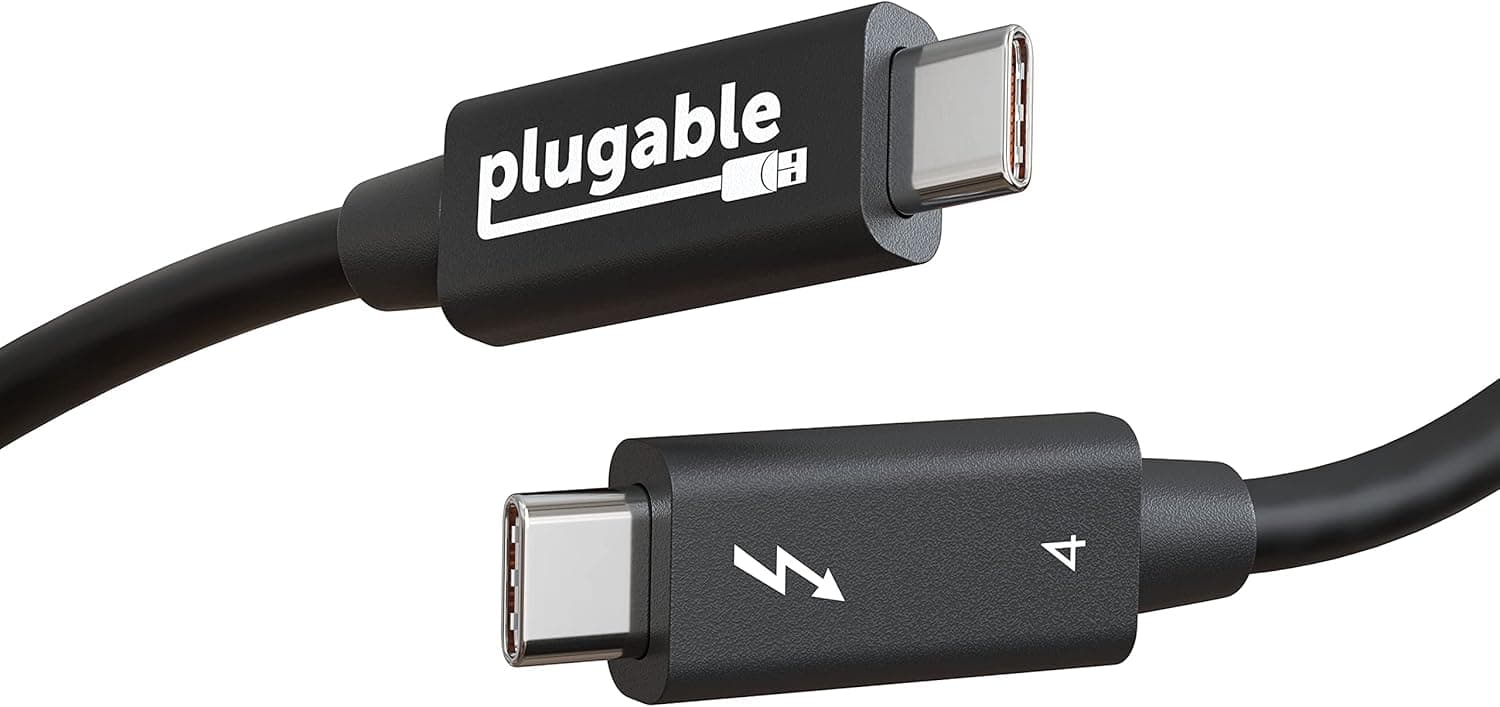
The Plugable Thunderbolt 4 Cable (40Gbps, 100W, 2m) exists to replace three cables with one: data, video, and power. It is expensive for a cable, but the premium buys certification and reach rather than raw speed alone.
This article covers where it earns that premium and who can safely skip it.
Overview
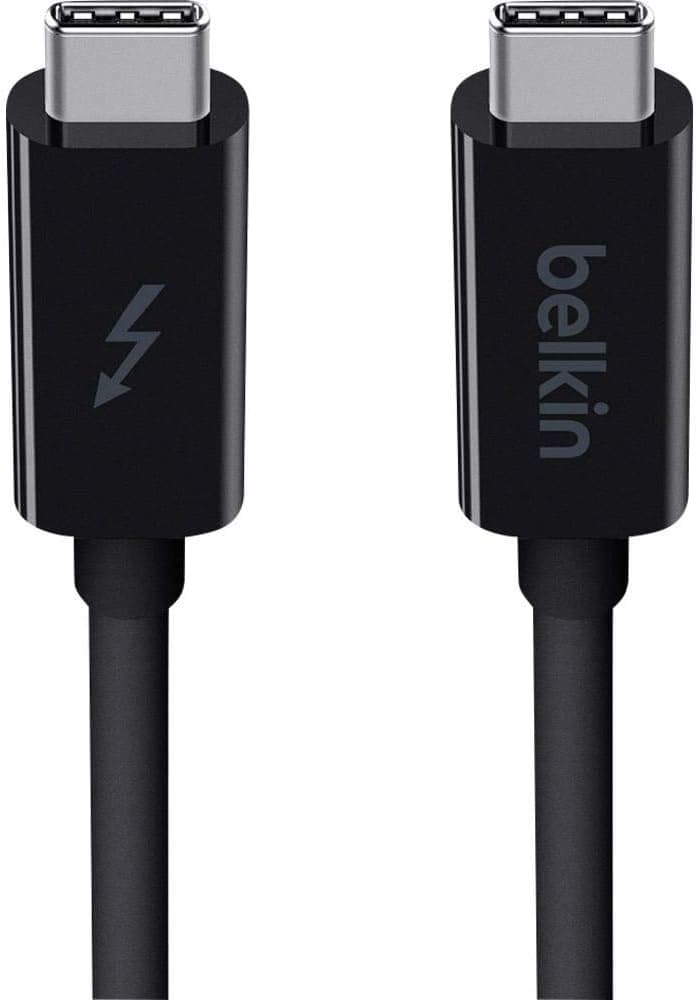
This is a Thunderbolt 4 certified USB-C cable with USB-C on both ends, rated for up to 40Gbps of data, up to 100W (20V/5A) of power delivery, and 2x 4K@60Hz or 1x 8K@30Hz of video output. It targets people who connect one laptop to a dock or monitor and want power, display, and peripherals handled by a single line.
The length matters more than the headline speed. Passive Thunderbolt 4 cables generally top out around 0.8m, so holding 40Gbps at 2m normally requires an active design with signal conditioning built in.
In other words, you are paying for speed that survives distance, not for speed alone. A 0.8m cable cannot substitute when the PC sits at the back of the desk.
On Amazon.co.jp the cable holds 4.6 out of 5 (92% positive) across 477 reviews, captured June 2026.
For a cable category, that combination of volume and score mostly reflects the value of certification: fewer "it just doesn't work with my machine" outcomes.
Compatibility Guide
The stated compatibility covers Thunderbolt 4, USB4, Thunderbolt 3, USB-C, and USB 3.x/2.0/1.1.
It will physically fit any USB-C port, but actual performance drops to whichever end is slower - host or device. A 40Gbps cable on a USB 3.2 Gen2 port still gives you 10Gbps.
| What you want | What it requires |
|---|---|
| 40Gbps transfer | Host port must be Thunderbolt 4 or USB4 |
| Dual 4K / 8K video | Host and display must support the relevant Alt Mode / TB output |
| 100W charging | The charger or dock must actually deliver 20V/5A |
| Full-speed external SSD | The SSD must be Thunderbolt 3/4 or USB4 too |
The key exception is the original Apple Silicon M1: M1 machines are limited to one external display by the chip itself. No cable changes that.
If you need two screens, you need a higher-tier chip or an alternative such as a DisplayLink dock.
Power is the other trap. A 100W-rated cable connected to a 65W charger delivers 65W.
Conversely, some current laptops want more than 100W, and those are better served by a separate PD 3.1 240W cable.
If charging is all you need, this cable is overkill.
Product Info
Key specs: USB-C (Thunderbolt 4) connectors, 2m length, 40Gbps maximum data rate, 100W (20V/5A) maximum power delivery, 2x 4K@60Hz or 1x 8K@30Hz video, Thunderbolt 4 certification, and a 2-year warranty. The box contains the cable only - no drivers, no adapters.
Modern operating systems handle Thunderbolt and USB4 natively.
On pricing: the Amazon.co.jp listing showed ¥12,153 when captured on 27 August 2026, and ¥12,381 when the same page was captured on 3 June 2026.
Prices clearly move, and sales can push them lower, so check the product page for the current figure before buying. The numbers here are point-in-time references only.
A 2-year warranty is generous for a cable. Since cables usually fail at the strain relief near the connector rather than in the middle, warranty length translates into real-world value.
How It Compares
The same shelf holds shorter Thunderbolt 4 cables, USB4 40Gbps cables, and charge-focused 240W cables. Three questions separate them.
- Do you need the length? If 1m or less works, a passive cable is cheaper at the same performance. The premium here only pays off at 2m.
- Do you need video? Some charging-only cables carry no display signal at all. For a single-cable monitor setup, look for Thunderbolt or USB4 labeling.
- How much power? Above 100W you need a PD 3.1 240W cable instead.
Thunderbolt 4 certification is essentially insurance that all three work at once, which is exactly what cheap unbranded cables fail to guarantee.
Best For
- Owners of Thunderbolt 4 / USB4 laptops (MacBook Pro, Dell XPS, ThinkPad) who dock daily and want one cable for power, display, and USB.
- Video and photo editors moving large media to Thunderbolt SSDs or RAID enclosures, where transfer waits eat into working time.
- Anyone whose desk layout puts the machine out of reach of a 0.8m cable but who refuses to trade away bandwidth. That length-plus-speed combination is the product's real reason to exist.
- People who would rather pay once than debug a bargain cable that half-works.
Before You Buy
Most people do not need this cable. If you charge phones and move the occasional file, a ¥1,000-¥2,000 cable does the job.
Paying five figures for 40Gbps and 8K you never use is the most common mistake here. Confirm you genuinely transfer above 10Gbps or drive a display before buying.
Verify your port standard. USB-C is a shape, not a capability.
Look for the lightning-bolt marking beside the port or check the manufacturer's spec sheet. Get this wrong and the expensive cable changes nothing.
The M1 single-display limit is not a cable problem. Seeing "dual 4K support" and expecting two screens on an M1 machine leads straight to disappointment.
2m of active Thunderbolt cable is thick and fairly stiff compared with a soft charging cable. If your routing involves tight bends behind a desk, plan slack management - a connector clamped at a sharp angle is the fastest way to kill any cable.
One note on the listing itself. This product shows an "Amazon US" seller label alongside an Amazon.co.jp price, and seller, fulfillment, and delivery times can differ by page.
Before ordering, confirm the seller, the shipper, and that the images and title match the product you want. Cable listings often switch between length and standard variants within one page, so check that the selected variant is the 2m Thunderbolt 4 version.
FAQ
Q. Can I use it purely as a charging cable? A.
Yes, up to 100W (20V/5A). But it is clearly overpriced for that alone; a cheap cable does the same job.
Q. Will it work on a plain USB-C port? A.
It connects and works, but speed and video are capped by that port. 40Gbps requires a Thunderbolt 4 or USB4 host.
Q. Can it really do 8K? A.
It is rated for 1x 8K@30Hz, but the host, GPU, and display must all support it. The cable alone is not enough.
Q. Is it safe with Thunderbolt 3 gear?
A. Yes, it is backward compatible; speed and power follow the TB3 device's limits.
Q. Why is it pricier than a short 40Gbps cable? A.
Holding 40Gbps over 2m generally requires an active design. If you do not need the length, a shorter cable is better value.
Q. What is the warranty? A.
Two years from Plugable, which is meaningful given that cables typically fail from broken conductors near the connector.
Product Disclosure (Amazon)
- Manufacturer: Plugable
- Seller: Amazon US
- Fulfilled by: Amazon US
- ASIN: B09C1LV8XC
- Note: This article covers a manufacturer-made product based on Amazon listing details.