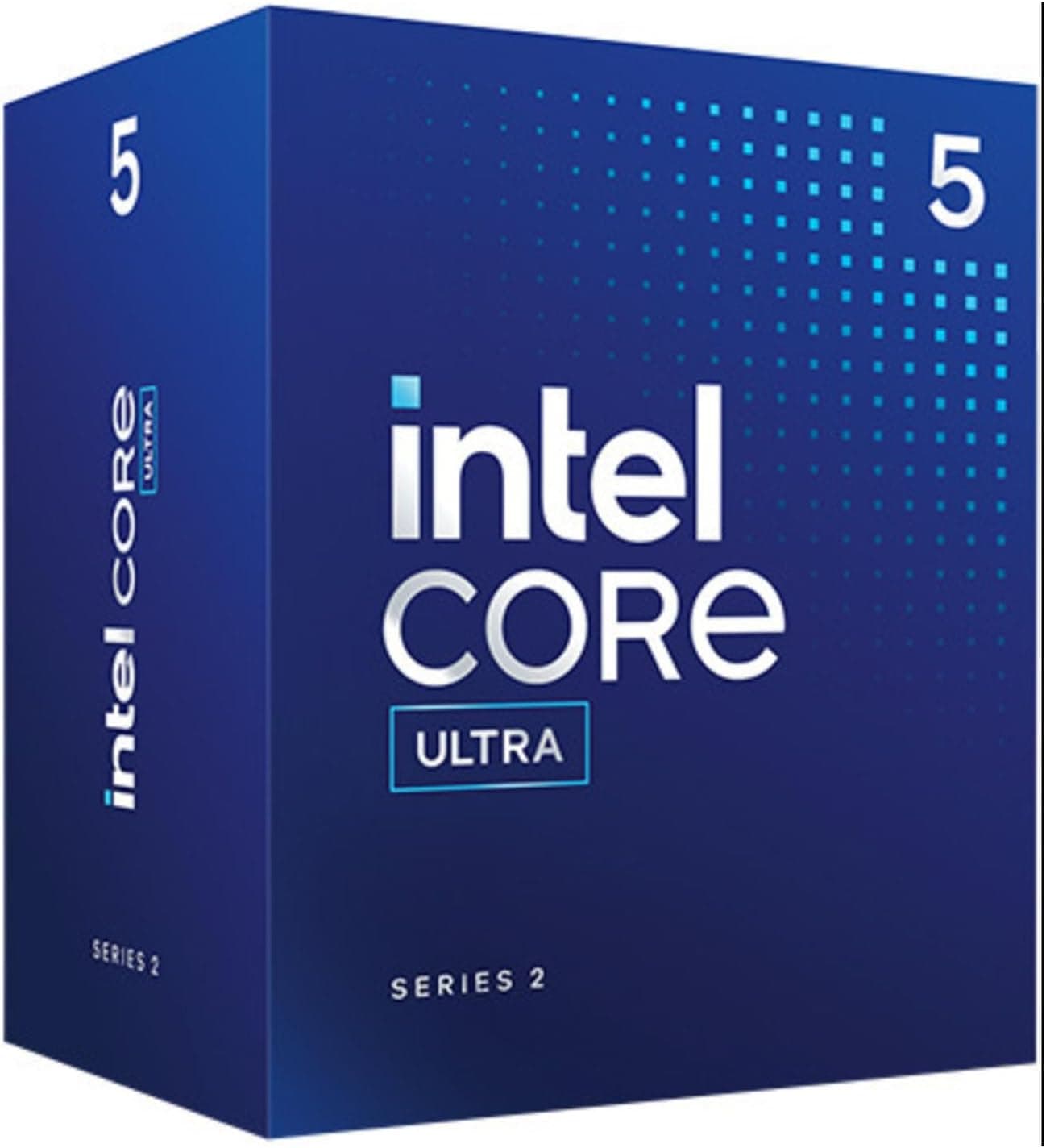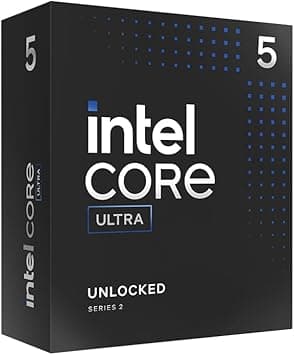
This article covers INTEL Core Ultra5 245K プロセッサー BX80768245K.
Overview
The Intel Core Ultra 5 245K (part number BX80768245K) is an upper-mid-range desktop CPU from Intel's Core Ultra series, codenamed Arrow Lake-S. It launched in October 2024.
It has 14 cores: 6 P-cores and 8 E-cores. The base clock is 4.2GHz and the maximum boost is 5.2GHz.
In short, it is a well-balanced choice for people who want one PC for both gaming and everyday work while keeping power draw and heat in check.
The catch is the new LGA1851 socket, which means you also need a new motherboard. You cannot drop it into an existing LGA1700 system (12th to 14th gen Core).
That makes it poor value if you only want a cheap upgrade for your current PC. It makes the most sense for a new build, or for anyone replacing the motherboard anyway.
The thread count is easy to overlook. This generation drops Hyper-Threading on the P-cores, so the chip runs 14 threads on 14 cores.
Older 14-core parts ran 20 threads, so the core count alone is not a like-for-like comparison. Base power is 125W and maximum turbo power is 159W.
The chip also has a built-in NPU, a dedicated circuit for AI tasks. The compute tile, which does the main processing, is made on a 3nm-class process.
Compatibility Guide
| Item | Requirement | Common pitfall |
|---|---|---|
| Socket | LGA1851 | Does not fit LGA1700 boards |
| Chipset | Intel 800 series (Z890 / B860, etc.) | CPU overclocking assumes Z890 |
| Memory | DDR5 (DDR5-5600 in our listing data) | DDR4 is not supported |
| PCIe | 5.0 (from the CPU) | The number of 5.0 slots varies by board |
| Power supply | 650W or more recommended | 750W+ is safer with a high-end GPU |
| CPU cooler | Not included | Must be bought separately |
The most common mistake is buying the wrong motherboard. LGA1700 boards such as Z790, B760 and Z690 will not work, so choose an 800-series board such as Z890 or B860.
This is a K model, meaning the multiplier is unlocked, but CPU overclocking is essentially a Z890 feature. B860 boards offer little room for it.
If you plan to run at stock settings, B860 is enough, and spending the difference on the GPU or storage makes a bigger real-world difference.
The CPU supports DDR5 only, so moving from DDR4 means buying new memory. Our listing data shows DDR5-5600, but Intel's published specification lists support up to DDR5-6400.
The speed you actually get depends on the motherboard and on whether you install two or four modules. Check the board's memory support list before buying high-clocked RAM.
No cooler is included. LGA1851 uses the same mounting-hole spacing as LGA1700, so many LGA1700 coolers fit without changes.
Some cooler makers publish a separate LGA1851 compatibility list, though, so check your exact model. To handle the 159W peak, a tower air cooler with a 120mm fan or an AIO with a 240mm or larger radiator is realistic.
A low-profile top-down cooler will struggle to hold clocks under sustained load.
The recommended power supply is 650W or more. Even at the CPU's 159W peak, total system power is mostly set by the graphics card.
Plan on about 650W with a mid-range GPU and 750W or more with a high-end one.
Product Info
| Item | Value |
|---|---|
| Cores / Threads | 14 (6P + 8E) / 14 |
| Clocks | 4.2GHz base / 5.2GHz max |
| Cache | 24MB + 26MB (see Things to Consider for the L2/L3 split) |
| Power (base / max) | 125W / 159W |
| Socket | LGA1851 |
| NPU | Built in |
| Codename / Launch | Arrow Lake-S / October 2024 |
When captured on June 5, 2026, the price on Amazon.co.jp was ¥41,270. A listing on eBay US showed $194.99 when captured on July 14, 2026.
eBay listings may be used or grey-import units, so do not expect a Japanese distributor warranty. Prices change often, so check the product page for the current price before buying.
Check the retailer's page for the latest user reviews. Base your decision on your own use case and the compatibility table above rather than on the reviews.
Some retailers sell a limited version that adds a 1-year Japanese distributor warranty on top of the 3-year manufacturer warranty. Check the product name and warranty section to see whether the listing you are viewing is that version.
Unlike the KF variant, the 245K has integrated graphics, so it can display an image without a graphics card. That helps when troubleshooting a faulty GPU, or when you want to install the OS before your GPU arrives.
Paired with a suitable motherboard, some builds can use Thunderbolt 4 and Wi-Fi 7. Whether you actually get them depends on the board's features, so check the motherboard's spec sheet if you need them.
Alternatives
| CPU | Cores / Threads | Socket | Notes |
|---|---|---|---|
| Core Ultra 5 245K | 14 / 14 | LGA1851 | Power efficiency and NPU; new platform |
| Ryzen 5 9600X | 6 / 12 | AM5 | Fewer cores, but a socket in use for many years |
| Ryzen 7 9700X | 8 / 16 | AM5 | Strong per-core performance; a step up |
| Core i5-14600K | 14 / 20 | LGA1700 | Previous gen; can reuse an existing LGA1700 board |
The key question is whether you are buying a new motherboard anyway. If you are, choosing between the 245K and a Ryzen comes down to your workload and the current price gap.
If you already own an LGA1700 board, staying with a 14th gen Core is a realistic way to spend less. Price gaps shift a lot over time, so compare prices taken on the same day.
Best Use Cases
- One PC for gaming and daily work: The 6 P-cores handle most games, while the E-cores take background tasks such as streaming software and browsers.
- Quiet, cool builds: With 125W base power, cooling costs stay low and the chip suits a quiet build.
- Complete new builds: If you are not carrying over old parts, the new socket is not much of a drawback.
- First-time builders who want a safety net: The integrated graphics let you get a picture without a GPU, which makes troubleshooting easier.
Things to Consider
LGA1700 motherboards will not work. If you were planning a simple CPU swap, include the cost of a new motherboard in your budget, and new memory if you are coming from DDR4.
Comparing CPU prices alone will mislead you about the total cost.
No CPU cooler is included. Order one at the same time.
Many LGA1700 coolers can be reused, but always confirm that the mounting hardware is compatible.
Despite 14 cores, the E-cores cannot carry heavy parallel work. For long video encodes or 3D rendering, a higher tier such as the Core Ultra 7 265K or Ryzen 7 9700X is a better fit.
The 245K suits users focused on gaming, browsing and light creative work.
Gaming performance depends on BIOS and Windows updates. Early reviews of this generation found gaming performance below expectations, and Intel has since tried to improve it through microcode and OS updates.
Update your motherboard BIOS to the latest version as soon as you finish the build.
Treat LGA1851 as having a limited future. There are not expected to be many upgrade options that let you swap in a faster CPU on the same board.
If you want to keep one motherboard for five years or more and only change CPUs, compare it with AM5 first.
Do not expect too much from the NPU. It is reportedly not large enough to meet Copilot+ PC requirements.
What you can do with it depends on software support. If you want to run image generation or large language models locally, the graphics card does the heavy lifting, not the NPU.
About conflicting data. Our spec data lists 24MB L2 cache and 26MB L3 cache.
Intel's published specification lists 26MB of total L2 and 24MB of Smart Cache (L3), so the two values may be swapped. If the cache breakdown matters to you, check Intel's product specification page.
Part of our price data was also labeled Amazon US while pointing to the Japanese Amazon page. When you open a product page, confirm it is the right product using the images, the product name and the part number BX80768245K.
FAQ
Q. Can I use it on a Z790 motherboard?
A. No. It uses the LGA1851 socket, so you need an 800-series board such as Z890 or B860.
Q. Will my LGA1700 cooler fit? A.
Often yes, because the mounting-hole spacing is the same. Check your cooler maker's compatibility list to be sure.
Q. Can I run it without a graphics card? A.
Yes. The 245K has integrated graphics, so it can display an image.
For serious 3D gaming, though, you should still plan on a separate graphics card.
Q. B860 or Z890?
A. B860 is enough if you run at stock settings. Choose Z890 if you want to overclock the CPU or need more expansion.
Q. Aren't 14 threads too few? A.
That is because this generation dropped Hyper-Threading by design. It rarely matters for gaming or everyday use, but for heavy parallel work that scales with thread count, consider a higher-tier model.
Product Disclosure (Amazon)
- Manufacturer: インテル(Intel)
- Seller: Amazon.co.jp
- Fulfilled by: Amazon.co.jp
- ASIN: B0DJQ7PZ67
- Note: This article covers a manufacturer-made product based on Amazon listing details.