This article covers CORSAIR VENGEANCE DDR5 192GB (4x48GB) DDR5 最大5200MHz C38 Intel最適化されたデスクトップメ.
Overview
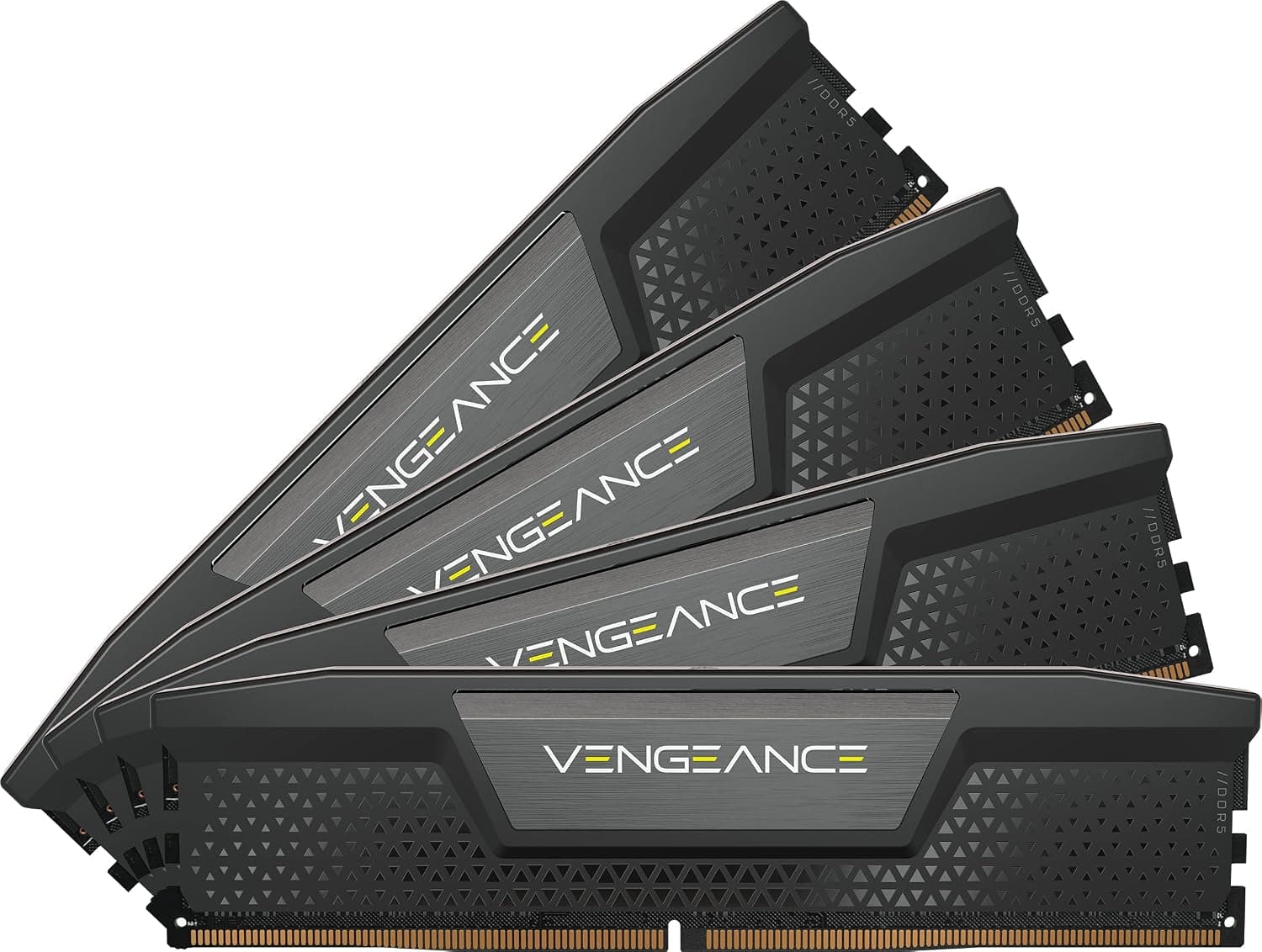
CORSAIR's VENGEANCE DDR5 192GB (4x48GB) kit pushes the boundaries of desktop memory capacity. Running at 5,200 MT/s with a CAS latency of 38, it prioritizes sheer volume over raw speed, making it a perfect fit for memory-hungry professional workloads. The kit supports Intel XMP 3.0 for one-click overclocking on compatible Intel motherboards, and its low-profile heat spreaders ensure broad compatibility with large CPU coolers. This is not a mainstream gaming memory kit — it's a specialized tool for users who genuinely need 192GB of RAM. The target audience includes content creators, virtualization engineers, and data scientists who work with massive datasets or multiple virtual machines simultaneously.
Compatibility Guide
All four modules use the standard DDR5 DIMM form factor (288-pin). The kit is optimized for Intel XMP 3.0, so you'll get the best plug-and-play experience on Intel 600- and 700-series motherboards. While physically compatible with AMD AM5 platforms, XMP profiles may not load correctly, requiring manual timing and voltage adjustments. Because the kit fills all four DIMM slots, motherboard memory topology and CPU memory controller quality become critical. Many boards may not sustain 5,200 MT/s with four dual-rank modules; be prepared to run at JEDEC 4,800 MT/s or manually tune for stability. Always check the motherboard's QVL (Qualified Vendor List) for this specific model (CMK192GX5M4B5200C38) before purchasing.
Product Info
Launched in 2023, the CORSAIR VENGEANCE DDR5 192GB kit (CMK192GX5M4B5200C38) carries a reference price of roughly ¥255,728 in Japan. It comes with CORSAIR's limited lifetime warranty, reflecting the brand's confidence in long-term reliability. Positioned firmly in the high-end enthusiast/professional segment, this kit sacrifices speed for capacity. It's designed for users who need to keep hundreds of browser tabs open, run multiple VMs, or process large datasets entirely in memory. For typical gaming or productivity, it's massive overkill.
Best Use Cases
Video editors and 3D artists: 8K video timelines and complex 3D scenes can easily consume 64GB of RAM. With 192GB, you can cache entire projects in memory, eliminating disk swapping and dramatically speeding up scrubbing and rendering. Virtualization engineers: Running multiple Windows or Linux VMs simultaneously requires substantial RAM. 192GB lets you allocate generous amounts to each VM without worrying about the host OS running out of memory. * Data scientists and researchers: In-memory databases and large-scale data analysis benefit directly from physical RAM capacity. 192GB allows you to work with datasets that would otherwise require swapping to SSDs. If you're a gamer, this is not for you. A 32GB or 64GB DDR5-6000+ kit will deliver better gaming performance at a fraction of the cost.
Things to Consider
The most obvious drawback is the price — nearly ¥250,000 is a significant investment that only makes sense if you have a concrete need for 192GB. Motherboard compatibility is another major concern; not all boards can handle four sticks of high-density DDR5 at 5,200 MT/s. You may need to run at lower speeds or manually tune timings. Additionally, the kit is Intel-optimized. AMD Ryzen users should expect limited compatibility and may need to disable XMP and run at JEDEC defaults. The 4-stick configuration also means you can't upgrade later without replacing the entire kit. ## FAQ
Q: Can I use this memory on an AMD Ryzen motherboard? A: Yes, physically, but it's not officially validated for AMD EXPO. XMP profiles may not work, and you'll likely need to manually set speed and timings. Performance at 5,200 MT/s is not guaranteed. Check user reports for your specific motherboard before buying. Q: Is this necessary for gaming? A: No. Even the most demanding games rarely use more than 16GB-32GB. 192GB offers zero gaming benefit and is a waste of money. For gaming, invest in a faster DDR5-6000+ kit with lower latency. Q: Does CORSAIR iCUE software add value? A: For basic operation, no. Just enable XMP in BIOS and you're done. iCUE, however, allows real-time frequency monitoring, on-board voltage regulation, and custom XMP profile creation — useful for enthusiasts who want to fine-tune stability and performance.
Product Disclosure (Amazon)
- Manufacturer: CORSAIR
- ASIN: B0BY6ZF5KF
- Note: This article covers a manufacturer-made product based on Amazon listing details.