Overview
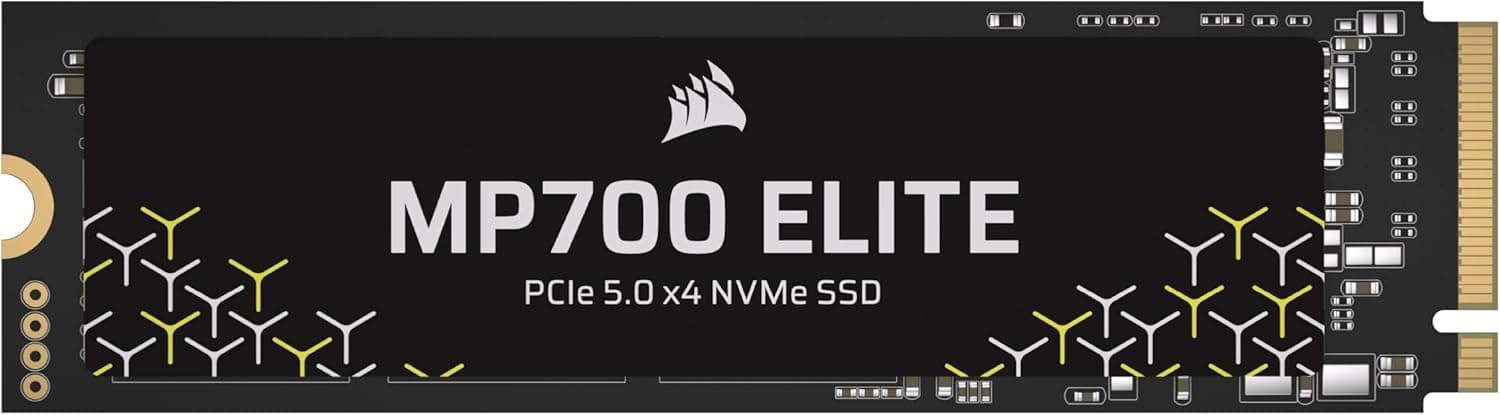
The CORSAIR MP600 series has been a familiar name among the company's gaming-oriented NVMe SSDs. The 1TB model we're looking at today, part number CSSD-F1000GBMP600R2, supports PCI Express 4.0 x4 connectivity and delivers sequential read speeds of up to 4950MB/s and write speeds of up to 4000MB/s.
It uses 3D TLC NAND flash memory, striking a balance between performance and endurance. The M.2 2280 form factor means it will fit into most modern motherboards without any issues. Whether you want to shorten game loading times or need a fast scratch drive for video editing, this drive has you covered.
In the current market, this drive sits in the entry-to-mid tier of PCIe 4.0 SSDs. It's a solid choice for those upgrading from a PCIe 3.0 model or anyone looking to add storage to a gaming PC without breaking the bank.
Compatibility Guide
This is an M.2 2280 NVMe drive that uses the PCIe 4.0 x4 interface. It will also work in a PCIe 3.0 x4 slot, but the transfer speed will be limited to the PCIe 3.0 bandwidth. To get the full performance, you'll need a motherboard and CPU that support PCIe 4.0.
On the Intel side, that means 11th-gen Core processors or newer. For AMD, Ryzen 3000-series CPUs and newer, paired with a compatible chipset, will unlock PCIe 4.0 speeds. The drive will physically fit in older boards, but you'll be leaving performance on the table.
Depending on where the M.2 slot is located, you may run into clearance issues with large graphics cards or CPU coolers. Check your motherboard manual for slot placement, and if you plan to use a heatsink, pay attention to its height as well.
Product Info
The CORSAIR MP600 1TB was released in 2021. Pricing has fluctuated over time, but it generally sits in the affordable mid-range tier for 1TB PCIe 4.0 SSDs. It comes with a 5-year warranty, and the CORSAIR SSD Toolbox software allows for firmware updates and secure erase operations.
Performance is rated at up to 4950MB/s sequential read and 4000MB/s sequential write. The NAND is 3D TLC, paired with a controller that supports PCIe 4.0 x4. It's well-suited for gaming and creative workloads alike.
This drive arrived during the period when PCIe 4.0 SSDs were becoming mainstream, and it gained a following among users who prioritize value. Compared to the latest PCIe 5.0 drives, it has less bandwidth, but in real-world gaming and application use, the difference is often hard to notice.
Best Use Cases
First, this drive is ideal for gamers looking to expand their PC's storage. Modern game titles are large, and 1TB gives you room for multiple games at once. Faster loading times are a nice bonus.
Second, creative professionals who edit video or work with large photo libraries will appreciate the fast read and write speeds. Moving large source files around becomes much quicker, and the 4000MB/s write speed helps speed up export times.
On the other hand, if you're using an older PC without PCIe 4.0 support, you won't be able to take full advantage of this drive's capabilities. And if your workload involves rewriting massive amounts of data constantly, you might want to consider a drive with higher endurance ratings.
Things to Consider
This SSD does not have a DRAM cache. As a result, sustained write performance can drop during long continuous write operations compared to drives with DRAM. For typical gaming and application use, this is rarely noticeable, but heavy file transfer workloads warrant caution.
It also doesn't come with a heatsink. If your motherboard lacks an M.2 heatsink, you should consider buying one separately. PCIe 4.0 drives can run hot during sustained high-speed transfers, so cooling is important.
Competing PCIe 4.0 SSDs from other brands are available. Compare prices, warranty terms, and included accessories before making a decision. The 5-year warranty on this model provides peace of mind for long-term use.
FAQ
Q: Will this work on a PCIe 3.0 motherboard?
A: Yes. As long as you have an M.2 slot, it will physically fit and operate at PCIe 3.0 x4 speeds. However, transfer rates will be capped at the PCIe 3.0 limit (around 3500MB/s), so you won't get the full performance without a PCIe 4.0 setup.
Q: How much faster will game loading be?
A: It depends on the game and your system, but if you're upgrading from an HDD or SATA SSD, you'll notice a clear improvement in loading times. If you're coming from a PCIe 3.0 SSD, sequential speeds will be higher, but the real-world difference may be less obvious.
Q: Do I need a heatsink?
A: For sustained heavy write workloads, a heatsink is recommended. If your motherboard includes an M.2 heatsink, use that. Otherwise, consider picking up an aftermarket M.2 heatsink for peace of mind.
Product Disclosure (Amazon)
- Manufacturer: CORSAIR
- Seller: New_gadget
- Fulfilled by: New_gadget
- ASIN: B09M8PRGPT
- Note: This article covers a manufacturer-made product based on Amazon listing details.