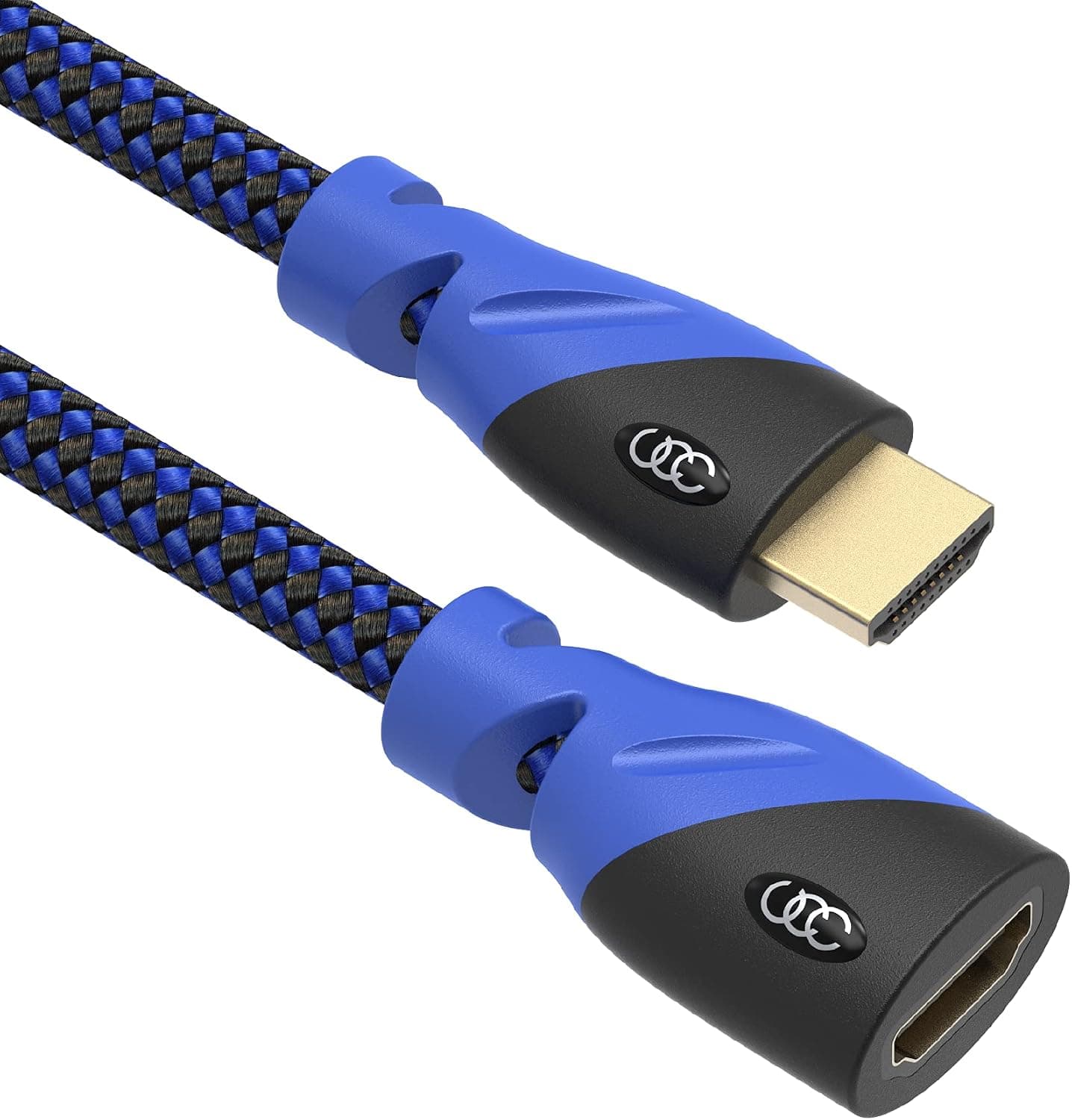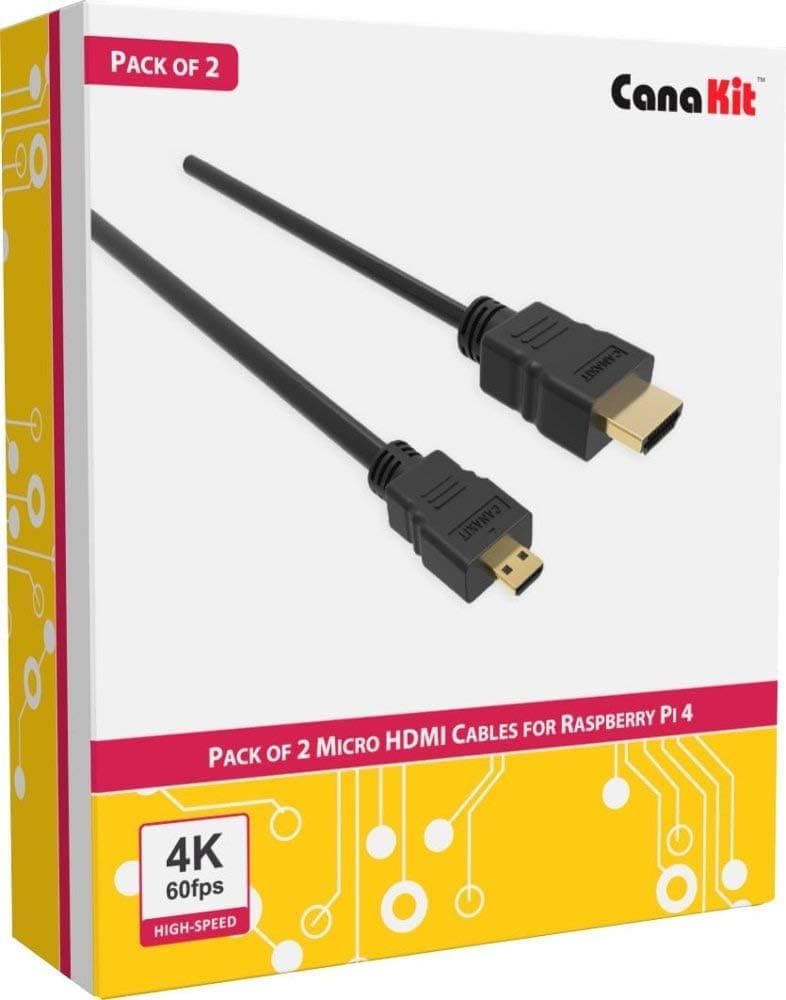
This article looks at the CanaKit Raspberry Pi 4 Micro HDMIケーブル (6 ft, 2-pack) from the angle of how it actually gets used. It is an unglamorous part, but on the Raspberry Pi 4 and later it is the one part that decides whether anything appears on screen at all.
Overview
The CanaKit Raspberry Pi 4 Micro HDMI Cable connects the Micro HDMI (Type D) output of a Raspberry Pi 4 or Raspberry Pi 5 to the standard HDMI (Type A) input on a monitor or TV. Each cable is 6 feet (about 1.8 m) long and you get two of them.
It is rated for up to 4K@60Hz (3840x2160) and supports CEC.
The short version: this pack exists to remove the very first roadblock after unboxing a Pi 4 or Pi 5, which is that none of the HDMI cables you already own will fit. You are not buying features here; you are buying the odds that the link comes up on the first try and stays up.
On Amazon.co.jp the listing shows 1,081 reviews averaging 4.8 out of 5 (96% positive) as of 22 September 2026.
A four-digit review count means that average is not the product of a handful of early buyers.
For context, the Raspberry Pi 3B+ and earlier used a single full-size HDMI port. The Pi 4 moved to two Micro HDMI ports so that dual-display output would fit on the same board footprint.
Buyers who miss that change discover it only when their old cable will not go in, which is exactly why this pack keeps selling.
Compatibility Guide
Compatibility here is purely a matter of connector shape.
| Model | Video port | This cable |
|---|---|---|
| Raspberry Pi 5 | Micro HDMI x2 | Supported |
| Raspberry Pi 4 Model B | Micro HDMI x2 | Supported |
| Raspberry Pi 3B / 3B+ / 3A+ | Full-size HDMI | Not supported (will not physically fit) |
| Raspberry Pi Zero / Zero 2 W | Mini HDMI (Type C) | Not supported (Type C is a different connector) |
The manufacturer lists the Raspberry Pi 4 and Raspberry Pi 5 as the supported models. The Raspberry Pi 400 uses the same pair of Micro HDMI ports, but it is not in the official compatibility note, so check the listing before relying on it.
Mini HDMI (Type C) and Micro HDMI (Type D) sound alike and are not interchangeable, which is the single most common ordering mistake for Pi Zero owners.
There is also a mechanical angle. The two Micro HDMI ports sit only millimeters apart, so cables with bulky connector shells can block each other when both are in use.
A 2-pack is sold for exactly that dual-display scenario, so this should be accounted for in the design, but tall heatsink cases and stacked GPIO HATs can still make the bend radius awkward. Measure the case opening first if the Pi lives inside an enclosure.
On the display side, any standard HDMI input works. Watch out for HDMI switches, KVMs and capture devices: the Pi picks its output mode from EDID, and a device in the middle that reports EDID poorly can cause a lower resolution or a blank screen until the display is power-cycled.
That is not a cable fault, so connect directly first when troubleshooting. At roughly 1.8 m, cable length is not a limiting factor for 4K@60Hz over a passive cable.
Getting 4K@60Hz to Work
A 4K60-rated cable is a necessary condition, not a sufficient one.
- The Raspberry Pi 4 may need a config change. Depending on the OS release you may need
hdmi_enable_4kp60=1inconfig.txt(on newer Raspberry Pi OS builds,/boot/firmware/config.txt) followed by a reboot. The exact requirement has shifted across OS versions, so confirm against the current official documentation. - On the Pi 4, the port matters. For a single 4K60 display, use the port nearest the power connector (HDMI0).
- Dual output lowers the ceiling on the Pi 4. Driving both outputs at once is limited to 4K@30Hz each; dropping one screen to 1080p is the practical way to keep 4K60 on the other. The Raspberry Pi 5 is specified for dual 4K@60Hz, so this is a real generational difference.
- 4K60 costs heat and power. A Pi 4 packed into a small case can thermally throttle, and stuttering playback often turns out to be cooling rather than the cable.
Product Info
| Item | Value |
|---|---|
| Connector type | Micro HDMI (Type D) to HDMI (Type A) |
| Cable length | 6 ft (approx. 1.8 m) |
| Max resolution | 4K@60Hz (3840x2160) |
| Compatible models | Raspberry Pi 4, Raspberry Pi 5 |
| Quantity | 2 cables |
The Amazon.co.jp price was 5,225 yen for the 2-pack as of 22 September 2026, or roughly 2,600 yen per cable.
Unbranded Micro HDMI cables can be found for a fraction of that, so this is not the budget option. What the premium buys is a lower chance of spending an evening chasing an intermittent link.
Prices move often and can drop during sales, so check the product page for the current figure before ordering.
Reviews stand at 1,081 with a 4.8 out of 5 average (96% positive) as of 22 September 2026.
Cable reviews tend to concentrate on dead-on-arrival units, so holding that average across four digits of feedback is meaningful.
The pack dates from the Raspberry Pi 4 era that began in 2019 and is still actively sold. The box contains two cables and nothing else: no adapters, no case.
Warranty follows CanaKit standard policy, but the terms shown vary by retailer, so read the listing. On Amazon the seller and shipper are both Shinobi E Trade, meaning this is a marketplace listing rather than a direct manufacturer sale; stock, price, delivery time and returns all depend on that seller.
Overall the product sits in the entry-to-mid tier of Raspberry Pi Micro HDMI cables, leaning toward reliability.
Cable vs. Adapter: Which Route
| Approach | Good for | Drawback |
|---|---|---|
| This 2-pack (direct Micro HDMI cables) | New builds, dual display, certainty | Fixed 1.8 m length, higher unit cost |
| Micro HDMI adapter plus your existing cable | You already own HDMI cables | Extra contact point, adapter weight hangs on the port |
| Short adapter cable plus a long HDMI run | Wall-mounted TVs, long distances | More junctions to troubleshoot |
| Right-angle or slim-shell cables | Tight case openings | Harder to source, spec must be verified |
The adapter route is cheap, but the Micro HDMI port is a small part soldered straight to the board and it does not enjoy sideways force. An adapter plus a heavy cable hanging off it is a long-term risk to the port itself.
For a set-and-forget install it is fine; for a setup you re-cable often, the direct cable is the safer habit.
One more myth worth killing: buying an HDMI 2.1 ultra high speed cable does not help here.
The Pi 4 and Pi 5 do not output 8K or 4K@120Hz, so a higher-rated cable buys nothing. Spend the money on getting the length and routing right instead.
Best Use Cases
- Anyone building a Raspberry Pi 4 or Pi 5 from scratch. This is the straightforward way to avoid the first no-signal moment, and having a second cable means you can rule the cable out instantly when something goes wrong.
- Media center builders. For Kodi or Plex on a Pi 4/5, the 4K@60Hz rating and CEC support are the two things that matter. CEC lets the TV remote handle play, pause and volume, so no keyboard is needed, provided CEC is enabled on the TV side.
- Dual-monitor users. The Pi 4/5 has two video outputs, so the pack maps directly onto a two-screen setup for coding, monitoring dashboards or digital signage. Remember the Pi 4 resolution ceiling when both run at once.
- Always-on deployments. For signage or a headless server with a status display, a tested cable is cheaper than an intermittent one. For a quick desk experiment, it is overkill.
Before You Buy
Model support comes first. The Raspberry Pi 3 series (3B, 3B+, 3A+) and Pi Zero series cannot use this cable.
The former has full-size HDMI, the latter Mini HDMI (Type C). This is a connector mismatch, not a compatibility quirk, and no firmware setting fixes it.
Two cables are wasted on some buyers. If you run one display and already own an HDMI cable that a cheap adapter can reuse, your total spend is a few hundred yen.
The pack only pays off if you want a second screen or a spare.
4K@60Hz is not decided by the cable alone. As covered above, the Pi 4 needs the right port and possibly a config entry, and dual output lowers the ceiling.
Most complaints of the form the 4K60 cable will not do 4K60 trace back to this.
CEC depends on your TV. Manufacturers rename it (Anynet+, BRAVIA Sync, SIMPLINK, VIERA Link among others) and some ship with it disabled.
When it works, the TV may switch inputs on its own as the Pi boots. That is convenient alone and annoying on a shared living-room set, so turn it off at the TV if you do not want it.
Respect the port mechanically. Micro HDMI connectors are small and weak against lateral force.
Avoid routing that pulls on the cable, avoid daily re-plugging, and take up slack outside the case. A broken cable is cheap; a broken board-side port is not.
Watch the listing data. In the pricing data used for this article, the international entry repeated the same 5,225 yen figure from the Japanese page, so it is not an independent overseas price and no foreign figure is quoted here.
Marketplace listings such as eBay vary per seller, so no amount is quoted for those either. The Amazon listing is also a third-party sale, and listing metadata such as manufacturer or model number is sometimes wrong on pages like this.
Before ordering, confirm from the product photo and title that you are getting Micro HDMI connectors and two cables.
FAQ
Q. Does it work with the Raspberry Pi 5? A.
Yes. The Pi 5 uses the same two Micro HDMI ports and is listed as supported.
It is also specified for dual 4K@60Hz, so the 2-pack makes more sense on that generation.
Q. What about the Raspberry Pi 3 or Pi Zero? A.
Neither works. The Pi 3 family uses full-size HDMI and the Zero family uses Mini HDMI (Type C).
You need a different cable.
Q. Can both displays run at 4K@60Hz? A.
On the Raspberry Pi 4, dual output tops out at 4K@30Hz each; drop one screen to 1080p to keep 4K60 on the other. The Raspberry Pi 5 is specified for dual 4K@60Hz.
Q. Does audio travel over the same cable? A.
Yes, HDMI carries video and audio together. This matters most on the Raspberry Pi 5, which has no analog audio jack, so HDMI audio is the default path to TV or monitor speakers.
Q. Cable or adapter? A.
If the Pi sits still and you already have spare HDMI cables, an adapter is enough. If you re-cable often, want two screens, or value reliability, a direct cable with fewer contact points is the better call.
Product Disclosure (Amazon)
- Manufacturer: CanaKit
- Seller: Shinobi E Trade
- Fulfilled by: Shinobi E Trade
- ASIN: B07TTKD38N
- Note: This article covers a manufacturer-made product based on Amazon listing details.