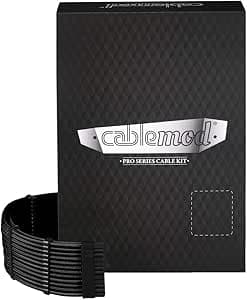
The CableMod RT-Series Pro ModMesh Sleeved Cable Kit for ASUS and Seasonic (Black) is a replacement sleeved cable set built for ASUS and Seasonic power supplies. This article digs into how to verify compatibility, how the thicker cables behave inside a real case, and whether the price is justified.
Overview
This kit replaces your PSU's stock flat cables with thicker wires wrapped in black ModMesh braided sleeving. To be direct: this product improves nothing about performance.
It exists to make a build look better, and it targets people running tempered-glass cases who care how the cables read through the panel.
The set covers 4+4 Pin EPS ×1, 6-pin PCIe ×2, 8-pin PCIe ×2, and SATA ×4, replacing the main cables of a typical ATX build. Closed cable combs come pre-installed on every cable, keeping wire spacing even.
Threading combs yourself is tedious work, so having them factory-fitted carries real practical value beyond aesthetics.
One thing to register early: this is the RT-Series, purpose-designed for ASUS and Seasonic. A 24-pin ATX main cable is not listed in the connector spec, so confirm the kit actually contains the cables you intend to swap.
Compatibility Guide
Check your PSU's model number, not its brand. Pin assignments on modular connectors vary between series and generations even within Seasonic's own lineup.
Get this wrong and a connector may physically seat while the internal wiring is mismatched, risking a short or damaged components. Match your exact model against the manufacturer's compatibility list.
"It's an ASUS, so it's fine" is not a check.
| Item | Value | What to watch |
|---|---|---|
| Connector Types | 4+4 Pin EPS, 6-pin PCIe, 8-pin PCIe, SATA | No 24-pin ATX listed |
| Cable Form | Male-to-male | Replacement, not extension |
| Sleeve Material | ModMesh braided | Thicker and stiffer than stock |
| Cable Combs | Closed type, pre-installed | No separate purchase needed |
| Compatible PSU Brands | ASUS, Seasonic | Verify per model, not per brand |
Physical clearance is the other easy thing to miss. Sleeving plus combs adds measurable thickness per cable, and three spots cause most trouble.
First, the routing space behind the motherboard tray: on older cases offering only around 20mm, the bundled cables can push the side panel out of alignment. Second, the top grommet used for the EPS cable, which is tight to begin with and tends to leave the comb sitting at an angle when you force a bend.
Third, the gap between PCIe cables and the graphics card, where combs can contact the glass in shallow cases.
Cable lengths are optimized for the target PSUs, so in a full-tower with a bottom-mounted PSU and the EPS header at the top edge of the board, measure the run before you buy. Adding an extension to cover a shortfall defeats the visual consistency you paid for.
Product Info
Pricing varied widely at capture time: ¥11,000 on Amazon.co.jp as of 13 July 2026, ¥14,630 on Rakuten (Creative Global) as of 13 August 2026, and $130.86 on eBay US as of 17 August 2026.
All are captured-at figures and shift with stock and exchange rates, so check the live listing before buying. With roughly a 30% spread on the same product, this is a category where comparing sellers genuinely pays.
Review data captured 13 July 2026 shows 56 reviews at 4.5 out of 5 stars (90% positive).
The count is modest, but that reflects a product only owners of specific PSUs can buy. With small sample sizes, reviews that name the exact PSU used are worth more than the star average.
Released in late 2018, the kit sits in the mid-to-high-end segment. The package contains the cables only, with no extra zip ties, though closed combs are pre-attached so no separate comb purchase is required.
Warranty follows manufacturer policy.
Product Disclosure (Amazon)
- Manufacturer: CableMod
- ASIN: B07H1S64KC
- Note: This article covers a manufacturer-made product based on Amazon listing details.
Comparison With Alternatives
Direct competitors include Corsair's Premium Individually Sleeved Cable Kit and Asiahorse's Custom Sleeved Cable Kit. Corsair's braid quality is excellent but requires a Corsair PSU, and combs are commonly sold separately.
Asiahorse is cheaper and more universal, but sleeve tension and comb precision generally trail CableMod.
The choice is mostly decided for you by your PSU brand: ASUS or Seasonic points here, Corsair points to Corsair's own kit, and anything else means a universal kit or extension-style cables. Extension cables sidestep compatibility risk entirely since they piggyback on existing cables, but they double the cable count behind the tray.
Prioritize looks and choose replacement; prioritize avoiding mistakes and choose extensions.
Installation Notes
Power down and swap one cable at a time. Pulling everything at once is how people lose track of which connector belonged where, and PCIe and EPS connectors are similar enough that a mix-up can be destructive.
Remove one, install one prevents nearly all of these incidents.
Comb alignment shapes the final result. The closed combs arrive installed but usually slide along the cable, and matching their distance from each connector noticeably tightens the look.
Sight down the build from the panel side and adjust before closing the case, or you'll be redoing it later.
Best Use Cases
- ASUS or Seasonic PSU owners with a tempered-glass case — the core audience. Stock flat cables work fine functionally, but they read flat under lighting, and this single change shifts the whole interior impression.
- Builders who want to skip comb installation — anyone who has threaded combs by hand understands the value. That's minutes per cable and close to an hour across the set, eliminated.
- Anyone already planning to redo their cable routing — swap during a teardown you were doing anyway. Disassembling a finished build purely for cables rarely feels worth it.
- Builders going all-black — this is the black variant, suited to setups that want texture rather than color.
Things to Consider
Compatibility is the big trap. The "specific ASUS and Seasonic models" qualifier bites harder than people expect.
Manufacturers define their own modular pinouts, so identical-looking connectors routinely carry different wiring. Plugging into an unsupported PSU risks shorts, poor contact, and damaged hardware.
Cross-check your exact PSU model against the compatibility list — this step cannot be skipped.
The 24-pin ATX main cable is not in the connector list. The specified connectors are 4+4 Pin EPS, 6-pin PCIe, 8-pin PCIe, and SATA.
Since the 24-pin is the most visible cable in most builds, you can end up with everything sleeved except the thickest run. Decide what you actually want to cover first.
Case clearance trips up plenty of buyers. The added thickness means side panels may not close on cases with tight rear routing channels, especially pre-2018 mid-towers and compact Micro-ATX or Mini-ITX builds.
Measure behind the motherboard tray before ordering.
Watch the price spread. At capture time Amazon.co.jp listed ¥11,000 while Rakuten listed ¥14,630 — over ¥3,000 apart for the same product.
Those numbers will likely differ again by the time you buy, so compare sellers if you aren't in a hurry.
Also keep in mind that listing metadata is not always accurate. Cable products in particular can carry stale compatibility text or metadata from a different variant.
Verify connector count and shape in the product photos, and confirm the title reads "RT-Series" with your own eyes before ordering.
Finally, this product changes nothing about performance — not efficiency, not temperatures, not noise. If you're weighing it against a PSU or case-fan upgrade on a limited budget, fund those first.
Cosmetics come after the functional side is settled.
FAQ
Q. How do I confirm my PSU is supported? A.
Note the complete model number, including series and wattage, and match it against CableMod's compatibility list. "It's an ASUS" or "it's a Seasonic" is not enough.
If you can't confirm, hold off.
Q. Is a 24-pin ATX cable included? A.
The listed connectors are 4+4 Pin EPS, 6-pin PCIe, 8-pin PCIe, and SATA. Check the retailer's contents list to confirm whether a 24-pin is present.
Q. Will performance improve over stock cables? A.
No. This is purely about appearance and feel.
The wires are thicker than stock, but stock cables aren't current-limited in normal use, so the only difference you'll notice is visual.
Q. Can I use this in a small case? A.
Electrically yes, if connectors match, but the thickness and stiffness make routing harder in Micro-ATX and Mini-ITX builds. Not recommended where rear clearance is tight.
Q. Do I need tools to install it? A.
Generally no. Power down and swap connectors — just keep to the one-at-a-time method to avoid misconnections.
Q. Does the low review count signal a quality problem? A.
No. The 56 reviews captured in July 2026 reflect a small buyer pool limited to specific PSU owners, and the rating holds at 4.5 out of 5 stars (90% positive).