Overview
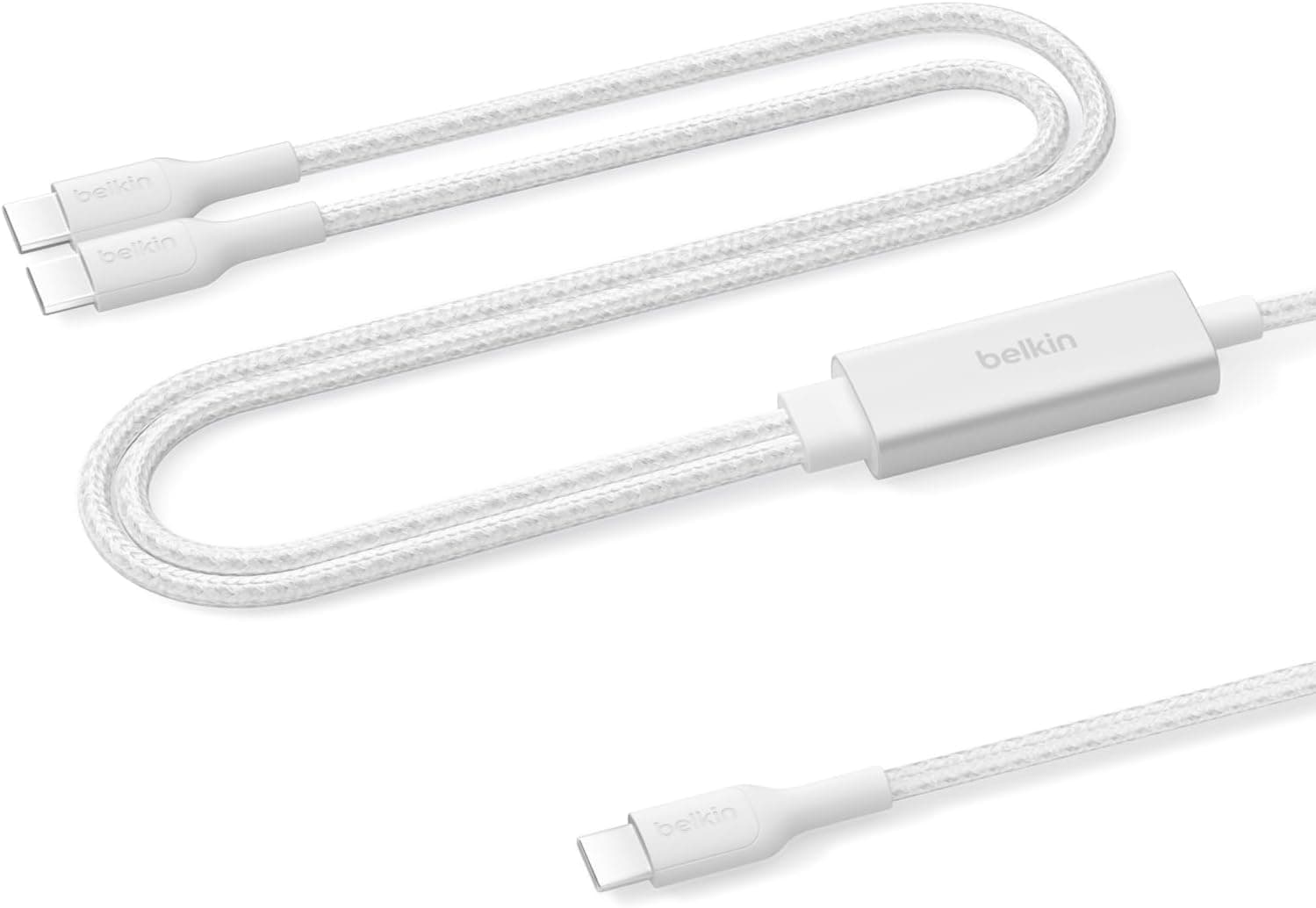
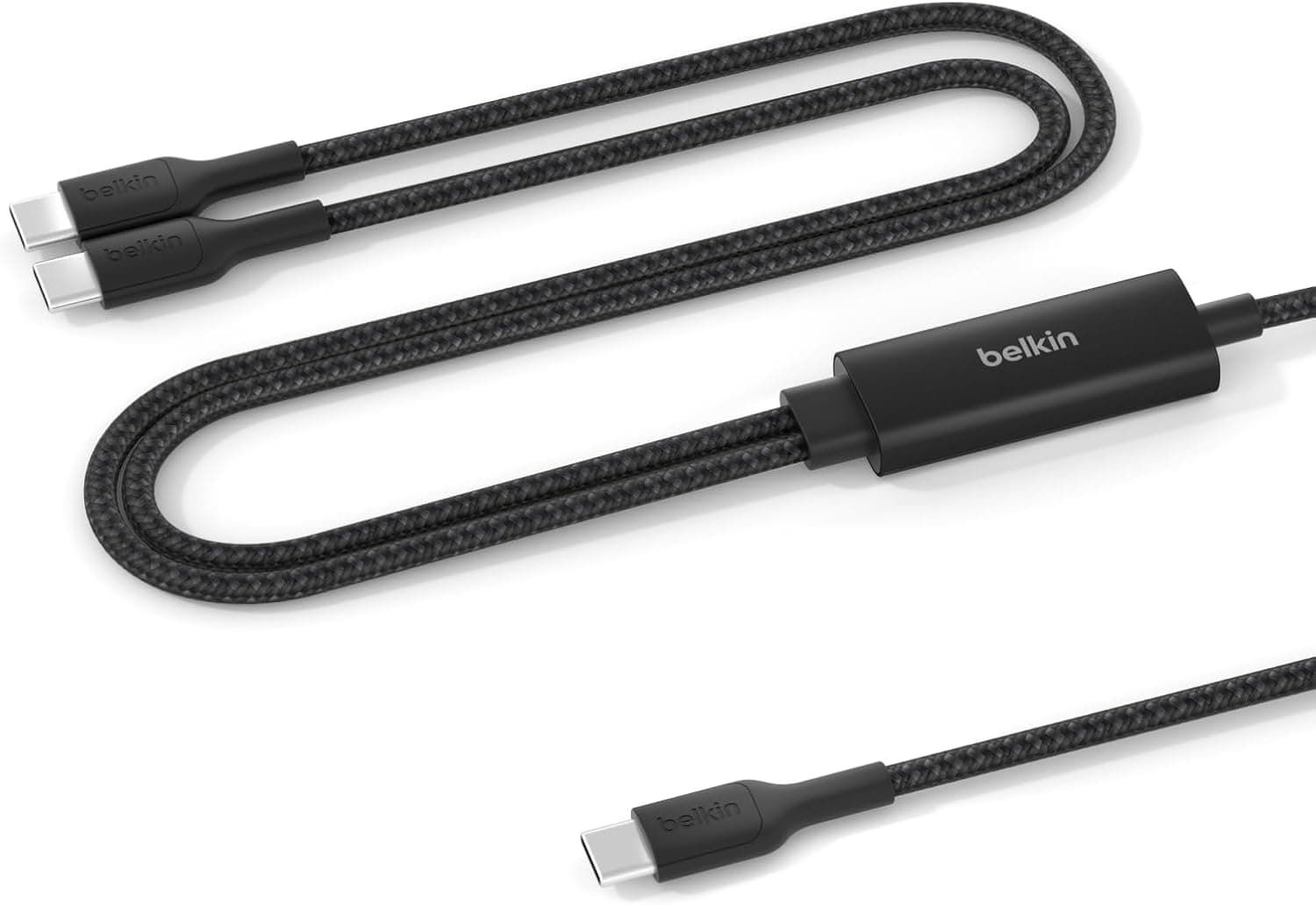
The Belkin BoostCharge Pro CAC004fq1.5MBK — 140W Dual USB-C Smart Power Sharing Cable plugs into one USB-C port on a charger and splits into two USB-C plugs, so you can charge two devices at once.
It supports up to 140W (USB-C PD 3.1).
A feature called Smart Power Sharing divides power automatically based on what each connected device asks for. The example split in the specs is 100W + 40W.
The intended use is charging a laptop and a phone from a single charger port.
In short: this cable is most useful for people who carry one high-output USB-C charger and want to charge a laptop and a phone at the same time. It does not transfer data, and the charger is sold separately.
It is a handy way to charge two devices at once, not a do-everything cable. Knowing that before you buy will save you some disappointment.
The cable is 1.5m long.
The outer braid is nylon made from recycled material (GRS certified), and the connector housings are molded TPE. Belkin says it passed more than 350,000 bend tests, and it comes with a 2-year warranty.
The packaging is also described as plastic-free.
How Smart Power Sharing Works in Practice
A normal USB-C cable connects one charger port to one device. This cable splits at one end.
When two devices each ask for power, the cable divides a 140W total between them. With only one device connected, that device can get up to 140W.
The key point is that 140W is the combined limit for both devices.
| Limiting factor | What it means |
|---|---|
| Charger output | The charger port's maximum output caps the total. With a 65W charger, expect about 65W combined |
| Cable limit | This cable carries up to 140W combined |
| Device intake limit | The most each device can accept. For phones, this varies by model |
For example, while a laptop is drawing a lot of power, the phone gets less. If you expect both devices to charge as fast as they would on their own, they will feel slow.
The split is automatic, so you can't choose which device comes first.
Compatibility Guide
The charger end has one USB Type-C male plug, and the device end has two USB Type-C male plugs. It works with laptops, tablets, and phones that charge over USB-C PD, so most devices that charge through a USB-C port are covered.
It is no help for gaming laptops that only charge through a round barrel plug, or for devices whose USB-C port does not accept charging.
To get the full 140W, the charger must support USB PD 3.1 140W output (EPR).
Chargers rated 100W or less still work, but the charger's output then becomes the combined limit for both devices. Few laptops can actually take 140W.
Most accept less, and any extra power simply isn't sent. Nothing gets damaged, but the full 140W is only useful in a few setups.
Three common mistakes:
- No data transfer: The cable is for power only. You can't use it for external SSDs, moving files between a phone and a PC, or video output.
- Charger not included: You get the cable only. Check your charger's output before you buy.
- Don't reverse the ends: Plug the single end into the charger and the two split ends into your devices.
Product Info
Main specs: 1.5m length, up to 140W (USB-C PD 3.1), USB Type-C to dual USB Type-C, Smart Power Sharing (e.g.
100W + 40W), braided nylon (recycled GRS) with TPE molding, 350,000+ bend tests, and a 2-year warranty. Only the cable is in the box.
In August 2026, it was ¥2,390 on Amazon.co.jp.
The price changes with sales and stock, so check the product page before buying. For a single cable that does the job of two and splits power automatically, that is not an unusually high price.
Check the retailer's page for the latest user reviews. The rating is high, but there are still few reviews, so there isn't much feedback yet on how it holds up over time.
Treat the 350,000-bend figure as a result from the manufacturer's own test conditions.
Versus Two Regular Cables
| This cable (split) | Two regular USB-C cables | |
|---|---|---|
| Charger ports needed | 1 | 2 |
| Cables to carry | 1 | 2 |
| Speed with both devices charging | Share a 140W total | Depends on each port |
| Data transfer | No | Depends on the cable |
| Charging one device | Works, but one plug is left over | Works normally |
A split cable lets you charge two devices at once from a charger with few ports, such as a single-port high-output charger, and you only carry one cable. If you already own a charger with several ports, two regular cables do the same job.
Each port then has its own output, which can be faster. The simplest way to decide is to count how many ports your charger has.
Best Use Cases
- Travelers who charge a laptop and a phone together: With a single-port high-output charger, you can charge both from one cable and one wall outlet at a hotel desk. Good if you want to pack light.
- Remote workers who want a tidier desk: At 1.5m, it easily reaches from a power strip under the desk to a laptop and phone on top. Good if you want fewer cables.
- People with several USB-C devices: Charge a tablet and a phone, or a phone and an earbuds case, from one cable. The split is automatic, so there is nothing to set up.
Things to Check Before Buying
If you need data transfer or video output, don't buy this cable. The compatibility notes clearly say it is power only.
If you want one cable that both charges and transfers data, a USB4 or Thunderbolt cable is a better choice.
It is not for people who want both devices charging at top speed. The two devices share a 140W total, so while the laptop is drawing a lot of power, the other device charges more slowly.
If you often need both charged quickly, a multi-port charger with regular cables is the safer choice.
Check your charger's output. Even though the cable handles 140W, a 65W charger keeps the total at 65W.
If charging seems slow after buying a 140W cable, the cause is usually the charger or the device's own intake limit. To use the full 140W, you need a charger with PD 3.1 140W output.
If you usually charge only one device, a regular cable may be easier. The unused split end can get in the way in a bag or on a desk.
Keep that in mind too.
FAQ
Q. Does it work with a 65W or 100W charger? A.
Yes. The combined output for both devices will be limited to what the charger can supply.
To use the full 140W split, get a charger that supports PD 3.1 140W output.
Q. Can it transfer data?
A. No. It is a power-only cable.
Q. Can I use it as a normal cable with just one device? A.
Yes. With one device connected, it can deliver up to 140W.
How much the device actually gets depends on its own limit.
Q. How many watts does each device get when both are connected? A.
Power is divided automatically based on what each device asks for, up to 140W in total. The specs give 100W + 40W as an example, but the actual split depends on your devices and charger.
Q. Is a charger included?
A. No. Only the cable is included.
Product Disclosure (Amazon)
- Manufacturer: Belkin
- Seller: Amazon.co.jp
- Fulfilled by: Amazon.co.jp
- ASIN: B0G7DJ1RY5
- Note: This article covers a manufacturer-made product based on Amazon listing details.