This article covers ATTACK SHARK (アタックシャーク) R6PRO 39g 超軽量ワイヤレスゲーミングマウス PixArt PAW3950MAX 42000 DPI MCU Nodic 52840 コンピューターマウス 8KポーリングレートWebドライバー BT.
Overview
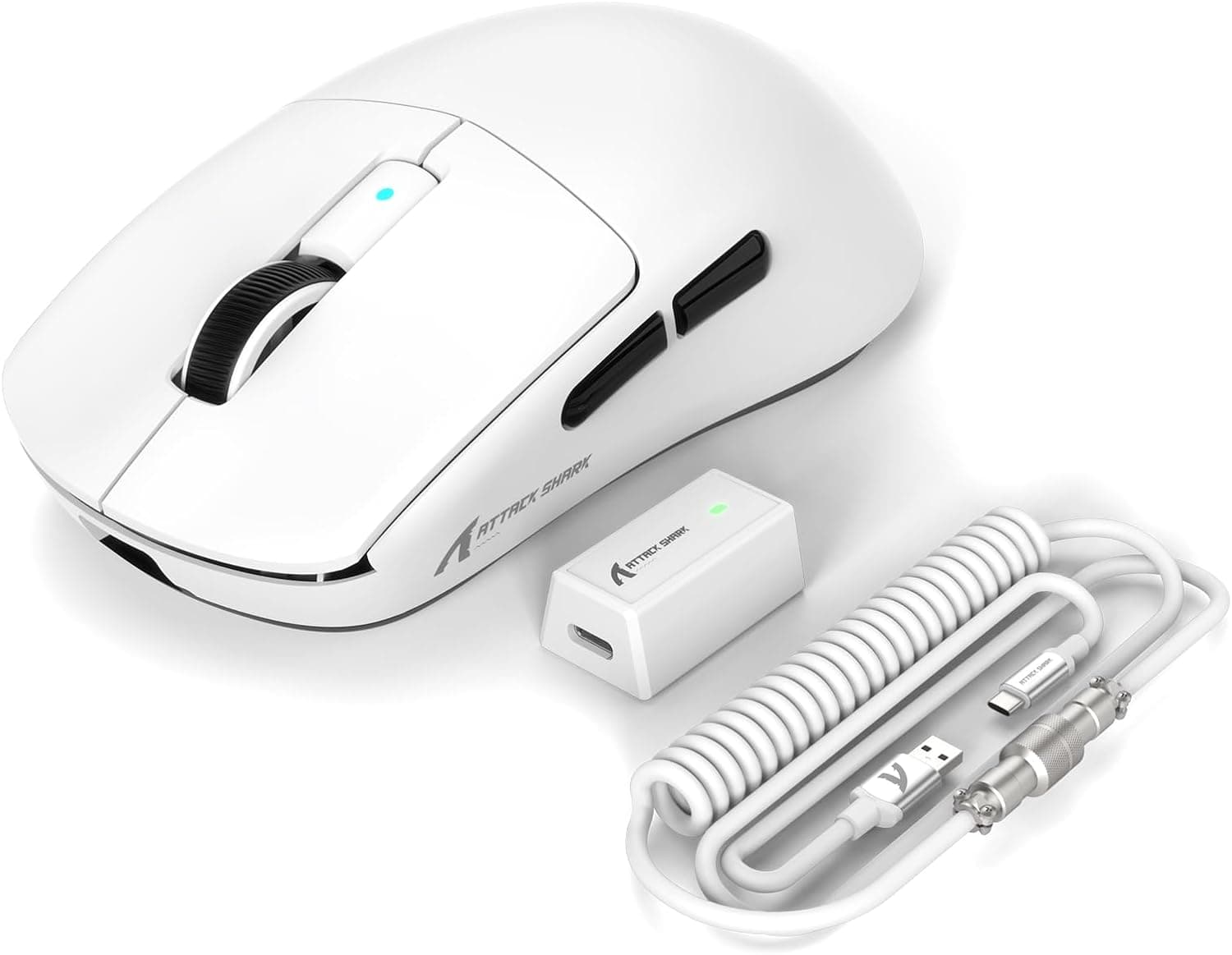
The ATTACK SHARK R6PRO is a wireless gaming mouse that pushes the boundaries of weight reduction, tipping the scales at just 39 grams. It packs the flagship PixArt PAW3950MAX optical sensor, capable of up to 42,000 DPI and an 8000 Hz polling rate, making it a serious contender for competitive FPS and fast-paced gaming. Connectivity is versatile with three modes: wired USB-C, 2.4 GHz wireless, and Bluetooth. The included coiled USB-C cable adds a stylish touch and ensures stable performance during wired use. The mouse also features Omron optical micro switches rated for 80 million clicks and an F-Switch encoder for precise scrolling.
Connectivity & Compatibility
Three connection modes: wired USB-C, 2.4 GHz wireless (with included dongle), and Bluetooth. 2.4 GHz mode supports up to 8000 Hz polling rate for ultra-low latency. Bluetooth mode is ideal for office work or mobile use with lower power consumption. Compatible with Windows, macOS, and Chrome OS. * Web-based driver allows customization of DPI, button mapping, and polling rate without installing software.
Product Info
The ATTACK SHARK R6PRO launched in late 2024 and is available on Japan for around ¥10,964 (tax included). Given its 39g weight and flagship sensor, it offers exceptional value in the budget-to-mid-range segment. Warranty is typically one year from the manufacturer. The package includes the mouse, a coiled USB-C cable, a 2.4 GHz dongle, and a quick-start guide. Market positioning: entry-to-mid tier, but with sensor and polling rate specs that rival high-end models. It's a compelling choice for gamers who prioritize weight and responsiveness without breaking the bank.
Best Use Cases
Competitive FPS Gamers: The 8000 Hz polling rate and 42,000 DPI sensor translate every micro-movement into precise in-game actions. Titles like Valorant, CS:GO, and Apex Legends benefit greatly from the low latency and lightweight design. The 39g body enables rapid flicks and reduces fatigue during long sessions. Ultra-Light Mouse Enthusiasts: If you're coming from a 60-80g mouse, the R6PRO's 39g weight is a game-changer. The Ice-Feel coating provides a non-slip grip, enhancing control during fast movements. It's a natural upgrade for anyone who values weight reduction above all else. Multi-Device Users: With tri-mode connectivity, you can use the same mouse across your desktop, laptop, and tablet. Bluetooth mode works without a dongle, making it convenient for on-the-go use. The coiled cable also looks great on a desk setup. Coiled Cable Aficionados: The included coiled USB-C cable is both functional and aesthetically pleasing. It keeps the desk tidy during wired use and adds a retro-gaming vibe to your setup.
Things to Consider
The 39g weight may feel too light for users accustomed to heavier mice (80g+). It can take time to adjust, especially for palm-grip users who prefer more resistance. Full 8000 Hz polling rate requires a reasonably modern CPU; older or low-power systems may experience higher CPU load or reduced performance. The mouse is compact to medium-sized. Users with large hands (over 18cm) may find it better suited for claw or fingertip grip rather than palm grip. Battery life is rated at approximately 60 hours in 2.4 GHz mode. Bluetooth mode extends this, but regular charging is necessary. The mouse can be used while charging via USB-C. * Customer support is based in China, so Japanese-language support may be limited. For warranty claims, contacting the retailer () is recommended. ## FAQ
Q: Is this mouse suitable for left-handed users? A: The R6PRO has an ambidextrous shape, but side buttons are only on the left side. Right-handed users will have no issues, but left-handed users using the mouse with their left hand will find the side buttons inaccessible. For full ambidextrous support, consider a different model. Q: Do I need special software to use 8000 Hz polling rate? A: The default polling rate is 1000 Hz. You can change it to 8000 Hz via the web-based driver (no installation required). Note that the benefit of 8000 Hz is most noticeable in games and applications that support it; otherwise, 1000 Hz is perfectly adequate. Q: Can I use the mouse while it's charging? A: Yes, you can use it as a wired mouse while charging via the USB-C cable. The coiled cable is flexible and doesn't get in the way, so you can keep playing without interruption.
Product Disclosure (Amazon)
- Manufacturer: ATTACK SHARK
- Seller: Amazon US
- Fulfilled by: Amazon US
- ASIN: B0DJ78CRHB
- Note: This article covers a manufacturer-made product based on Amazon listing details.