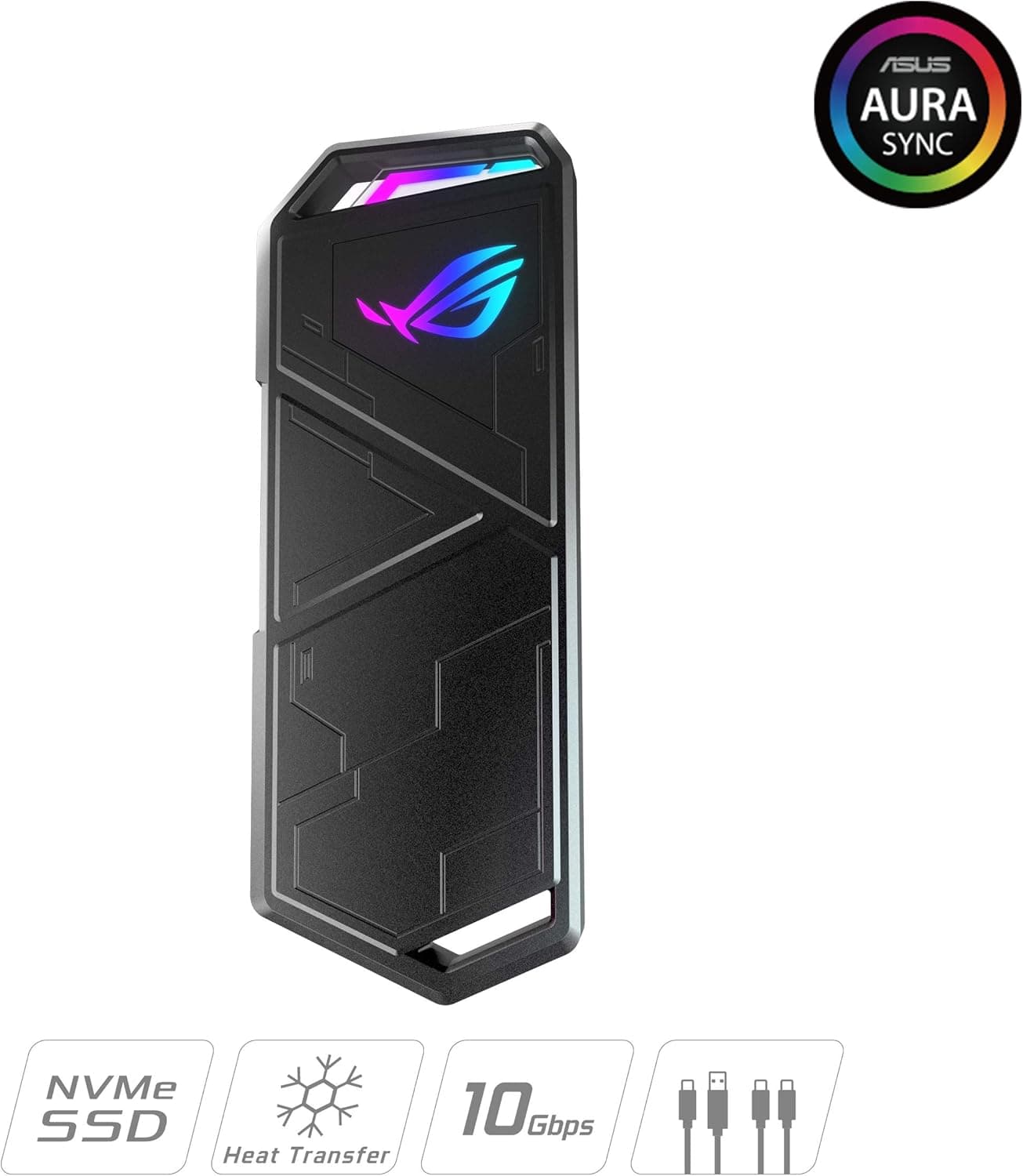
This article covers ASUS ROG Strix Arion ( SSDケース) ドライバー 不要 USB-C to C.
Overview
The ASUS ROG Strix Arion is an external M.2 NVMe SSD enclosure designed for gamers and creators who need fast, portable storage. It features a USB 3.2 Gen 2 Type-C interface delivering up to 10 Gbps, allowing you to transfer large 4K videos or game libraries in seconds. The aluminum alloy chassis with an integrated thermal pad efficiently dissipates heat, keeping your SSD cool during sustained writes and extending its lifespan. Installation is completely tool-less: use the included pin tool to open the lid, insert your M.2 NVMe SSD, and secure it with the thumbscrew. No drivers are needed on Windows or macOS. The built-in ASUS Aura Sync RGB lighting lets you match the enclosure's glow with your gaming rig for a cohesive look.
Compatibility Guide
The ROG Strix Arion supports M.2 PCIe NVMe SSDs (M-key) in 2280, 2260, 2242, and 2230 form factors. It does NOT support SATA-based M.2 SSDs (B-key or B&M-key). Connectivity is via USB 3.2 Gen 2 Type-C, backward compatible with USB 3.2 Gen 1 and USB 2.0. The package includes both a USB-C to C cable and a USB-C to A adapter cable, so you can use it with modern laptops as well as older PCs with USB-A ports. OS support covers Windows 7 and later, and macOS X 10.6 and later. Aura Sync control requires Windows 10/8 64-bit.
Product Info
Released around 2020, the ASUS ROG Strix Arion sits in the mid-to-high tier of external SSD enclosures. Its key differentiators are the tool-less design, Aura Sync RGB, and the bundled thermal pad for better heat management. The enclosure measures 124.57 x 47.76 x 10.85 mm and weighs just 98 grams, making it highly portable. Key specifications: Interface: USB 3.2 Gen 2 Type-C (10 Gbps) Supported SSDs: M.2 PCIe NVMe (2280/2260/2242/2230) Chassis: Aluminum alloy with thermal pad Dimensions: 124.57 x 47.76 x 10.85 mm Weight: 98 g Included: USB-C to C cable, USB-C to A adapter, protective holder, pin tool * Warranty: Standard 2 years (check region)
Best Use Cases
Gamers: Ideal for carrying your Steam library between PCs. While not usable for direct gameplay on consoles, PC gamers can store and play games directly from the external drive. The Aura Sync lighting adds a premium aesthetic to any gaming setup. Content Creators: Video editors and photographers who frequently move large files will appreciate the 10 Gbps transfer speed. The thermal pad keeps the SSD cool during long exports, preventing thermal throttling. Laptop Users: If your laptop's internal storage is full, pop a high-capacity NVMe SSD into this enclosure for a fast external drive. No drivers needed – just plug and play. Who should NOT buy: If you need SATA M.2 support, USB 3.2 Gen 2x2 (20 Gbps), or Thunderbolt connectivity, look elsewhere. Also, if you prefer an all-in-one portable SSD (drive included), consider options like the Samsung T7 or Crucial X8.
Things to Consider
This enclosure is NVMe-only – do not attempt to install a SATA M.2 SSD. To achieve the full 10 Gbps speed, your host device must support USB 3.2 Gen 2. Connecting to a USB 3.0 (5 Gbps) port will halve the transfer rate. SSD is not included; you need to purchase one separately. Aura Sync requires an ASUS Aura Sync compatible motherboard or controller; it won't work with other RGB ecosystems. Compared to integrated portable SSDs, the Arion offers the flexibility to choose your own NVMe drive, but it adds bulk and requires an extra purchase. If you value compactness and simplicity, a pre-built portable SSD might be a better fit. ## FAQ
Q: Can I use a SATA M.2 SSD in this enclosure? A: No. The ROG Strix Arion only supports PCIe NVMe M.2 SSDs (M-key). SATA M.2 drives (B-key or B&M-key) are physically incompatible and will not be recognized. Q: Does it work with PS5 or Xbox Series X? A: Yes, as a USB external storage device. On PS5, you can store and play PS4 games, and store PS5 games (but not play them directly). On Xbox Series X/S, you can store and play backward-compatible titles. For native PS5/Xbox Series games, you need the internal SSD slot. Q: How long are the included cables? A: The USB-C to C cable is approximately 30 cm, and the USB-C to A adapter cable is about 15 cm. These are sufficient for desktop use near the PC. If you need more reach, purchase a longer USB-C cable separately.
Product Disclosure (Amazon)
- Manufacturer: ASUS
- Seller: Amazon.co.jp
- Fulfilled by: Amazon.co.jp
- ASIN: B07ZKB4SLK
- Note: This article covers a manufacturer-made product based on Amazon listing details.