Game Overview
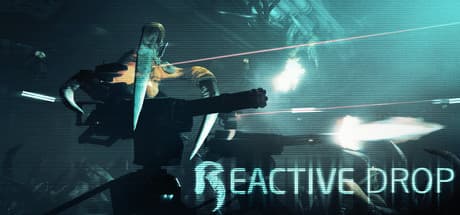
Alien Swarm: Reactive Drop - Tactical Co-op Shooter is a top-down action game about deploying into alien-infested maps, completing objectives, and keeping a class-based squad together. Developed and published by the Reactive Drop Team, it expands the original Alien Swarm with additional campaigns, enemies, weapons, challenges, and multiplayer modes.
It was released on April 20, 2017 and is offered as a free-to-play game.
A typical mission has the squad move through enclosed areas while shooting approaching creatures and dealing with mission objectives. Success is not determined only by individual damage: positioning, class coverage, and staying close enough to support teammates matter throughout a run.
Co-op supports as many as 8 players, while bots make it possible to inspect missions and practice in single-player.
Features and Systems
Class-based teamwork is the foundation of the campaign experience. A balanced group can divide combat and support responsibilities instead of asking every marine to solve the same problem.
The overhead camera provides a useful view of incoming threats and teammate positions, but a player who runs ahead can still be surrounded before the rest of the squad can respond.
Challenges add unusual conditions to familiar missions. The original article compares these variants to Mutations in Left 4 Dead 2: they modify established play instead of replacing the campaign structure.
Deathmatch and Team Deathmatch provide PvP alternatives, although the co-op campaigns are the more natural place to learn movement, aiming, and class coordination.
Steam Workshop support substantially extends the available content. After completing the official campaigns, groups can download community-made maps and custom modes rather than repeating only the built-in selection.
Workshop items can vary in difficulty, polish, dependencies, and maintenance, so learning the game through official missions first makes it easier to tell whether a later problem comes from the game or an add-on.
How to Approach Co-op Missions
Adding players can increase the squad's capabilities, but numbers do not help if everyone moves in a different direction. Keep a recognizable front, center, and rear, and protect teammates who are occupied with an objective.
Even without voice chat, watching movement and lines of fire can reveal whether the group intends to advance or hold its position.
New players should prioritize objectives and regrouping instead of chasing every alien away from the team. Because the game uses classes, choosing solely by weapon preference may leave an important squad role uncovered.
After a failed mission, identifying where the team separated or left an objective handler exposed is usually more useful than focusing only on personal eliminations.
System Requirements
The listed minimum calls for a Pentium 4 or newer CPU, 2 GB of RAM, and a DirectX 9-compatible graphics card with 128 MB of video memory. ATI X800 and NVIDIA 6600 are given as the baseline examples.
The game also requires 7 GB of available storage and DirectX 9.0b, making the stated entry requirements modest by modern PC gaming standards.
Only a minimum specification is provided in the supplied data; there is no recommended configuration to use as a comfort target. Meeting an old baseline does not guarantee consistent performance in busy multiplayer fights or demanding Workshop maps.
On an older laptop or integrated GPU, begin with a lower resolution and graphics settings, then check frame pacing during an actual crowded mission.
The OS field says Windows XP or above, reflecting how old the published baseline is. Players should still verify that their current operating system, graphics driver, and Steam client work together correctly.
If Workshop content will be installed, reserve additional storage beyond the base game's stated 7 GB requirement.
Evaluation and Player Impressions
Alien Swarm: Reactive Drop has maintained strong long-term user sentiment as a cooperative top-down shooter. Its combination of campaigns, rule-changing challenges, and Workshop content gives committed groups reasons to return after learning the official maps.
More than 100 Steam achievements also provide optional goals beyond simply clearing each campaign.
The main limitation is that the experience depends heavily on squad behavior. Public groups can contain players with different expectations about pace, difficulty, and class responsibilities.
Anyone expecting a shooter that is completely self-contained at the individual level may find the required regrouping and role coverage restrictive.
The top-down perspective also has a learning curve for players accustomed to first-person or over-the-shoulder aiming. Early runs may be less about mechanical precision and more about reading the map, spotting threats, and understanding when the squad is ready to move.
Playing with bots first can make those concepts easier to learn before entering a full lobby.
Who Should Play It
This is a good fit for friends who want to discuss roles and work through campaigns together. Players who enjoy twin-stick controls, class composition, and rapid cooperative decisions should find plenty to explore.
It is particularly suitable for groups interested in browsing Workshop content and selecting maps or variants that match their preferred difficulty.
It also suits players seeking a co-op game with modest stated hardware requirements. Bot support offers a lower-pressure way to learn controls and layouts before joining other people.
The inclusion of both PvE and PvP is useful for groups that want a campaign focus without being limited to one kind of multiplayer activity.
Caveats and Who Should Skip It
Players seeking precise first-person gunplay may not enjoy the overhead viewpoint. This is less a solitary story-driven journey than a game of repeated missions, squad discipline, and gradual improvement.
If adjusting your speed or role to match teammates sounds frustrating, its strongest systems may work against your preferences.
Supporting up to 8 players does not mean a full group will always be available. Solo play with bots is useful for practice and inspection, but it cannot fully reproduce communication and improvisation among human teammates.
When using Workshop items, check their descriptions, dependencies, and update status, and remove recent additions first when troubleshooting unexpected behavior.