Overview
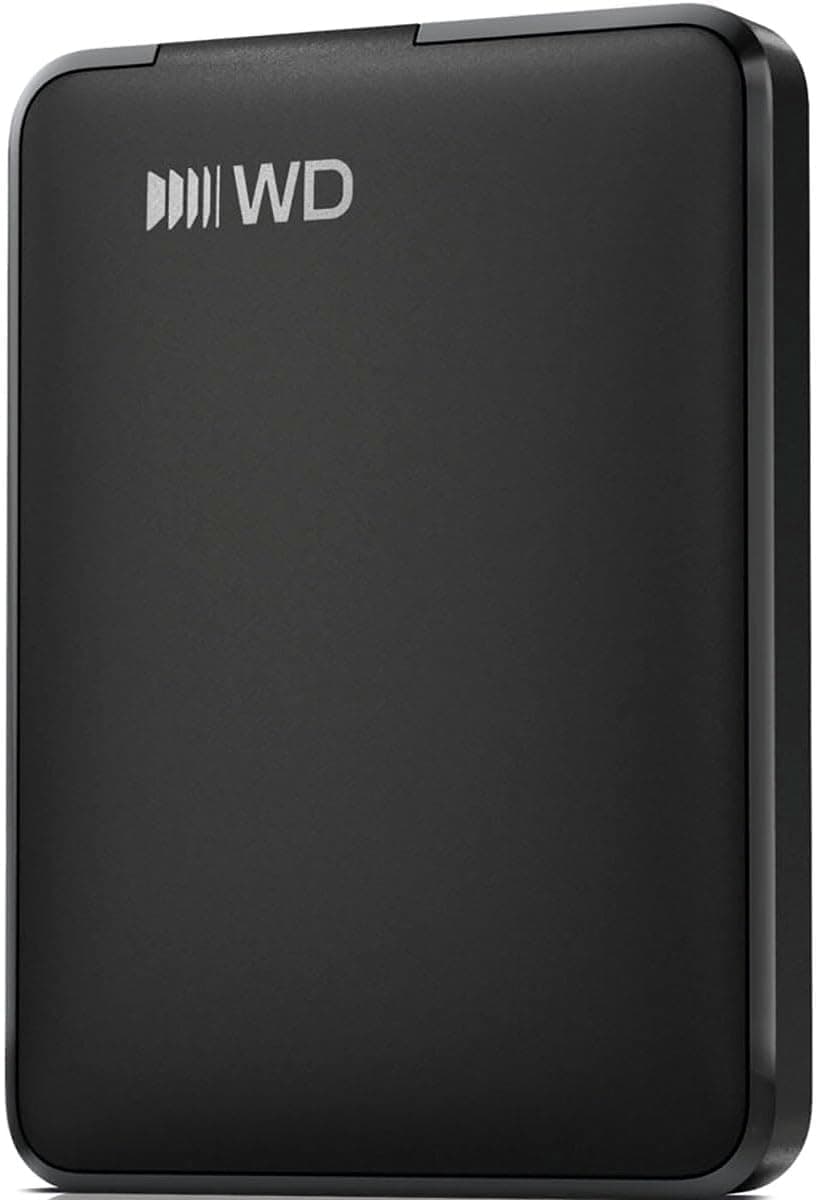
The WD Elements Portable 5TB is a straightforward external hard drive from Western Digital, designed for users who need a large amount of storage without complicated setup. Its model number is WDBU6Y0050BBK-WESN, and it connects via USB 3.0 with backward compatibility to USB 3.2 Gen1, USB 3.1 Gen1, and USB 2.0. The drive is bus-powered, so no AC adapter is required, making it a convenient companion for laptops and desktops alike.
Measuring 110 mm in length, 82 mm in width, and 21 mm in height, and weighing just 236 g, this drive is compact enough to slip into a bag or pocket. It comes with a USB cable (A-Micro B, 46cm long) so you can start backing up files right out of the box. The 5TB capacity provides ample room for photos, videos, documents, and other large files.
Positioned as an entry-level storage solution, the WD Elements Portable focuses on core functionality rather than extra features like hardware encryption or ruggedized design. This keeps the price competitive, making it an attractive option for budget-conscious buyers who prioritize capacity per dollar.
Compatibility Guide
The drive supports Windows 10, 8.1, and 8 out of the box. For Mac OS X, you will need to reformat the drive before use. If you have a Mac with a USB A port, you can format the drive and use it normally.
USB 3.0 connectivity ensures fast data transfer on modern PCs, while backward compatibility with USB 2.0 means older machines can still recognize the drive, albeit at reduced speeds. To get the best performance, connect it directly to a USB 3.0 or higher port on your computer.
Since the drive is bus-powered, it draws power from the USB port itself. This works well with most laptops and desktops, but if you are using a USB hub, make sure it provides sufficient power. Otherwise, the drive may not be recognized. Direct connection to the PC's USB port is the safest option.
Product Info
The WD Elements Portable 5TB was released on September 20, 2019. It offers 5TB of storage capacity and uses a USB 3.0 interface with backward compatibility to USB 3.2 Gen1, USB 3.1 Gen1, and USB 2.0. The physical dimensions are 110 x 82 x 21 mm, and it weighs 236 g. The included accessory is a USB cable (A-Micro B, 46cm).
In terms of market positioning, this is an entry-level product. It deliberately omits premium features such as encryption or shock resistance to keep costs down. For users who simply need a large, reliable storage device without extra frills, this drive delivers solid value.
Best Use Cases
- Users who need to back up large photo and video libraries. The 5TB capacity can hold tens of thousands of photos or dozens of hours of high-bitrate video. Not ideal for users who frequently rewrite data, as HDDs are slower than SSDs for random access.
- Business professionals who want to archive project files and documents. The bus-powered design makes it easy to carry between office and home, and no external power supply means fewer cables to manage. Not suitable for those handling highly sensitive data that requires hardware encryption.
- First-time external HDD buyers who want a simple, no-fuss storage solution. Plug in the USB cable and it works immediately on Windows. Users planning to build a NAS or upgrade to an internal SSD should look elsewhere.
Things to Consider
As a mechanical hard drive, the WD Elements Portable is slower than SSDs and more vulnerable to physical shock. Avoid dropping it or moving it while it is in operation. Handle with care during transport.
Mac users must reformat the drive before use, as it comes pre-formatted for Windows. This is a straightforward process using Disk Utility, but it is worth knowing before you buy if you are primarily a Mac user.
If you connect the drive to a USB 2.0 port, transfer speeds will drop significantly. For frequent large-file transfers, a USB 3.0 or higher port is strongly recommended. Also, 5TB may be overkill for users who only need to back up documents and small files; consider your actual storage needs before purchasing.
FAQ
Q: Can I use this drive with a Mac?
A: Yes, if your Mac has a USB A port. You will need to reformat the drive using Disk Utility to a Mac-compatible file system such as APFS or Mac OS Extended (HFS+).
Q: Can I use it for TV recording?
A: This drive is designed for PC use. Whether it works with your TV depends on the TV's specifications. If TV recording is your primary goal, check your TV's compatibility list and choose an appropriate product.
Q: Will it work on a USB 2.0 port?
A: Yes, it is backward compatible with USB 2.0. However, transfer speeds will be limited to USB 2.0 rates (up to 480Mbps), so large transfers will take considerably longer.
Product Disclosure (Amazon)
- Model: WDBU6Y0050BBK-WESN
- ASIN: B07X41PWTY
- Note: This article covers a manufacturer-made product based on Amazon listing details.