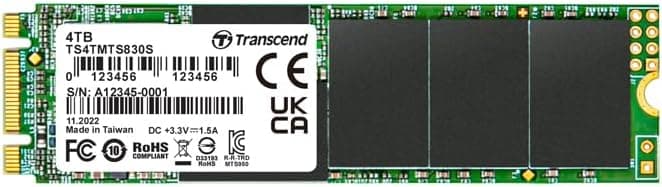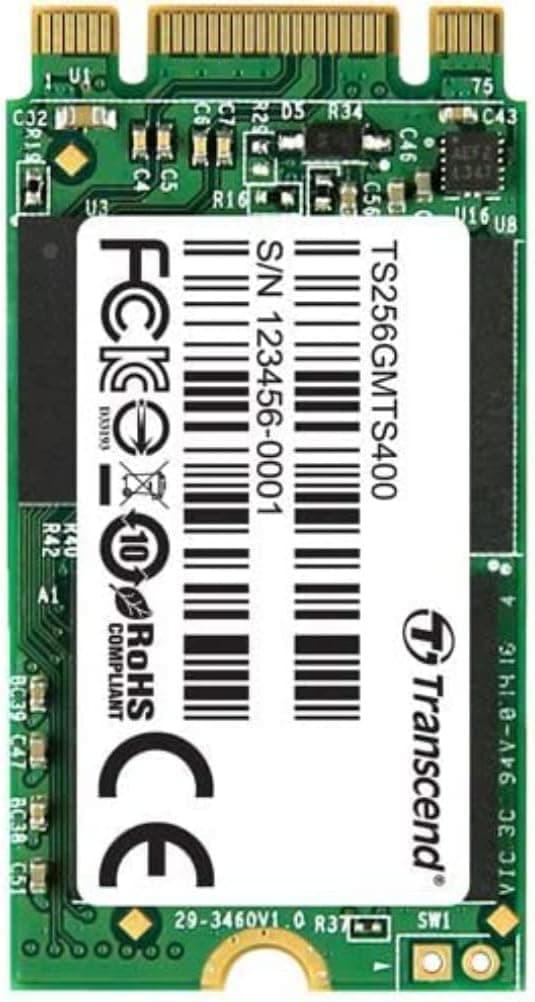
This article covers the Transcend SSD 256GB M.2 2242 SATA III 6Gb, a SATA SSD on a short 42mm M.2 card.
Rather than repeating the spec sheet, it focuses on the question that decides whether the drive is any use to you: will it actually fit and work in your machine?
Overview
The short answer: this drive only works in systems with an M.2 2242 slot that also supports SATA.
In compact PCs, thin clients and some older laptops that meet both conditions, it makes an affordable boot drive. It will not be detected in the NVMe-only M.2 slots common in recent laptops and mini PCs, so buying it for the wrong machine leaves you with a part you cannot use.
Transcend rates the TS256GMTS400 at 256GB, 560MB/s sequential read and 320MB/s sequential write. The read figure is close to the practical ceiling of SATA III 6Gb/s, which is about as fast as a SATA drive gets.
Writes are slower, so the drive is better at read-heavy work like booting and launching apps than at writing large files continuously.
Check the retailer's page for the latest user reviews. Complaints do not cluster around any one issue.
Still, drives like this tend to split into happy buyers whose slot matched and unhappy ones whose slot did not, so check compatibility before you look at the rating.
Compatibility Guide
The M.2 standard specifies physical length and connection protocol separately, and confusing the two is the most common mistake.
This drive is 2242 in size (22mm wide, 42mm long) and uses SATA III 6Gb/s. If your slot doesn't match on either one, the drive will not work.
| Check | This drive | Where to look |
|---|---|---|
| Length | 2242 (42mm) | The supported M.2 sizes in your motherboard or PC manual |
| Protocol | SATA III 6Gb/s | Whether the manual lists the slot as SATA-capable or PCIe/NVMe only |
| Mounting | Needs a screw hole (standoff) at 42mm | The board itself or its layout diagram |
| BIOS setting | SATA normally runs in AHCI mode | BIOS/UEFI storage settings |
If the manual lists a slot as 'M.2 (SATA/PCIe)', this drive will work in it.
A slot listed only as 'PCIe Gen3 x4' or 'NVMe' is NVMe-only, and the drive will not be recognized even if it physically fits. M.2 SATA drives usually have the two-notch B&M key, which also slides into M-key slots, so a physical fit does not mean the drive will work.
On laptops, a 42mm slot may be meant for a WWAN (cellular) module instead of storage. The two look alike, but whether the slot accepts storage varies by model.
Check the maker's spec sheet or service manual for an explicit storage designation.
On some desktop motherboards, running an M.2 slot in SATA mode disables one of the SATA ports.
If you already have SATA hard drives or optical drives connected, read the lane-sharing notes in the manual so you know in advance which port you will lose.
Finally, a board that only has a standoff at 80mm (2280) cannot hold a 42mm drive in place, so the drive is left floating. Check for a mounting hole at 42mm.
If there isn't one, plan on an extension bracket.
Product Info
Key specifications from the collected data:
| Item | Value |
|---|---|
| Capacity | 256GB |
| Interface | SATA III 6Gb/s |
| Form factor | M.2 2242 |
| Sequential read | 560MB/s |
| Sequential write | 320MB/s |
| NAND type | TLC |
| DRAM cache | None (DRAM-less) |
| TBW | 40TB |
| Warranty | 3 years |
Windows shows the 256GB capacity as roughly 238GB. That is not a defect: manufacturers count 1GB as one billion bytes, while Windows counts it as 2^30 bytes.
There is enough room for an OS and applications, but not much left over for storing data.
Rated endurance is 40TB TBW (total bytes written). The spec data estimates about 0.11 years of life at 1TB written per day, but that is an extreme scenario.
Office work and browsing usually write a few tens of gigabytes per day at most. At 20GB per day, 40TB lasts about 2,000 days (roughly 5.5 years).
At 50GB per day, it lasts about 800 days (roughly 2.2 years).
If you record or export video every day, the drive will wear out faster and a different model is the safer choice.
On price: the Amazon and eBay figures recorded in June and July 2026 were far higher than a 256GB SATA SSD normally costs, which may reflect particular sellers or listing types. We have not listed them here.
Prices change frequently, so check the current price and seller on the product page.
Alternatives
The Crucial BX500 and SanDisk SSD Plus are 2.5-inch SATA drives, so they cannot go in an M.2 slot at all.
If your system has a 2.5-inch bay, that form factor gives you far more choices.
For a SATA drive with DRAM cache and steadier write speeds, a 2.5-inch model like the Samsung 860 EVO is an option, but it doesn't fit an M.2 slot either.
If your slot supports NVMe, an NVMe drive such as the WD Green SN350 will be faster, including in random access. But NVMe drives do not work in SATA-only slots, so buying the faster drive to be safe is not a workable strategy.
What this drive offers is not speed but a fit for the narrow combination of M.2 2242 and SATA.
Best Use Cases
- Compact PCs and thin clients whose only M.2 slot is a 2242 SATA slot: If the spec sheet confirms both 2242 and SATA, this drive works as a straightforward boot drive.
- Older laptops with a free M.2 SATA 2242 slot designated for storage: Booting from an SSD instead of a hard drive shortens startup and app launch times.
- Boot drives for light, read-heavy work such as office tasks, browsing and media playback: The drive is only rated for 40TB TBW, but at this kind of workload endurance is unlikely to be a problem.
- Buyers who want a small SSD from an established brand with a 3-year warranty: A clear warranty is a better bet than a no-name drive of uncertain quality.
Things to Consider
The most common mistake is buying this drive for a machine with an NVMe-only slot. Many recent laptops and mini PCs use NVMe-only M.2 slots, and this drive will not be recognized in them even though it fits.
Not every M.2 slot takes every M.2 drive, so confirm in your manual that the slot supports SATA.
Do not confuse it with mSATA either. mSATA is a separate, wider card format, and its shape and connector are completely different from M.2 2242.
Some older laptops have an mSATA slot rather than M.2, so check a photo of the slot or the manual to see which one you have.
When migrating from a hard drive, watch the capacity. If you are using more than about 238GB on your current drive, you cannot clone it directly.
Move unneeded files to an external drive before cloning, or plan to reinstall the OS. Note also that this drive cannot go into a laptop's 2.5-inch drive bay; it only works in models that have a separate M.2 slot.
On performance, the spec data lists the drive as DRAM-less, so speeds tend to drop during long sustained writes. You are unlikely to notice this in everyday use as a boot drive, but it is a poor fit for a video-editing scratch disk or a recording target.
For those jobs, a drive with DRAM cache or an NVMe SSD will serve you better.
Read the listing carefully, too. Variants with different model-number suffixes or from different generations are sometimes sold side by side under the same series name, and their NAND type, cache configuration and write speeds may differ.
When buying, confirm that the model number on the product page is TS256GMTS400 and that the product photos show a 2242-sized drive.
Finally, be careful about price. As noted above, the prices captured for this listing were unusually high for this class of drive.
Older models can vary widely in price from seller to seller. Compare against other drives that also meet the M.2 2242 SATA requirement, and avoid overpriced listings.
FAQ
Q. Will it work in an NVMe M.2 slot? A.
Not if the slot is NVMe-only. Check the manual to confirm the slot supports SATA.
If it is listed as supporting both SATA and PCIe, the drive will work.
Q. Can I install it in a 2280 slot? A.
It will plug in if the key matches, but you need a screw hole at the 42mm position. Without one, you will need something like an extension bracket to hold it in place.
You still need to confirm separately that the slot supports SATA.
Q. Can it replace an mSATA SSD? A.
No. mSATA and M.2 are different standards with different shapes and connectors.
Check which type your current SSD is before buying.
Q. Is it a good drive for games? A.
You can install games on it, but only about 238GB is usable in Windows. Some recent major titles take over 100GB each, so pairing it with a larger second drive is the realistic approach.
Q. How long will it last? A.
It is rated for 40TB TBW. At 20GB of writes per day that works out to about 5.5 years, so a lightly used boot drive should comfortably outlast the 3-year warranty.
Heavy daily writing wears it out faster.
Product Disclosure (Amazon)
- Manufacturer: トランセンドジャパン
- ASIN: B00KLTPUG4
- Note: This article covers a manufacturer-made product based on Amazon listing details.