Overview
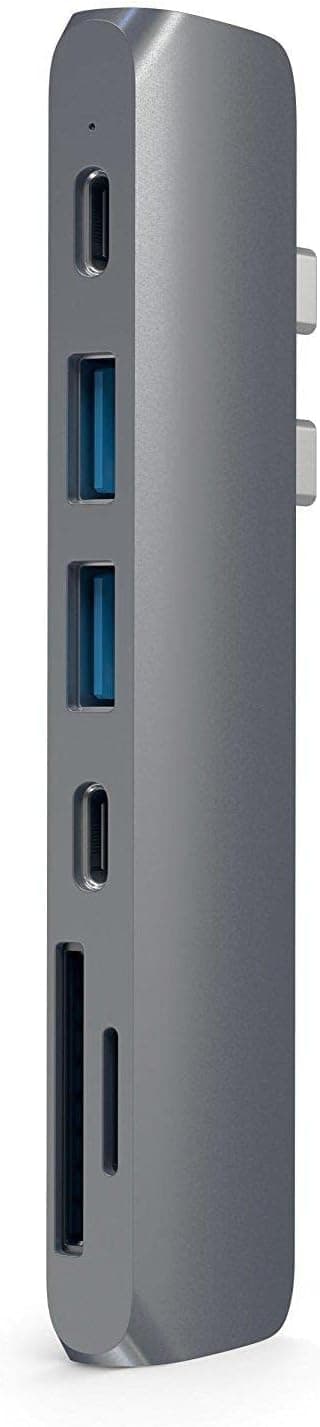
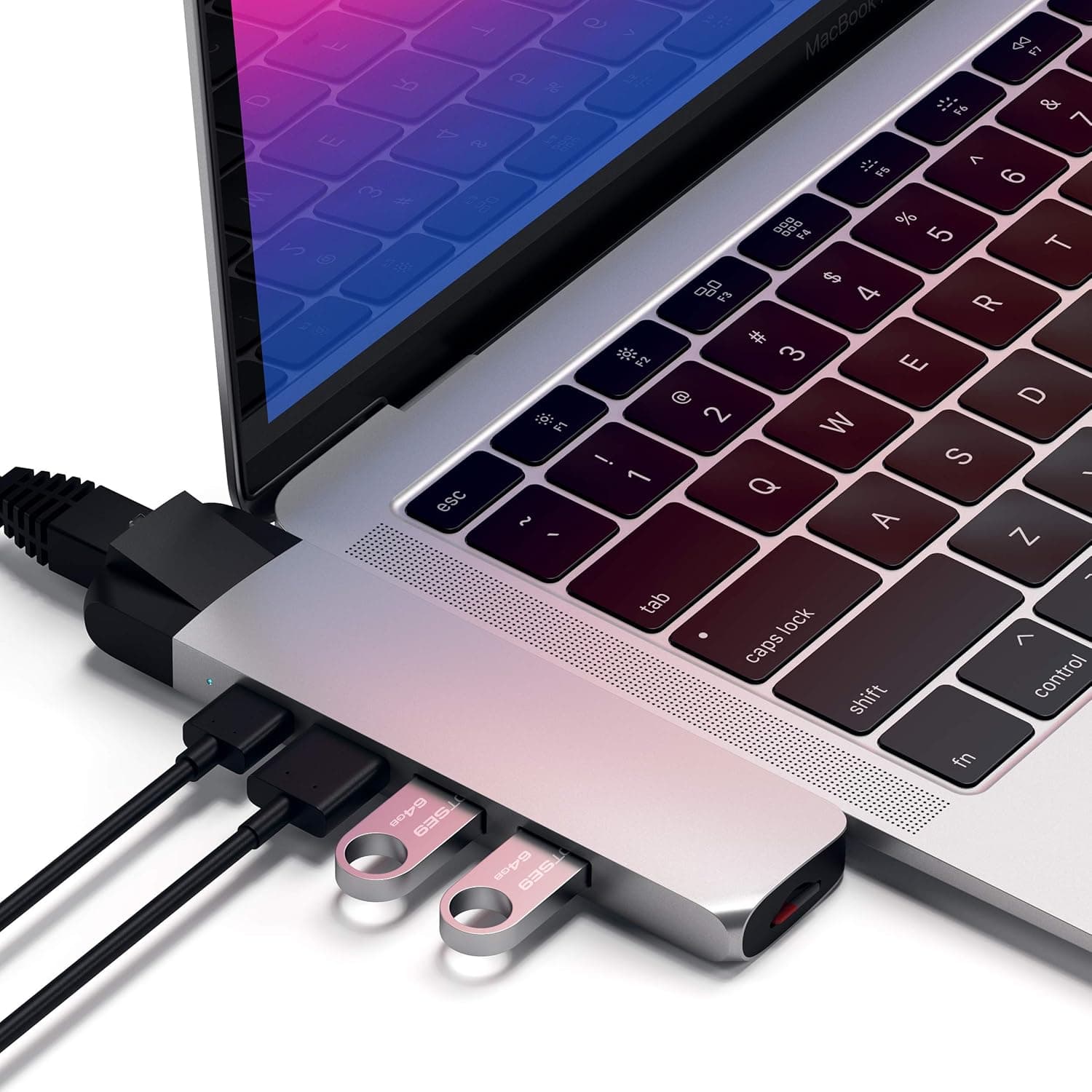
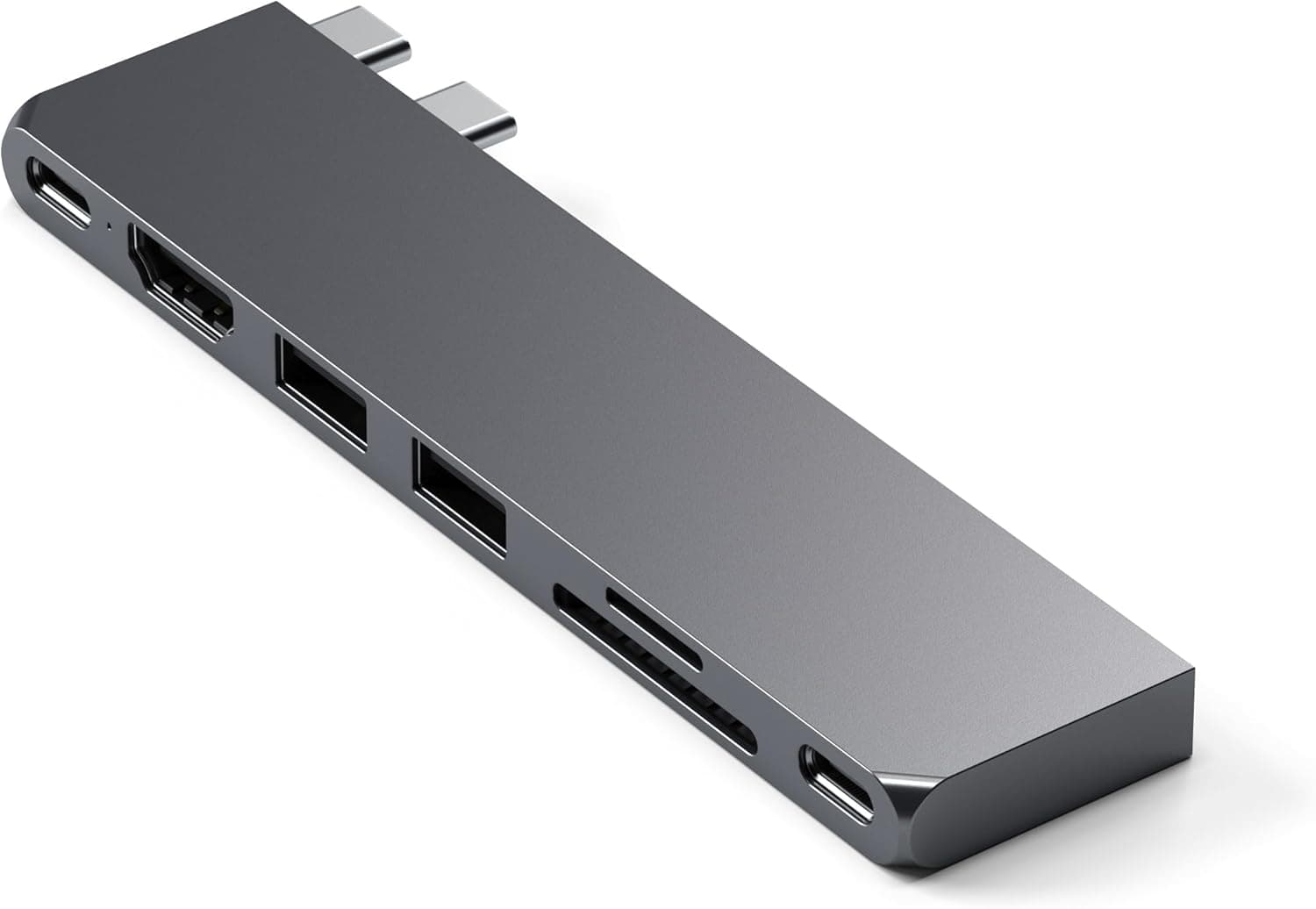
The Satechi USB C Hub Multiport Adapter Pro Slim 7-in-1 for MacBook is a direct-attach hub that plugs into the side of a MacBook with no cable, expanding it to seven ports. Its USB4 port carries up to 40Gbps of data, 6K@60Hz video output, and 100W pass-through charging.
The short verdict: this is built for someone who carries one external display, an external SSD, and memory cards — not for a desk running two or more monitors.
It adds a 4K@60Hz HDMI port, two 10Gbps USB 3.2 Gen2 ports, and UHS-I SD/MicroSD slots (up to 2TB each).
The chassis is aluminum alloy, with an over-temperature auto shut-off safety feature (listed as triggering above 40°C). Worth knowing up front: Amazon.co.Check the retailer's page for the latest user reviews.
How to Read the Specs
| Item | Value | What it means in practice |
|---|---|---|
| USB4 port | 40Gbps / 6K@60Hz / 100W PD | The core port: data, display and power in one |
| HDMI | Up to 4K@60Hz | Direct connection to TVs and common 4K monitors |
| USB 3.2 Gen2 | 10Gbps × 2 | Enough headroom for fast external SSDs |
| SD / MicroSD | UHS-I, up to 2TB | Fine for photos; no UHS-II speeds |
| Material | Aluminum alloy | Good rigidity and heat spreading, but it gets warm |
| Safety | Over-temp auto shut-off | Sustained heavy loads may cut power |
The key line is the USB4 port, which handles video, data and power at once. Push a 6K display, 100W charging and a fast SSD through it simultaneously and both bandwidth and heat concentrate in one place.
The UHS-I card limit also matters if you shoot with V90-class UHS-II cards. Treat all figures as maximums; real-world results depend on your Mac and your peripherals.
Compatibility Guide
Supported models are the MacBook Pro 14/16-inch and MacBook Air 13/15-inch (M5, M4, M3, M2, M1). It seats directly into the side USB-C ports, so no cable is needed.
The flip side is that this design depends entirely on port position and chassis thickness — it will never be as universal as a cable-based hub.
The most common real-world failure is the case. Thick hard cases, or covers that wrap around the USB-C ports, block attachment outright.
If you keep a case on permanently, you will either remove it every time or replace it with one that has a wide port cutout. Measure your case opening before buying.
Windows laptops with USB-C generally work for basic functions, but 6K@60Hz output is likely limited to Macs with USB4/Thunderbolt support. Windows machines also vary in DisplayPort Alt Mode support and port spacing, which matters here because the hub seats into two USB-C connectors at once.
If Windows is your main machine, a cabled dock is the safer choice.
Plan on one external display. Using USB4 and HDMI together for a multi-monitor setup runs into the Mac's own external display limits, especially on base M-series chips.
If two screens are mandatory, look at a DisplayLink dock or a higher-tier Thunderbolt dock instead.
Product Info
As captured in August 2026, the Amazon.co.Check the retailer's page for the latest price.
Both are point-in-time figures that move with sales and exchange rates — check the product page for current pricing. That places it in the mid-range: clearly above generic USB-C hubs, well below full Thunderbolt 4 docks.
The sample size makes that meaningful, but it is not a standout score. In this category, fit, heat, and device-specific quirks tend to split opinion, and the rating likely reflects exactly that.
Read it as "strong for the right user" rather than "safe for everyone."
The machined aluminum body matches MacBook finishes closely, which is Satechi's long-running strength as an Apple-accessory brand. Warranty terms and bundled items can vary by seller, so confirm the listing details.
How It Compares
Against a cabled USB-C hub, the advantages are the absence of a cable and full use of USB4 bandwidth. If you connect and disconnect several times a day between desk and café, that difference is felt daily.
For a permanently docked setup, a cabled hub reduces wear on the laptop's own ports.
If you need more ports, pairing hubs of different shapes works well: a USB-A-heavy hub for legacy gear, a Gigabit Ethernet hub for wired networking, or a self-powered hub with its own AC adapter for power-hungry peripherals. A bus-powered direct-attach hub is not the right tool for running several external hard drives.
Best Use Cases
Photo and video workflows — ingest, edit, review on an external display — map cleanly onto the two 10Gbps ports and the card slots.
Mobile workers and frequent travelers also benefit. There is no cable to pack and nothing bulky in the bag, so the less you want to carry, the more this design pays off — provided one external display is enough for you.
If you sit at a fixed desk with two or more monitors, need wired Ethernet, or connect many USB-A devices, a stationary dock will serve you far better than this hub.
Things to Check Before Buying
Case compatibility is the biggest trap. Thick cases or covers over the USB-C ports make attachment physically impossible.
This is a structural limit, not a firmware quirk, so there is no workaround later. If you refuse to remove your case, skip this product.
Assume a single external display. Buying it expecting "HDMI plus USB4 equals two screens" leads to disappointment, and your Mac's own output limits apply regardless of the hub.
Understand the heat behavior. The spec sheet lists an over-temperature auto shut-off.
Aluminum helps dissipate heat, but if you drive 6K output, 100W charging and a fast SSD at once, expect the body to get warm. Avoid using it inside a closed sleeve or in poorly ventilated spots.
The card slots are UHS-I only. UHS-II cards work but run at UHS-I speeds.
If you move large video files daily, a dedicated UHS-II reader will save real time.
**Factor the 3.9-star rating into your decision. Reading a handful of low-star reviews before buying is the cheapest way to avoid regret.
Finally, Amazon listing metadata — manufacturer, model number, compatible models — occasionally carries details from a different product. If anything in the listing looks off, confirm the product image and title match the item you actually want.
FAQ
Q. Does it work with non-MacBook laptops? A.
Basic functions generally work on any USB-C laptop, but 6K@60Hz output may be limited to USB4/Thunderbolt Macs, and some machines simply won't fit physically.
Q. Can I run two external displays? A.
Treat it as a single-display solution. For two or more screens, use a Thunderbolt or DisplayLink dock.
Q. Can I keep my case on?
A. A thin film may work, but thick cases and covers over the USB-C ports will not. Measure the cutout first.
Q. Does 100W pass-through slow charging? A.
Pass-through always loses a little to conversion, so charging is slightly slower than plugging the charger in directly. A higher-wattage charger restores the margin.
Q. Are UHS-II SD cards supported?
A. They read and write, but at UHS-I speeds. Use a dedicated UHS-II reader if speed matters.
Product Disclosure (Amazon)
- Manufacturer: Satechi
- Seller: Satechi_Japan
- Fulfilled by: Amazon
- ASIN: B0BV45B8JB
- Note: This article covers a manufacturer-made product based on Amazon listing details.