Overview
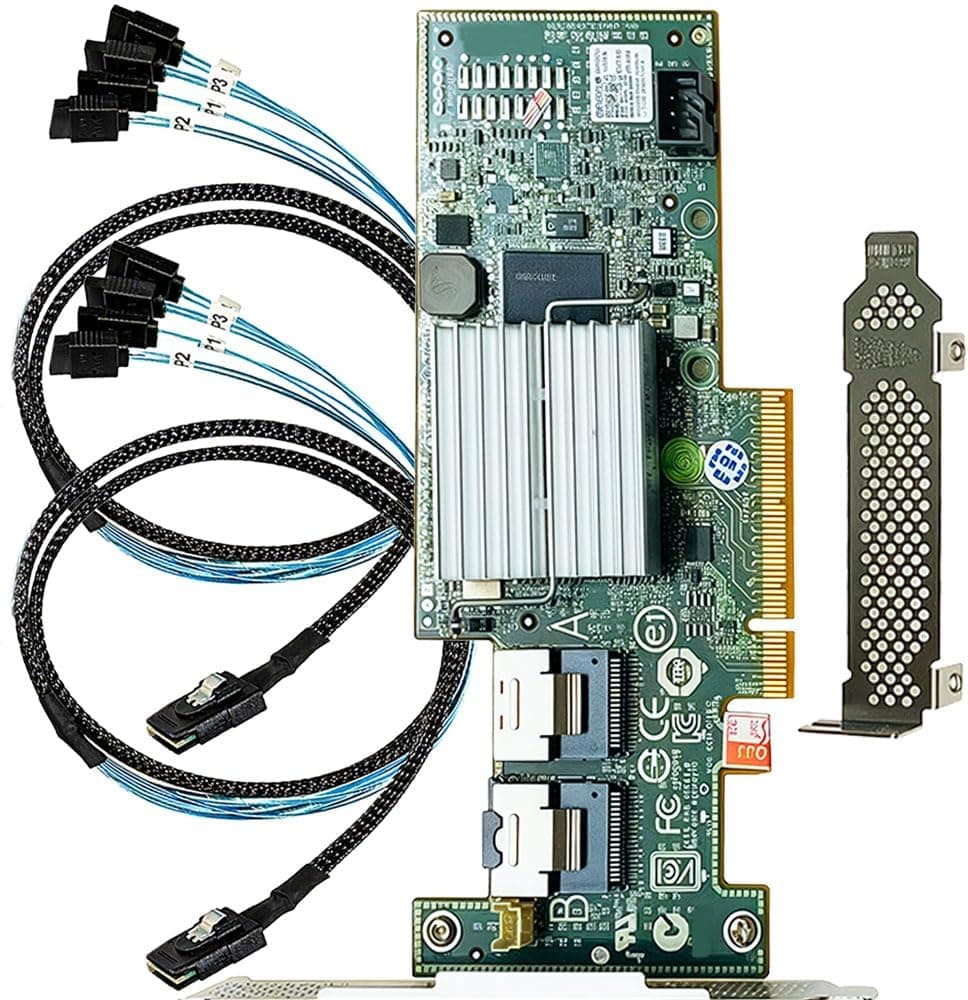
Listed on Amazon Japan as 「SAS HBAカード LSI 9300-8i ITモード8ポート対応 SATAケーブル付き」 (SAS HBA Card LSI 9300-8i IT Mode, 8 Ports, with SATA Cables), this is a PCIe 3.0 x8 host bus adapter sold by LANPAN.
It uses the Broadcom (formerly LSI) SAS3008 controller and ships with IT mode firmware already flashed. In short, it is for people building TrueNAS, unRAID or Proxmox boxes who want eight more drives passed straight through to ZFS or software RAID.
It is not for anyone who wants hardware RAID or more NVMe SSDs.
In IT mode, the card does not group drives into RAID volumes. The OS sees every disk as its own device.
ZFS and mdadm are designed to manage raw disks directly, so this do-nothing behavior is exactly the point. It also makes SMART data easy to read from the OS with tools such as smartctl, which helps with drive health monitoring.
The card has two Mini-SAS HD (SFF-8643) connectors, each serving four drives, for a total of eight SAS or SATA devices. Two SFF-8643 to 4x SATA breakout cables come in the box, so you can add SATA HDDs or SSDs on day one.
Each lane runs at 12Gbps (SAS3), for 96Gbps across all eight lanes on paper.
Compatibility Guide
PCIe Slots and Bandwidth
The host interface is PCI Express 3.0 x8.
The card fits in x16-sized slots and runs at x8 there. Watch out for the second x16-sized slot on consumer motherboards.
It is often wired through the chipset and only has x4 lanes electrically. Check the block diagram in your motherboard manual to see how many lanes the slot actually has.
| Slot | Approx. bandwidth | 8 HDDs (~250MB/s each, ~2GB/s total) | 8 SATA SSDs (~550MB/s each, ~4.4GB/s total) |
|---|---|---|---|
| PCIe 3.0 x8 | ~7.9GB/s | Plenty of headroom | Fits |
| PCIe 3.0 x4 | ~3.9GB/s | Headroom | Capped during full sequential load on all drives |
| PCIe 2.0 x8 | ~4GB/s | Headroom | Capped during full sequential load on all drives |
For an HDD-based NAS, an x4 slot makes almost no practical difference. An x8 slot only matters if you run eight SATA SSDs with sustained transfers on all of them at once.
Note that the 96Gbps figure is on the SAS side. PCIe 3.0 x8 delivers roughly 63Gbps of usable bandwidth, so with 12Gbps SAS SSDs on every port, the PCIe link becomes the limit.
Drives and Cables
- SATA HDDs/SSDs: Up to eight using the two included breakout cables. The SATA link runs at 6Gbps.
- SAS HDDs/SSDs: The included cables will not work. You need SFF-8643 to SFF-8482 cables (with power pass-through) or a backplane with SFF-8643 ports. SAS drives cannot plug into motherboard SATA ports, which is one reason to buy this card.
- Cases with backplanes: If the backplane has SFF-8643 ports, connect it with SFF-8643 to SFF-8643 cables.
- NVMe SSDs: Not supported. The SAS3008 only handles SAS and SATA.
OS and Drivers
Linux uses the in-kernel mpt3sas driver, and FreeBSD uses the mpr driver. unRAID and Proxmox (Linux-based), TrueNAS CORE (FreeBSD-based) and TrueNAS SCALE (Linux-based) normally detect the card with no extra setup.
Windows may not recognize it with its built-in drivers. In that case, install the driver Broadcom provides.
Size, Power and Virtualization
The card weighs 0.27kg.
It comes with a full-height bracket only; a low-profile bracket is not included, so you will need one for slim cases or 2U servers. The card draws all its power from the PCIe slot and has no auxiliary power connector.
Every drive you attach still needs its own SATA power from the PSU. To pass the whole card through to a VM on Proxmox or ESXi, enable VT-d/AMD-Vi and check that the card sits in its own IOMMU group.
Product Info
| Item | Details |
|---|---|
| Controller | LSI SAS3008 (Broadcom) |
| Host interface | PCI Express 3.0 x8 |
| Internal connectors | 2x Mini-SAS HD SFF-8643 |
| Supported devices | 8 (SAS or SATA) |
| Transfer rate | 12Gbps per lane |
| Firmware | IT mode |
| Weight | 0.27kg |
| Included | 2x SFF-8643 to 4x SATA cables |
When we checked on September 30, 2026, Amazon.co.jp listed it at ¥17,801.
Prices change, so check the product page for the current price before buying. On the same date it had 39 reviews averaging 4.5 out of 5 stars (90% positive).
That is not a large sample, so treat it as a general signal.
The original listing describes the card as a used, tested unit with no manufacturer warranty. Listing terms can change, so confirm the condition and warranty on the product page when you buy.
The box contains only the card and the two SATA breakout cables. SAS cables, a low-profile bracket and a cooling fan are not included.
Comparison with Alternatives
This card is most often compared with the previous generation of IT mode HBAs built on the SAS2008, such as the LSI 9211-8i or a Dell H200 cross-flashed to IT mode.
| Item | LSI 9300-8i (this card) | 9211-8i / H200 (IT mode) |
|---|---|---|
| Controller | SAS3008 | SAS2008 |
| SAS standard | 12Gbps | 6Gbps |
| Host interface | PCIe 3.0 x8 | PCIe 2.0 x8 |
| Connectors | SFF-8643 (Mini-SAS HD) | SFF-8087 (Mini-SAS) |
For an HDD-only NAS, you will hardly notice a speed difference between them. The 9300-8i pulls ahead in three cases: when it goes in a slot that is only x4 electrically, when you mix in SATA or SAS SSDs, and when your case has an SFF-8643 backplane.
A PCIe 2.0 card in an x4 slot tops out around 2GB/s, which is where the gap becomes clear.
The sensible choice comes down to the price difference and how you plan to expand.
Best For
- DIY NAS builders on TrueNAS or unRAID: Ideal when you want each disk exposed directly to ZFS. With eight ports, one card can run a six-drive RAID-Z2 pool plus two spares.
- PC builders short on SATA ports: One card adds eight ports for reusing old HDDs or adding SSDs.
- Home lab users: Pass the whole card through on Proxmox or ESXi so a TrueNAS VM manages the disks directly.
- Anyone who picked up cheap SAS drives: Used SAS HDDs sometimes sell for less than SATA ones. This card lets you run them on a consumer motherboard.
Not for: people who want hardware RAID with controller cache, people adding NVMe SSDs, anyone building a quiet system in a small case with weak airflow, and anyone who only needs one or two extra SATA ports. For one or two ports, a basic SATA expansion card costs less and runs cooler.
Before You Buy
Heat is the biggest pitfall. Cards built on the SAS3008 are designed for server chassis with strong front-to-back airflow, and they are cooled only by a passive heatsink.
In a desktop case with weak airflow they can run hot, which is widely blamed for problems such as drives dropping out or errors during transfers. Fit a small fan of around 40mm to the heatsink, or use a slot where a case fan blows across the card.
The seller is LANPAN, not Broadcom retail packaging. LSI and Broadcom HBAs are known to circulate as counterfeits and refurbished units.
When the card arrives, use lspci on Linux or Broadcom's sas3flash tool to confirm the controller is a SAS3008 and the firmware is in IT mode. Then connect drives to all eight ports and test detection and reads/writes while you can still return it.
Idle power matters for a NAS that runs 24/7. Users report that HBAs in this class can keep the CPU out of its deeper power-saving states, raising idle power draw.
If low power is your top priority, first check whether your motherboard's own SATA ports are enough.
SSD TRIM and boot drives. Depending on the drive and firmware combination, TRIM may not work for SATA SSDs connected through the HBA.
Whether a boot ROM is present may also vary from card to card. The safest setup is to put your OS drive on a motherboard SATA port or M.2 slot.
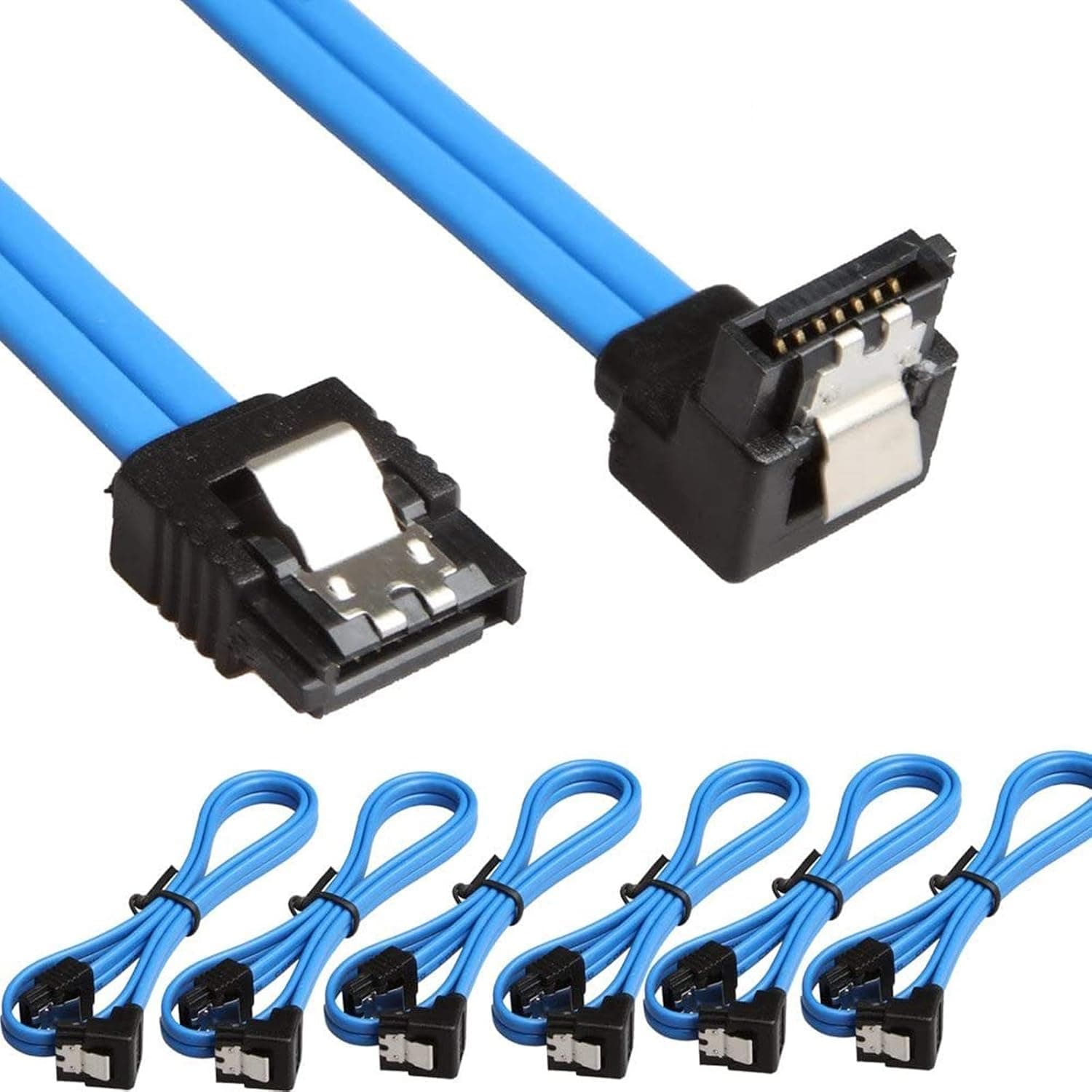
Cable direction and power. SFF-8643 to SATA cables come in two types that look almost identical: forward (HBA to drives) and reverse (the opposite direction).
With a reverse cable, the drives will not be detected. If you buy extra cables, get forward breakout cables.
HDDs draw more than their rated current at the moment they spin up, so leave headroom on your PSU's capacity and 12V rail if all eight start at once.
Listing details. Automatically collected listing data sometimes includes details from a different product.
Before buying, use the product page images and title to confirm the card has two SFF-8643 connectors and check what is included.
FAQ
Q. Will it work in an x4 slot or an x16-sized slot? A.
It fits physically in any x16-sized slot. It also works in a slot that is only x4 electrically, but bandwidth drops to about 3.9GB/s.
That is enough for eight HDDs, but it becomes the limit for sustained transfers on eight SATA SSDs at once.
Q. Can I build RAID 5 or RAID 1 with this card? A.
IT mode has no hardware RAID. Use software RAID such as ZFS, mdadm or Windows Storage Spaces.
If you need hardware RAID, choose an IR mode card or a RAID controller.
Q. Can I connect NVMe SSDs?
A. No. The SAS3008 only supports SAS and SATA.
Q. Do SAS drives work with the included cables? A.
No. The included cables are SATA breakouts.
SAS drives need SFF-8643 to SFF-8482 cables (with power pass-through) or a compatible backplane.
Q. Does it need an auxiliary power cable? A.
No. The card runs on PCIe slot power alone.
Each drive still needs its own SATA power from the PSU.
Product Disclosure (Amazon)
- Manufacturer: LANPAN
- Seller: Amazon US
- Fulfilled by: Amazon US
- Model: LSI SAS9300-8I
- ASIN: B0BV2KMB2K
- Note: This article covers a manufacturer-made product based on Amazon listing details.