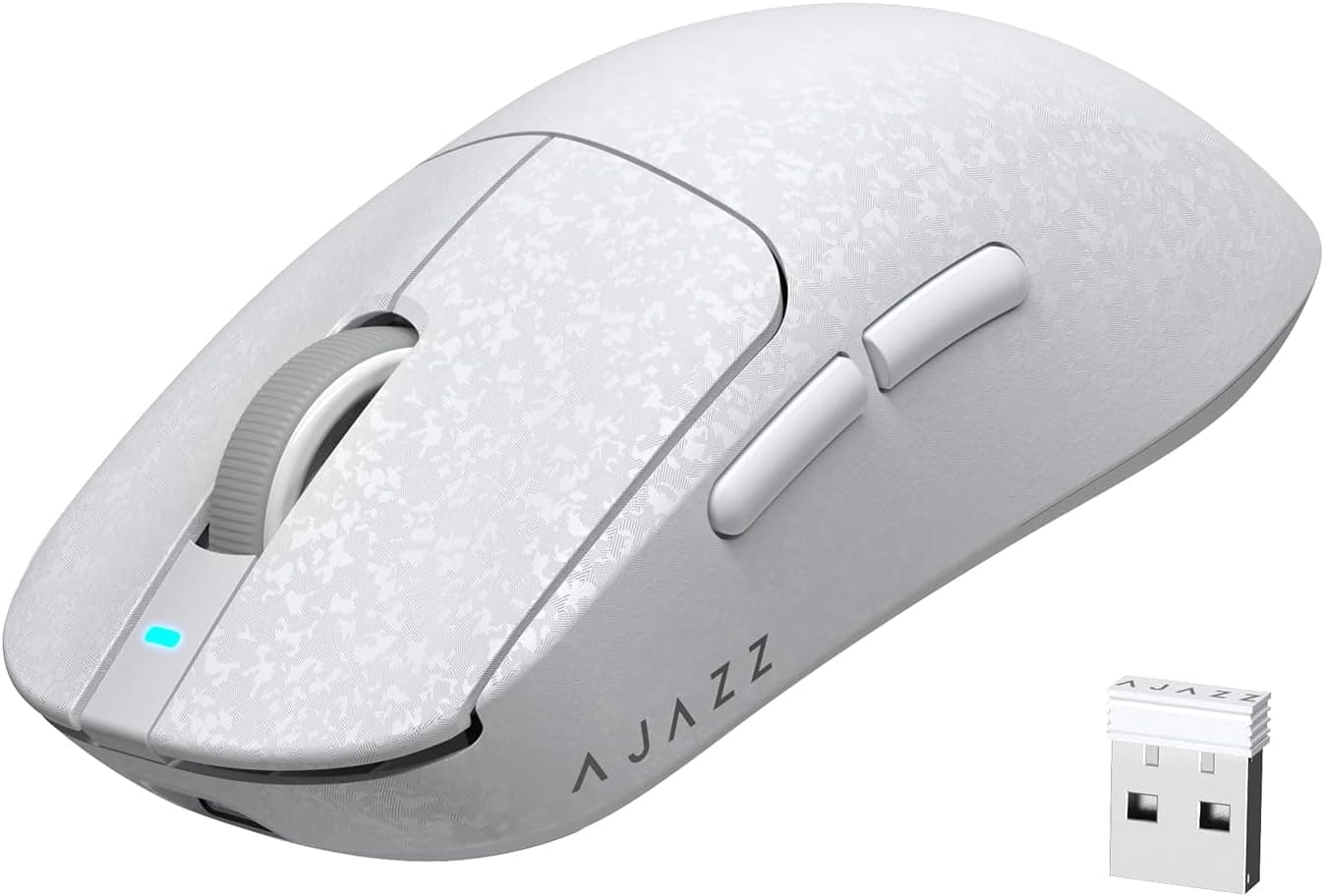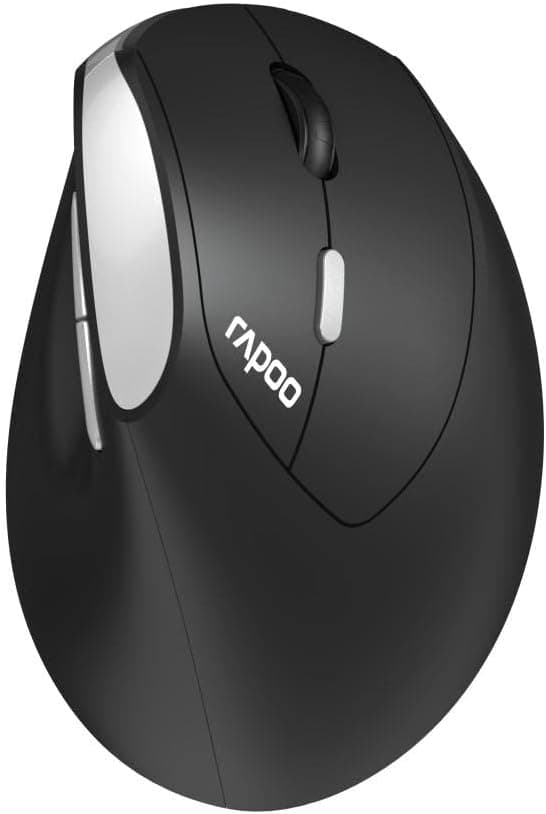
The Rapoo EV250 Kabellose ergonomische Maus is a right-handed wireless mouse sold in German-language packaging. It skips gaming features and instead nails the basics of a carry-around office mouse: 89 grams, two AAA cells, and a receiver that stores inside the body.
This article works through the published specs, the listed price, and the review data to explain who it suits — and who should walk away.
Overview
The EV250 is an entry-to-mid-range ergonomic mouse with five buttons, an 89 g body, and a 2.4GHz wireless link.
Short version: it is a capable everyday companion for home-office work and laptop bags, and a poor choice for gaming or heavy customisation.
The asymmetric right-handed shell reduces wrist rotation compared with a flat, symmetrical travel mouse, which matters over long browsing and spreadsheet sessions. That said, "ergonomic" covers everything from a mild contour to a near-vertical grip, and this one should be assumed to sit at the mild end.
Fit depends heavily on hand size, so try a similarly sized Rapoo shell in a store if you can.
Amazon.co.jp reviews average 3.5 out of 5 across 28 ratings — roughly a 70% positive score.
Twenty-eight ratings is a thin sample, so read it as "satisfying when the use case matches" rather than "proven crowd favourite".
Compatibility Guide
Connectivity is 2.4GHz only, through the bundled USB receiver.
Windows, macOS and Linux are listed as supported, and basic operation works without installing drivers. The table below covers the points people actually trip over.
| Item | What the EV250 needs | Watch out for |
|---|---|---|
| Connection | 2.4GHz USB receiver | No Bluetooth — tablets and Bluetooth-only machines are out |
| Port | One free USB-A | USB-C-only laptops need a hub or adapter |
| Power | Two AAA cells | Not rechargeable; NiMH cells run at slightly lower voltage |
| OS | Windows / macOS / Linux | Side-button back/forward may not map cleanly on macOS |
| Weight | 89 g | Check the listing for whether this includes batteries |
The USB-A requirement is the most common surprise. Thin laptops and MacBooks increasingly ship with USB-C only, which means an adapter rides along with the mouse.
Hubs work, but an underpowered hub can cause occasional cursor stutter, so a direct port is preferable.
A receiver-based mouse also occupies one port on one machine. If you switch between several computers, you will be unplugging and replugging the dongle.
Anyone who wants button-press device switching should buy a mouse that offers both Bluetooth and a receiver.
Surface behaviour follows the usual optical-sensor rules: clear glass, glossy white desks and finely patterned cloth all upset tracking. A plain fabric pad fixes most of it.
Product Info
| Spec | Value |
|---|---|
| Buttons | 5 |
| Weight | 89 g |
| Batteries | 2 × AAA |
| Connection | 2.4GHz wireless |
| OS support | Windows / macOS / Linux (USB-A required) |
The price needs a caveat. The Amazon.co.jp listing showed ¥8,511 as captured on 14 September 2026.
For a five-button, AAA-powered wireless mouse that is clearly on the high side. The listing is fulfilled by a third-party marketplace seller rather than the manufacturer, which suggests an import markup.
Prices move a lot by seller and by season, so check the current listing before ordering. Note also that the record labelled "Amazon US" carries the same yen figure and the same ASIN, so there is no usable overseas price here.
The box includes the mouse, the USB receiver, and test batteries. Test cells are usually low-capacity, so have fresh alkalines ready.
Warranty handling varies by seller; with a marketplace listing, confirm the return window and support contact before you buy.
Product Disclosure (Amazon)
- Manufacturer: RAPOO
- Seller: mountsound
- Fulfilled by: mountsound
- ASIN: B0B7K6W5PN
- Note: This article covers a manufacturer-made product based on Amazon listing details.
How It Compares
In the same battery-powered office-mouse bracket sit long-running staples like Logitech's M325 and M185. Those typically run a long time on a single AA and cost less, but their shells are closer to symmetrical with little ergonomic tilt.
If cutting wrist rotation is your actual goal, the right-handed contour of the EV250 has the edge; if you just want something cheap that definitely works, the staples are the safer bet.
If you want rechargeable operation, quiet switches, horizontal scrolling or gestures, the comparison set becomes USB-C rechargeable multi-button mice and the MX Master class above them. The EV250 is for people who prefer swapping cells over managing charge cycles — and it is wrong for anyone who resents buying batteries at all.
That is an operating-style choice more than a quality one.
Against gaming mice it is simply a different category. Lightweight wireless gaming models use low-latency proprietary radios and onboard DPI switching.
For competitive play, start there instead.
Best Use Cases
- Long office and home-office sessions — a clear desk and a right-handed contour that eases the wrist. Documents, spreadsheets and browsing pose no performance problem.
- Laptop travel — 89 g, with the receiver stowed inside the shell so the dongle does not vanish into your bag. No charging cable to pack.
- A spare mouse on standby — battery-powered devices simply work after months in a drawer, with none of the slow degradation of a sealed lithium cell. Good for meeting rooms and secondary PCs.
- Quieter environments — but verify on the product page whether silent switches are actually claimed. If click noise is your top priority, buy a model that states it explicitly.
Before You Buy
Price is the real decision point. At the captured ¥8,511 the EV250 is expensive for what it is.
At that money, rechargeable, quiet, multi-button and dual-mode Bluetooth options come into range. If a sale or a different seller brings it well down, it becomes an easy recommendation.
Whether to buy depends less on the product than on the price you see today.
Left-handed users should skip it. The asymmetric shell turns its main advantage into a drawback in the other hand.
Do not shrug off the missing Bluetooth. On a USB-C-only laptop you will always carry an adapter, which undercuts the portability argument, and tablets are out entirely.
Factor in the thin review base. 3.5/5 from 28 ratings is not damning, but it is not a proven track record either.
Buying through a channel with an easy return process is sensible risk management.
Marketplace listings carry their own risks. When the seller is neither Amazon nor the manufacturer, you may receive a parallel import with non-Japanese documentation and no local warranty desk.
Listing metadata — manufacturer, model number, weight — is also wrong often enough to matter. Confirm from the product images and title that you are looking at the Rapoo EV250, rather than trusting the spec fields alone.
Expect no tuning options. No DPI figure or configuration software appears in the published specs.
If you need fine cursor-speed control on a high-resolution display, or macros on the side buttons, choose a model that documents its software.
FAQ
Q. How long do the batteries last? A.
No runtime figure is published, so this article will not guess. Several months is a typical ballpark for an optical office mouse on two AAA cells, but confirm on the product page and start with fresh alkalines.
Q. Can it connect over Bluetooth?
A. No. It is 2.4GHz only and requires the bundled receiver in a USB-A port.
Q. Does it work on a Mac? A.
macOS is listed as supported, and cursor movement, clicks and scrolling work. Side-button back/forward depends on OS and application support, so do not count on it.
Q. Is it usable for games? A.
Fine for casual browser and simulation titles; unsuitable for FPS play where latency and precision decide outcomes.
Q. What if I lose the receiver? A.
A 2.4GHz dongle is normally paired to its specific mouse, so losing it usually means losing the mouse.
Put it back in the internal compartment when not in use.
Q. Is ¥8,511 a fair price? A.
On specs alone, no. That figure was captured on 14 September 2026 and swings with seller and timing.
Check the current price and compare against rechargeable dual-mode models before committing.