Overview
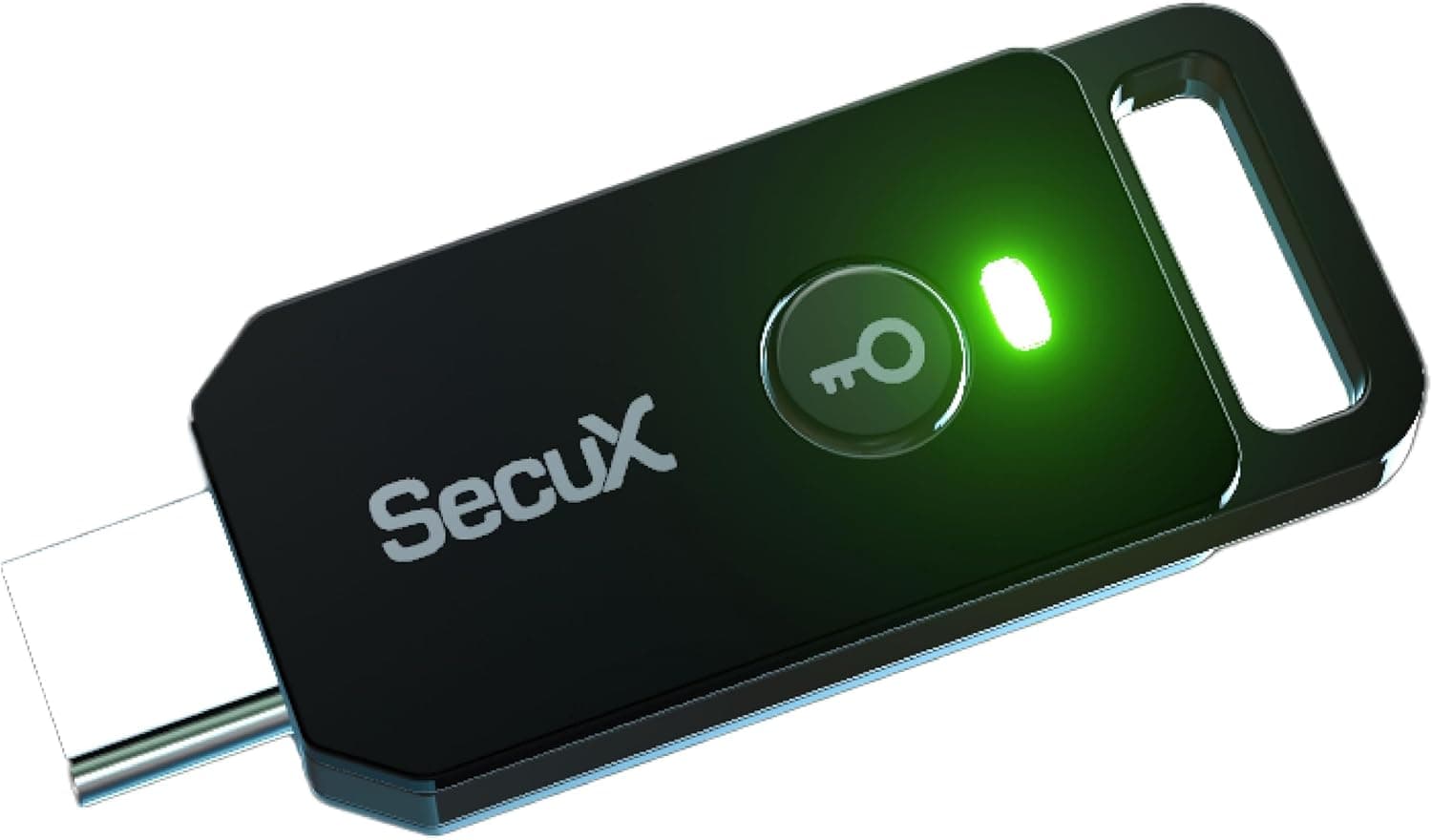
The PUFido Clife Key — FIDO2 Certified USB-C Security Key with PUF is a hardware security key from SecuX. It supports FIDO2 / WebAuthn and adds phishing-resistant two-factor authentication (2FA) to online services that accept FIDO security keys, including Google, Microsoft and Dropbox.
It suits people who mainly use USB-C laptops and phones and want an affordable first hardware key.
It will not plug straight into a PC that only has USB-A ports or a Lightning iPhone. If your employer restricts which key models you may use, check that first as well.
A hardware key is not a buy-once-and-done purchase. It only makes you safer once you also have a backup key and a way back into your accounts if you lose it.
This article focuses on the points where people tend to go wrong.
Inside, the key uses PUF (Physical Unclonable Function) based encryption, which is designed to make cloning the key itself very difficult. It is small enough for a keychain, and you authenticate by plugging it in and touching it.
It is powered over USB, so there are no batteries to replace and no Bluetooth pairing. On Amazon.co.Check the retailer's page for the latest user reviews.
That is not many reviews yet, but the ratings are steady.
What FIDO2 Changes
There are several kinds of two-factor authentication, and each protects you to a different degree. Knowing how a hardware key differs from what you use now helps you decide which accounts to move first.
| Method | Phishing resistance | Main weakness |
|---|---|---|
| SMS codes | Low | SIM swapping, or typing the code into a fake site |
| Authenticator app (6-digit codes) | Medium | An attacker can relay a code you type into a fake site to the real one |
| FIDO2 security key | High | You need the key with you and a plan for losing it |
With FIDO2 / WebAuthn, the signature the key returns is tied to the domain you are visiting. If you are lured to a convincing fake site, the signature for the real site is never handed over.
Even if you are fooled and touch the key, the login does not go through. That is the decisive difference from SMS and app codes, and it is the main reason to buy the PUFido Clife Key.
What PUF Does and What It Protects
PUF (Physical Unclonable Function) uses tiny, invisible variations from chip manufacturing as a unique fingerprint for that chip. Compared with storing secret material directly in non-volatile memory, this is generally considered to make it harder to extract keys by analyzing the chip.
That is why the PUFido Clife Key is described as effectively impossible to clone.
However, PUF protects what is inside the key. Your account is only as strong as its weakest entry point.
If SMS recovery or password-only login stays enabled after you register the key, attackers will simply use that route instead. To get the full benefit of PUF, close the weaker entry points after registering your key.
The setup steps below cover how.
Compatibility Guide
| Item | Detail | Caveat |
|---|---|---|
| Connector | USB-C (listed as USB on Amazon) | USB-A-only devices need an adapter |
| Standard | FIDO2 / WebAuthn | Does not work on services without FIDO support |
| Operating systems | Windows, macOS, Linux, Android, iOS | Behavior varies by OS and browser version |
| Power | Powered over USB | No battery or charging |
On USB-A-only PCs. The key has a USB-C plug, so older desktops and laptops with only USB-A ports need a USB-C (female) to USB-A (male) adapter.
Leaving the adapter attached puts more strain on the connector, so take it off between uses or use a front-panel USB-C port instead.
On iPhone and iPad. USB-C iPhones (iPhone 15 and later) and USB-C iPads can take the key directly.
Lightning iPhones physically cannot. The product data does not mention NFC, so if you want to tap the key on a phone, confirm on the product page before buying.
Note that Apple requires at least two keys when you add security keys to an Apple Account.
On Android. USB-C Android phones can use the key through browsers such as Chrome, for example for Google account sign-in.
Whether an app's own login screen supports security keys varies from app to app.
On Linux. If your browser does not detect the key, some distributions need a USB access rule (a udev rule).
On many distributions, installing the FIDO-related packages adds it for you.
Supported services. Google, Microsoft accounts, Dropbox, GitHub, Facebook and X (formerly Twitter) all support security keys for two-factor authentication.
Services with their own login systems or older services may not let you register one. Check each account's security settings before buying.
Product Info
Check the retailer's page for the latest price.co.jp when the data was collected in August 2026, and the same ¥4,990 in July 2026.
On eBay, a listing showed $35.00 when the data was collected in August 2026.
These are prices at the time of collection and change with sales and listings, so check the product page for the current price. If you plan to buy two keys, budget a little under ¥10,000.
| Item | Detail |
|---|---|
| Brand | SecuX |
| Authentication standard | FIDO2 / WebAuthn |
| Encryption | PUF (Physical Unclonable Function) |
| Interface | USB (USB-C connector) |
| Memory storage capacity (listed) | 1 GB |
| Read speed (listed) | 1000 B/s |
| Features | Abrasion-resistant, lightweight |
The 1 GB and 1000 B/s figures are values entered in Amazon's product category fields. A FIDO2 key is not a USB drive for storing files, so do not read these numbers as storage capacity or transfer speed.
Each authentication exchanges only a few hundred bytes, so this speed will not make it feel slow.
The key went on general sale in 2025, and it is described as having a one-year manufacturer warranty. Warranty terms may vary by retailer.
The box includes the key and a quick-start guide. It sits in the entry-to-mid tier, cheaper and easier to try than the high-end multi-function keys.
Compared with Alternatives
FIDO2 hardware keys broadly fall into two groups: affordable FIDO-only models and feature-rich premium models. The PUFido Clife Key is closer to the first group.
| Type | Key traits | Best for |
|---|---|---|
| PUFido Clife Key | FIDO2 / WebAuthn, PUF encryption, USB-C, affordable | Individuals moving their accounts to a hardware key for the first time |
| YubiKey 5 Series (Yubico) | FIDO2 plus one-time passwords, PIV (smart card) and more. Some models add NFC | Users who also need SSH or certificate-based logins for work |
| Other FIDO-only keys (Yubico Security Key, Google Titan, etc.) | Mainstream models focused on FIDO | Buyers who prefer an established brand |
If you need features beyond FIDO, such as PIV or one-time passwords, or want to tap the key on a phone over NFC, compare it with the premium models. For work use, whether your IT department allows the model is the deciding factor.
Setup Steps
Get two keys. Use one every day and keep the other somewhere separate, such as at home, as a backup.
Start with your most important accounts. Begin with your email account (Google or Microsoft).
Whoever controls your email can reset passwords for your other services. Menu names differ by service, but the option is usually under Security, then 2-Step Verification, then Security key or Passkeys.
- Set a PIN. FIDO2 keys ask for the key's own PIN in some cases, such as when used as a passkey.
Choose one you will remember but others cannot guess. 4.
Register the backup key on the same accounts. Never stop after registering only the first key.
This is the most important step. 5.
Keep backup codes on paper. They are your last way back if you lose both keys.
- Close the weaker entry points. Where possible, remove SMS sign-in and recovery, and make the key your main second factor.
Recommended Users
Everyday users worried about password reuse or phishing. Adding a hardware key to your Google or Microsoft account means a fake login page cannot take your account, even if it fools you.
At ¥4,990 at the time of collection, it is an easy first hardware key to try. Buying two, including a backup, is still recommended.
Remote workers handling sensitive data. Where cloud services and work accounts use FIDO2 sign-in, the small size makes it easy to plug straight into a USB-C laptop.
It also pairs well with USB-C-only machines such as MacBooks. Some employers only allow specific key models, so check first.
Tech-savvy users ready to move beyond authenticator apps. If you already type app codes, this key lets you move GitHub and important email accounts to a phishing-resistant method.
Who should skip it. If your main devices are a USB-A PC and a Lightning iPhone, if you want to tap the key over NFC, or if you need features beyond FIDO such as PIV or one-time passwords, you will likely be happier with another product.
Before You Buy
Do not rely on a single key. The biggest risk with a hardware key is not being hacked but locking yourself out.
If you lose your only key and kept no backup codes, recovering your account can take days, or you may not get back in at all. Register a backup key on the same accounts and store it in a separate place.
Do not keep entering the wrong PIN. Many FIDO2 keys lock after a set number of wrong PIN attempts in a row.
Unlocking requires resetting the key, which erases the passkeys stored on it. Handle the PIN with care.
There is a limit on stored passkeys. Each key model can store only a limited number of passkeys (login credentials) on the key itself.
This model's limit could not be confirmed from the available data. If you plan to save many passkeys, check the manufacturer's information.
If you only register it as a second factor, the limit usually does not matter.
Do not misread the spec sheet. The listed 1 GB memory storage capacity and 1000 B/s read speed are not file-storage specs.
The key cannot replace a USB drive.
It is not a crypto wallet. SecuX is also known for its cryptocurrency hardware wallets.
This product, however, is a login key and is not described as having any feature for storing crypto assets.
Watch the price labels. In part of the price data, a Japanese Amazon price appeared under an Amazon US label, so the store name and the price did not match.
On overseas marketplaces, the price and shipping can vary widely by seller. When you buy, check the seller and the current price on the product page.
FAQ
Q. Does it work with smartphones? A.
It plugs directly into USB-C Android phones, iPhone 15 and later, and USB-C iPads. It does not fit Lightning iPhones.
Q. Can I use it on a PC with only USB-A ports? A.
Yes, with a USB-C to USB-A adapter. Leaving it plugged in with the adapter strains the connector, so plug it in only when you need it.
Q. What happens if I lose the key? A.
With a backup key or backup codes, you can sign in and remove the lost key from your accounts. Without either, you will need each service's recovery process, which takes time.
Q. Will I no longer need passwords? A.
Services that support passkeys may let you sign in without a password. When you use the key as a second factor, you still use it together with your password.
Q. What is the main difference from a YubiKey? A.
The PUFido Clife Key is an affordable model focused on FIDO2 / WebAuthn. The YubiKey 5 Series is a multi-function line that also covers one-time passwords and PIV, so choose based on the features you need.
Product Disclosure (Amazon)
- Manufacturer: SecuX
- Seller: SecuX Technology
- Fulfilled by: Amazon
- ASIN: B0F32FWR2N
- Note: This article covers a manufacturer-made product based on Amazon listing details.