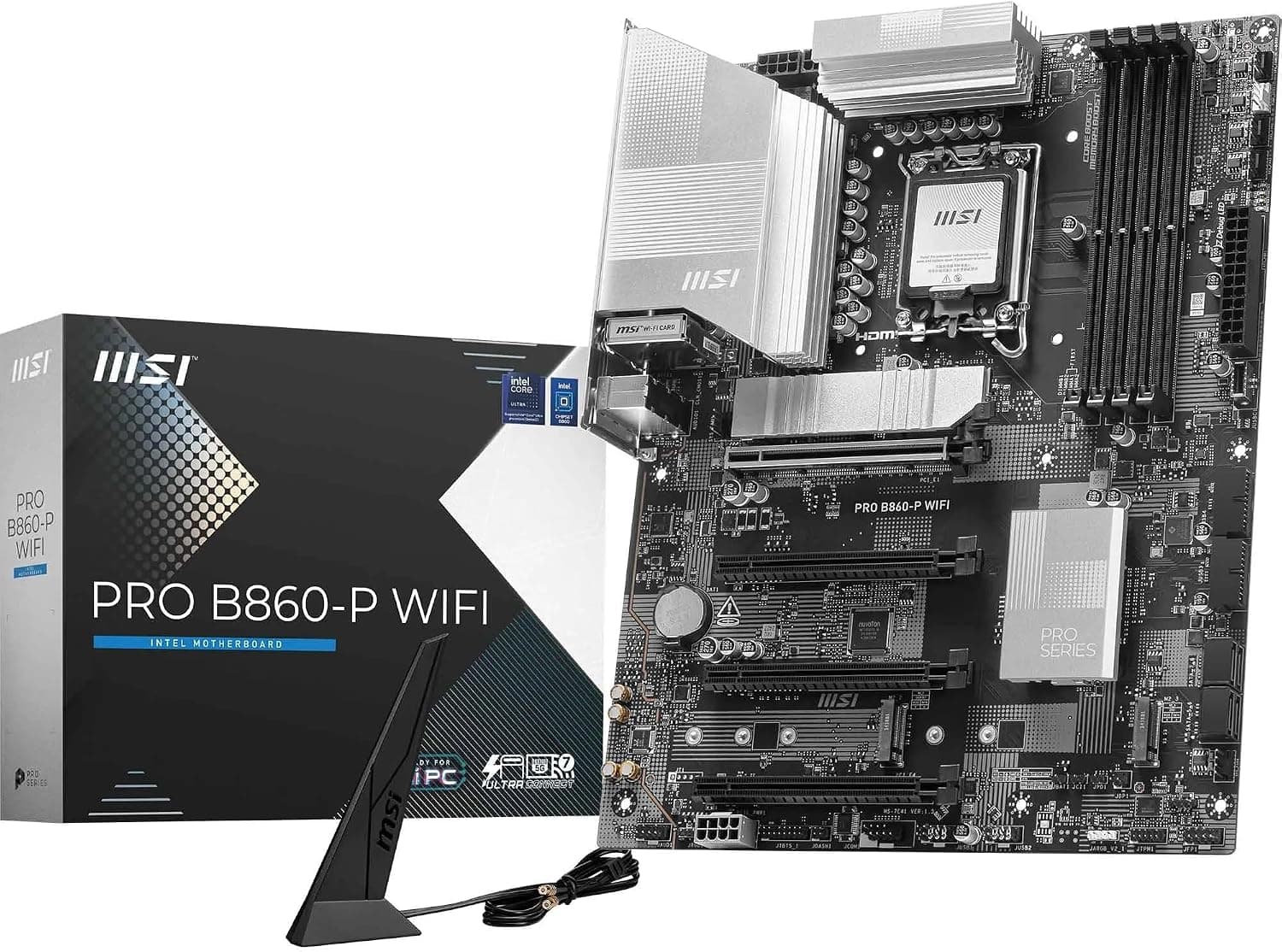
This article covers MSI PRO B860-P WiFiマザーボード.
Overview
The MSI PRO B860-P WiFi is an ATX motherboard built around the Intel B860 chipset and the LGA 1851 socket, designed exclusively for Intel Core Ultra processors (Series 2). It supports DDR5 memory overclocked up to 8600+ MT/s and features a PCIe 5.0 x16 slot, making it a future-ready choice for mid-range builds. Integrated Wi-Fi 7, 5Gbps LAN, and Thunderbolt 4 Type-C connectivity bring premium networking and I/O to a more accessible price point. This board targets professionals who need rock-solid stability and enthusiasts who want modern features without stepping up to a Z-series flagship. MSI's 12 Duet Rail VRM with Core Boost architecture ensures clean power delivery even under sustained loads, while the extensive cooling solution—including a large heatsink and 7W/mK thermal pads—keeps thermals in check.
Compatibility Guide
Socket: LGA 1851, compatible only with Intel Core Ultra 200 series (Arrow Lake). Not compatible with LGA 1700 CPUs. Memory: 4x DDR5 DIMM slots, dual-channel, up to 256GB. Supports XMP/EXPO and overclocking to 8600+ MT/s (1DPC 1R). Expansion: 1x PCIe 5.0 x16 (Steel Armor), 1x PCIe 4.0 x16. Both slots support modern graphics cards and add-in cards. Storage: 1x M.2 Gen5 x4 (with EZ M.2 Shield Frozr II), 1x M.2 Gen4 x4, 1x M.2 Gen4 x2, plus 6x SATA 6Gbps ports. * Power: 24-pin ATX main, 2x 8-pin CPU power. A standard ATX PSU with enough CPU power connectors is required.
Product Info
Released alongside the Intel B860 chipset in late 2024, the MSI PRO B860-P WiFi is currently available on Japan for approximately ¥39,451. It carries a standard 3-year warranty from MSI. Positioned in the mid-range market, this board competes directly with other B860 offerings from ASUS and Gigabyte. Its standout features—Wi-Fi 7, 5G LAN, and Thunderbolt 4—are rare at this price tier, making it a strong value proposition for users who need modern connectivity without paying for a premium Z890 motherboard.
Best Use Cases
Business Desktop: Ideal for office environments that require stable operation, fast networking (Wi-Fi 7, 5G LAN), and Thunderbolt 4 for quick file transfers. The board's robust power delivery and cooling ensure reliable 24/7 operation. Budget Gaming PC: The PCIe 5.0 x16 slot allows you to use the latest graphics cards, and DDR5 overclocking helps with memory-sensitive games. However, CPU overclocking is not supported, so this is a good fit for gamers who stick to stock speeds. Home Server or NAS: With multiple M.2 slots and SATA ports, plus high-speed LAN, this board can serve as the foundation for a cost-effective storage server. Who should skip this board: Power users who want to overclock their CPU or need multiple PCIe 5.0 devices (e.g., dual GPUs) should look at Z890 options instead.
Things to Consider
The LGA 1851 socket is limited to Intel Core Ultra Series 2 CPUs, which are a relatively new generation. If you already own a 12th, 13th, or 14th Gen Core processor, you'll need a different motherboard. Additionally, the B860 chipset does not support CPU overclocking—only memory overclocking is allowed. For some users, this may be a dealbreaker. Competing Z890 boards offer more PCIe 4.0 lanes and additional expansion options, but they also come at a higher price. The PRO B860-P WiFi's feature set is well-balanced for most mainstream users, but if you foresee needing extra PCIe 4.0 lanes or CPU overclocking headroom, you should consider stepping up to a Z890 board. ## FAQ
Q: Does this motherboard support Intel Core i9-14900K? A: No, it does not. The LGA 1851 socket is exclusively for Intel Core Ultra Series 2 (Arrow Lake). 12th-14th Gen Core processors (LGA 1700) are physically incompatible. Q: Can I reliably run DDR5 at 8600 MT/s? A: The official spec for 1DPC 1R (single module per channel) support up to 8600+ MT/s, but real-world stability depends on your CPU's memory controller. Two-module configurations or higher-density sticks may not reach that speed. Always check the QVL list for validated modules. Q: Does the PRO B860-P WiFi have BIOS Flashback? A: Yes, it features a BIOS Flashback button on the rear I/O panel. You can update the BIOS without a CPU or memory by simply plugging in a USB drive with the firmware file and pressing the button.
Product Disclosure (Amazon)
- Manufacturer: MSI
- Seller: Amazon US
- Fulfilled by: Amazon US
- ASIN: B0DRWGJ5B2
- Note: This article covers a manufacturer-made product based on Amazon listing details.