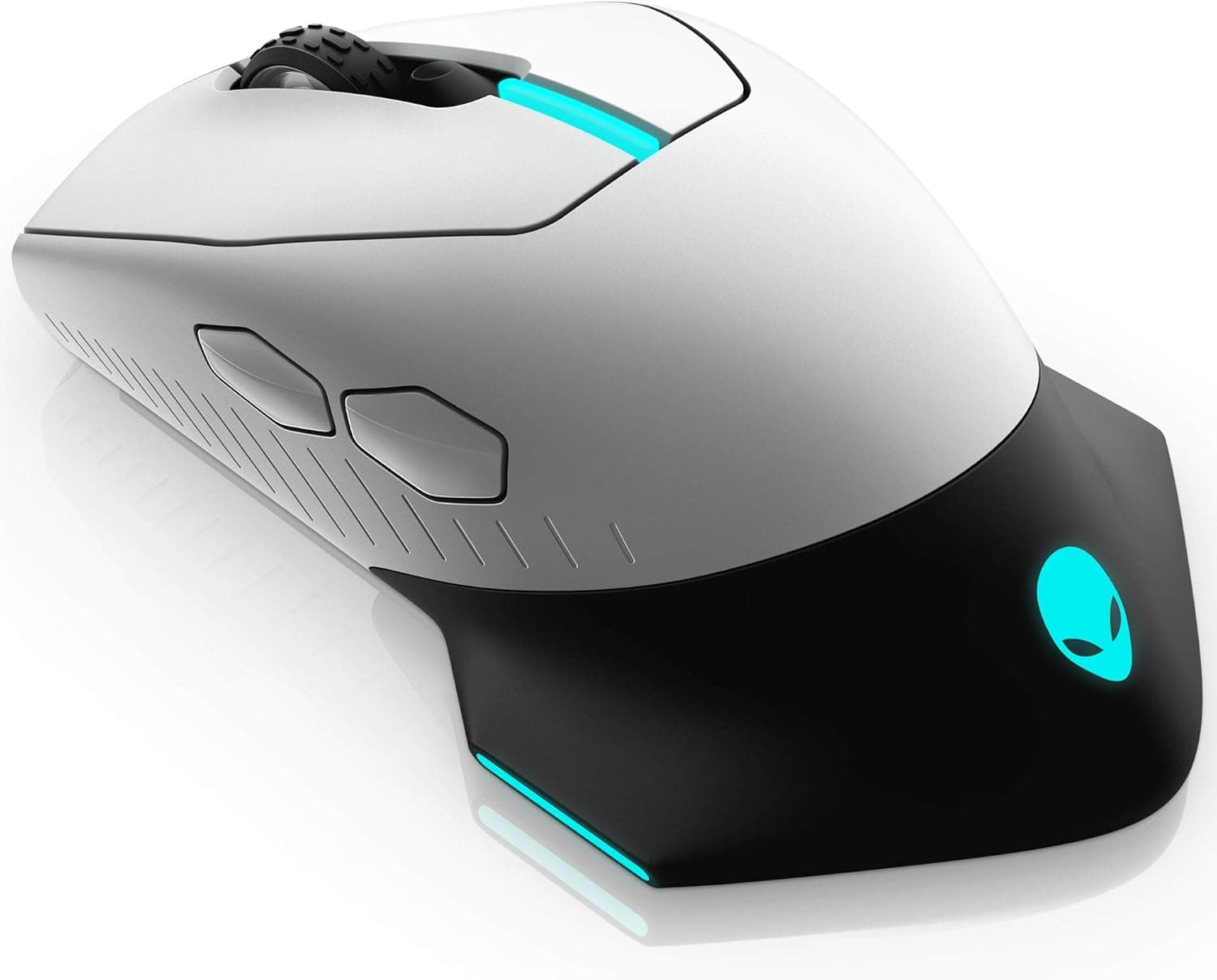
This article looks at the Lamzu Thorn gaming mouse (Charcoal Black, 52g, up to 26000 DPI) — what the specs actually mean, what it needs to run, and, just as importantly, who should not buy it.
Overview
The Lamzu Thorn is an ultralight 2.4GHz wireless gaming mouse weighing 52g.
The short verdict: it is aimed at competitive FPS players on low sensitivity who value weight and responsiveness above everything else. If you prefer the settled feel of a heavier mouse, or you play button-heavy MMO/MOBA titles, this is not the mouse for you.
The headline specs are an optical sensor rated up to 26000 DPI, optical switches, a Nordic 52840 MCU, 2.4GHz wireless, a standard 1000Hz/1ms polling rate, and optional 4000Hz polling via a separately sold 4K dongle.
One thing to be clear about: 26000 DPI is a sensor ceiling, not a usable setting. Most competitive players sit somewhere between 400 and 1600 DPI, so the ceiling should not drive your buying decision.
The weight and the optical switches matter far more in daily use.
Unlike mechanical switches, optical switches do not rely on physical contacts that wear down, so the classic double-click (chatter) failure is far less likely, and debounce delay can be kept minimal. Over several years of hard use, that difference is real.
How to Read the Key Specs
| Spec | Value | Why it matters |
|---|---|---|
| Weight | 52g | Easy to swing and reverse; the lower your sens, the bigger the gain |
| Max DPI | 26000 | A ceiling. 400–1600 covers most real use |
| Sensor | Optical | Standard gaming sensor type |
| Switches | Optical | Resistant to chatter, low debounce delay |
| Connection | 2.4GHz wireless | Via the bundled receiver; no Bluetooth listed |
| Polling rate | 1000Hz / 1ms (standard) | Plenty for almost every setup |
| 4K polling | 4000Hz (dongle sold separately) | Extra cost; only pays off on very high refresh displays |
| MCU | Nordic 52840 | A common choice in ultralight wireless mice |
Two rows in that table drive the purchase decision: weight and polling rate. 1000Hz means reports every 1ms, and on a 144Hz or 240Hz monitor the step up to 4000Hz is hard to feel.
The 4K figure only pays off with a 360Hz-class display and a GPU that can actually feed it. If "4K polling" is your reason for buying, remember the dongle is a separate purchase and check whether your display can even show the difference.
Compatibility Guide
Windows, macOS, and Linux all recognise the mouse once the receiver is plugged in. The practical stumbling block is the port shape: the receiver is USB-A, so thin laptops and recent MacBooks that only offer USB-C need an adapter or a hub.
Count your free USB-A ports before ordering.
On wireless stability, anything using the 2.4GHz band can be disturbed by Wi-Fi routers, Bluetooth devices, and other wireless receivers.
Plugging the receiver into a rear motherboard port, far from the mousepad and behind metal, is the classic cause of stutter and cursor jumps. Use an extension or a front-panel hub so the receiver sits near the pad with a clear line of sight.
For configuration, DPI steps, polling rate, and lift-off distance are normally adjusted through a companion application. Software support on macOS and Linux often differs from Windows, so check the product page if you plan to fine-tune settings.
If the mouse stores profiles in onboard memory, you can configure it on Windows and carry the settings to another OS — but confirm that on the product page rather than assuming it.
Mousepad pairing counts as compatibility too. On an ultralight mouse the glide of the feet shapes the whole feel, and a control cloth pad versus a speed pad produces noticeably different results.
If you are new to light mice, run your existing pad for a few days first and adjust with replacement skates only if needed.
Product Info
rmation
Lamzu is a brand focused on ultralight mice, and the Thorn is the 2.4GHz wireless model in that lineup.
In Japan it is sold on Amazon.co.jp, where the price captured on 27 August 2026 was ¥19,073.
Prices move constantly with sales, exchange rates, and stock, so always check the listing for the current figure. Overseas marketplace listings exist as well, but no fixed price was shown at capture time, and parallel imports are handled differently from domestic stock when it comes to warranty and defective-unit support.
As for ratings, the listing showed 5 reviews averaging 5.0 (100% positive) as of 9 June 2026.
That looks perfect, but a sample of five reviews carries almost no statistical weight — a single one-star review would drag the average to roughly 4.2.
Treat it as a data point, not as proof of quality, and cross-check against independent review sites before buying.
The box typically contains the mouse, a USB receiver, a USB-C charging cable, and replacement grip tape. Warranty terms and bundled accessories can vary by retailer and production batch, so confirm the specifics with your seller.
How It Compares
The ultralight wireless segment is crowded. Several mice now offer roughly 55g and a 26000 DPI-class sensor across a range of prices.
When the numbers are this close, the real differences show up in shell shape, software polish, and support — so choose by hand size and grip style, not by the spec sheet.
A simple framework: if you have large hands and use a palm grip, an asymmetric ergonomic shell will feel more stable. If you claw or fingertip grip and value fine control, low weight and a symmetric shell pay off more.
If a cable does not bother you, a 70g-class wired mouse often costs less than half as much — the wireless premium is worth it only in proportion to how much cable drag annoys you.
If budget is the priority, sub-¥10,000 lightweight wireless mice exist. What you usually give up there is not sensor accuracy but build quality (shell creak, scroll wheel feel) and software usability.
Before You Buy
1. The 4K dongle costs extra. The 4000Hz figure only applies once you buy it, so include that in any price comparison — and remember the benefit needs a high-refresh monitor and the GPU to drive it.
2. 52g is not universally better. A very light mouse can drift under a relaxed hand, making micro-adjustments prone to overshoot.
Coming from an 80g-plus mouse, expect a genuine accuracy dip for the first several days. Lighter does not mean better aim. Ultralight favours arm-and-wrist low-sensitivity play; high-sens fingertip players may actually lose stability.
3. A USB-A port is required. On USB-C-only machines you will need an adapter. Check before ordering if the mouse is for a laptop.
4. Factor in the tiny review count. Five reviews at 5.0 tells you nothing reliable about defect rates or long-term durability.
5. Do not trust listing metadata blindly. Manufacturer names, model numbers, and accessory lists on retail pages sometimes disagree with the actual product.
Verify the colour (Charcoal Black), the weight, and whether the receiver is included using the product images and title. Lightweight mice ship in many colour and weight variants, so mix-ups are common in this category.
6. The battery is a consumable. Any built-in cell degrades with charge cycles.
If you plan to keep the mouse for years, factor in whether the battery can be serviced.
Best Use Cases
The clearest fit is a competitive FPS player — Valorant, Apex Legends, CS-style shooters — running low sensitivity with wide arm swings. Over long sessions, 20–30g of weight difference translates directly into arm fatigue, and 52g is a tangible advantage.
The second fit is someone already on a lightweight mouse who wants to cut the cable. Coming from a light wired mouse there is no weight shock, so you simply gain the freedom of no cable drag.
The third is anyone burned by switch chatter before. Optical switches avoid the worn-contact failure mode, which is a practical win if you have replaced a mouse for that reason.
Conversely, MMO players who want many thumb buttons, people who prefer a heavier and more planted feel, and CAD or illustration users who grip a mouse for hours will be better served by a different type of mouse.
FAQ
Q. When would I use 26000 DPI? A.
Essentially never. It marks the sensor ceiling; most FPS players run 400–1600 DPI, and even fast desktop navigation on a high-resolution display rarely needs more than about 3200.
Q. Is the standard 1000Hz enough? A.
For most setups, yes. 1000Hz means a report every 1ms, and on 144–240Hz displays the difference is very hard to perceive.
4000Hz makes sense mainly at 360Hz and above.
Q. Will it work on a USB-C-only laptop?
A. Only with a USB-C adapter or a hub with USB-A. The receiver itself is USB-A.
Q. Can I use it wired? A.
Mice of this type generally work while connected by the USB-C charging cable, but confirm wired-mode behaviour on the product page. It is worth knowing as a fallback when the battery runs out.
Q. Can I change settings on macOS or Linux? A.
Basic operation works, but companion software OS support varies by manufacturer. The reliable route is configuring on Windows and saving to onboard memory if supported — check the product page for details.
Q. Is a 5.0 average from five reviews trustworthy? A.
Not as evidence of quality; the sample is far too small. It reflects the figures at capture time, so check the latest review count and content before buying.
Product Disclosure (Amazon)
- Manufacturer: ラムズ(Lamzu)
- ASIN: B0CTC47QYF
- Note: This article covers a manufacturer-made product based on Amazon listing details.
![Logitech G502 HERO ゲーミングマウス 有線 [並行輸入品]](/_next/image?url=https%3A%2F%2Fm.media-amazon.com%2Fimages%2FI%2F31wmn8oGVxL._AC_SY355_.jpg&w=1920&q=75)