Keychron C1 ホットスワップ可能 有線メカニカルコンピューターキーボード Gateron G Pro ブラウンスイッチ — sold in English-speaking markets as the Keychron C1 Hot-Swappable Wired Mechanical Keyboard with Gateron G Pro Brown switches — is an 87-key tenkeyless board that trades wireless features for socketed, tool-free switch replacement. This article goes past the spec sheet into the compatibility traps and the cases where you should buy something else.
Overview
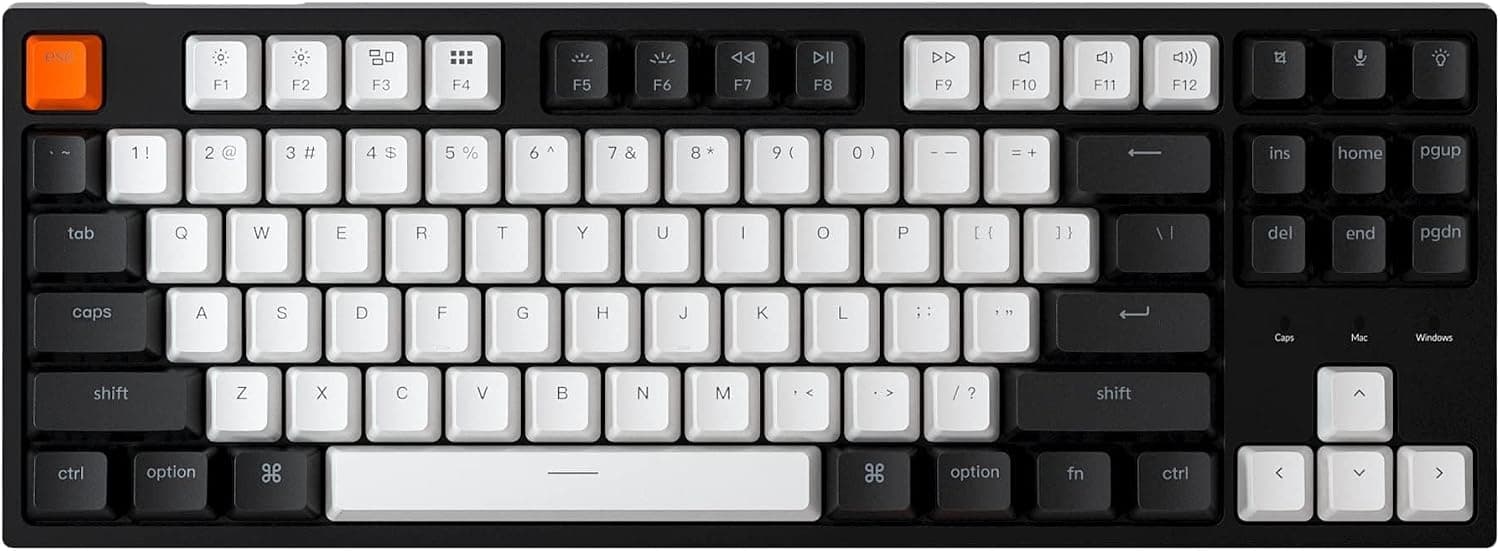
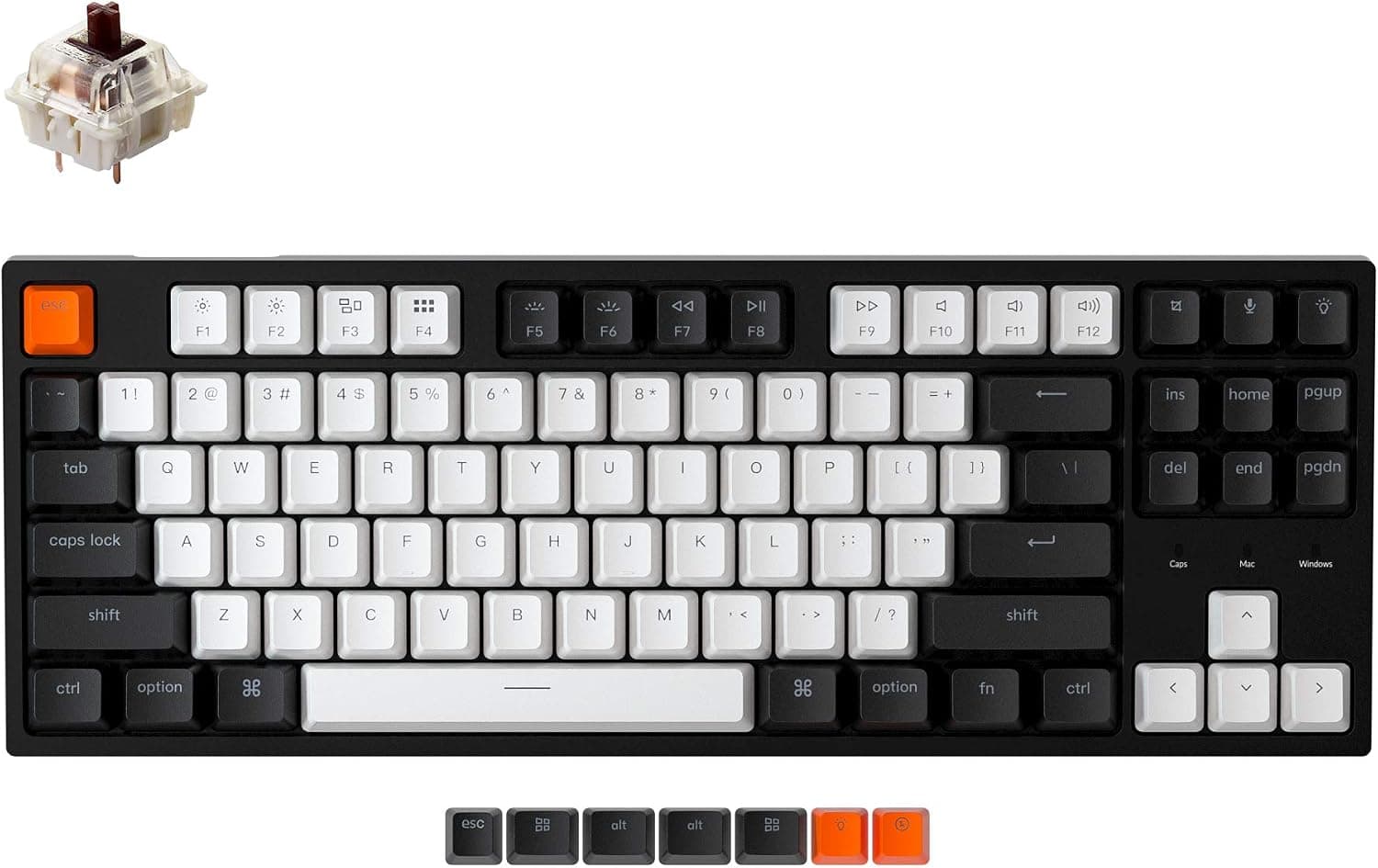
The Keychron C1 packs an 87-key TKL layout into a 357 x 130 x 38 mm body and adds hot-swap sockets so switches can be changed without soldering. It ships with Gateron G Pro Brown (tactile) switches rated for 50 million keystrokes, double-shot ABS keycaps, and a single-color white LED backlight.
The short version: this board suits someone buying a first mechanical keyboard who still wants room to tune it later. It has no wireless, no multi-device pairing, and no elaborate macro software — it spends its budget on the one freedom that matters most, switch choice.
On Amazon.co.Check the retailer's page for the latest user reviews.
| Spec | Value | What it means in practice |
|---|---|---|
| Keys | 87 (tenkeyless) | More mouse room; worse for numeric entry |
| Switch | Gateron G Pro Brown (tactile) | A light bump, no click click |
| Lifespan | 50 million keystrokes | Over a decade even at 10k presses a day |
| Hot-swap | Yes (MX 3-pin / 5-pin) | Wrong feel is fixable after purchase |
| Backlight | White LED | Single color, not RGB |
| Connection | USB Type-C, detachable | No charging; replaceable cable |
| OS | macOS / Windows | Toggle keys and spare keycaps included |
What matters is the combination: hot-swap plus wired-only. Dropping the radio removes battery wear, pairing dropouts, and dongle loss, and the saved cost goes into sockets and keycaps instead.
Compatibility Guide
Connection is a detachable USB Type-C cable straight into the PC — no driver install needed in normal use. A detachable cable also means a frayed cord costs you a cable, not a keyboard.
One caveat: cheap bus-powered USB hubs sometimes cannot supply enough current with the backlight on, causing flaky detection. If it misbehaves, plug directly into the machine first.
For operating systems, the C1 supports both macOS and Windows, with OS toggle keys and replacement keycaps in the box so the legends match Option/Command or Alt/Win. If you share one board between a work Mac and a home Windows PC, this alone can justify the purchase.
Switch compatibility is where most misunderstandings happen. The sockets take MX-style 3-pin and 5-pin mechanical switches — Gateron, Cherry, Kailh and similar.
- Low-profile switches do not fit. The C1 uses standard-height MX switches.
- Optical and capacitive switches do not work. These sockets are for metal-contact MX clones.
- Keep the backlight by choosing SMD-LED compatible switches. Switches without an LED window will dim those keys.
- You normally do not need to clip 5-pin legs, since the sockets accept 5-pin. If a switch resists, stop and check for bent pins rather than forcing it.
Physically, 357 mm wide is roughly 80-100 mm narrower than a typical full-size board. At 38 mm tall with two-stage flip-out feet, this is not a low-profile keyboard; plan on a palm rest for long sessions.
Product Info
Keychron sells the C1 as a wired TKL board, and the hot-swappable version ships with Gateron G Pro Brown switches pre-installed. The double-shot ABS keycaps mold the legends from a second color of plastic, so the characters cannot wear off — though ABS itself does develop shine over years of use.
Check the retailer's page for the latest price.** That figure reflects the capture date only and moves with sales, stock, and exchange rates, so check the listing for the current price. Note also that the supplied data lists an "Amazon US" entry showing the same yen figure and the same Japanese product page, so it is not usable as an overseas price reference. The eBay entry is a search link, not a confirmed price.
A 4.7 average typically describes a product with no serious flaw but a steady minority of complaints about details.
Product Disclosure (Amazon)
- Manufacturer: Keychron
- Seller: NLC online
- Fulfilled by: NLC online
- ASIN: B08CNBL4Z4
- Note: This article covers a manufacturer-made product based on Amazon listing details.
How It Compares
Even within Keychron, the QMK-capable custom boards aim elsewhere: they let you rewrite the keymap in firmware and use heavier cases. The C1 restricts its freedom to switch swapping alone and stays simpler and cheaper for it.
Want layers and macros? Look at the V series.
Want to pick your own typing feel? The C1 covers it.
Against wireless TKL boards, the C1's only real deficit is the missing radio — and in exchange there is no battery to degrade and no wake-from-sleep dropout. For a board that lives on one desk, wired is a feature.
Against gaming-focused boards, the C1 has no RGB zone control, no software actuation tuning, and no Hall-effect rapid trigger. If competitive FPS features are on your list, this is not the board.
What Typing on It Is Actually Like
G Pro Brown is tactile: a light bump near the top of travel, then a smooth drop. There is no metallic click, but it is not a silent switch. Bottoming out produces normal plastic noise.
For open offices or frequent calls, add O-rings or swap in silent linears. Assuming "brown equals quiet" is the single most common post-purchase disappointment.
The backlight is white only. It is enough to read legends in a dark room, but you cannot color-code anything, and buyers expecting RGB will be let down.
Things to Check Before Buying
Skip it if you use a numpad. An 87-key layout leaves only the number row, which measurably slows accounting, data entry, and CAD coordinate work.
Adding a separate numpad usually costs more than buying full-size in the first place.
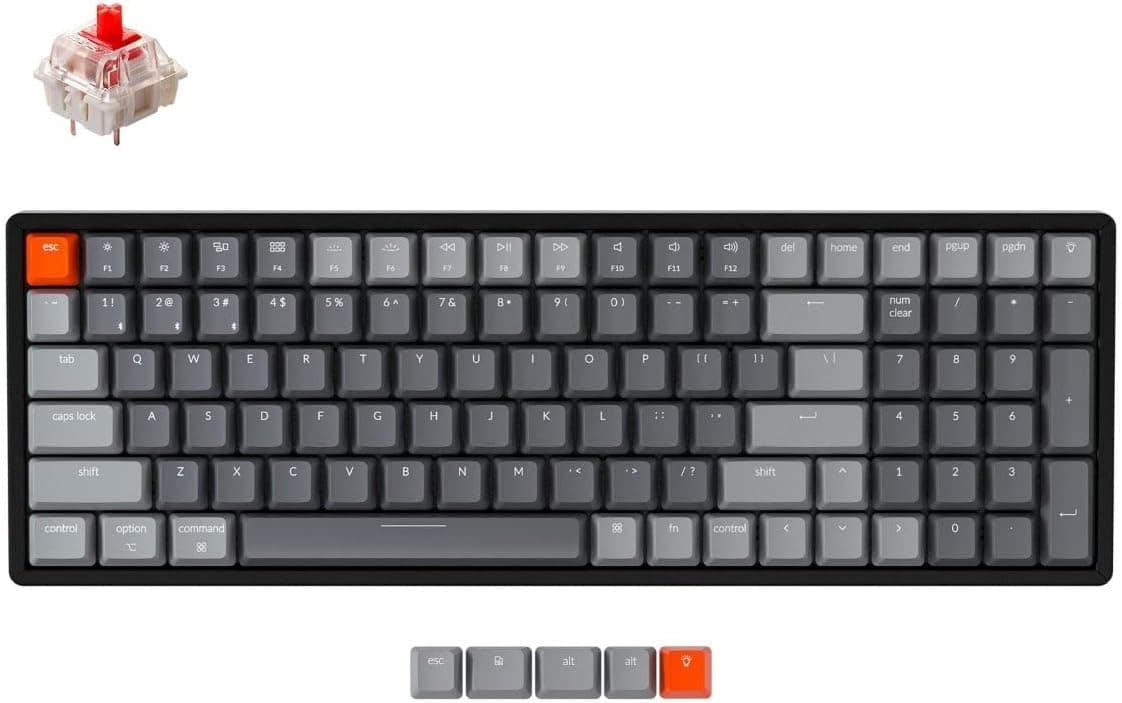
There is no wireless mode at all. Keychron sells wireless models alongside this one, and a non-hot-swap variant of the C1 also exists.
Hot-swap support is hard to identify from photos, and people typically discover the mistake only when a switch refuses to come out. Confirm the exact variant on the listing.
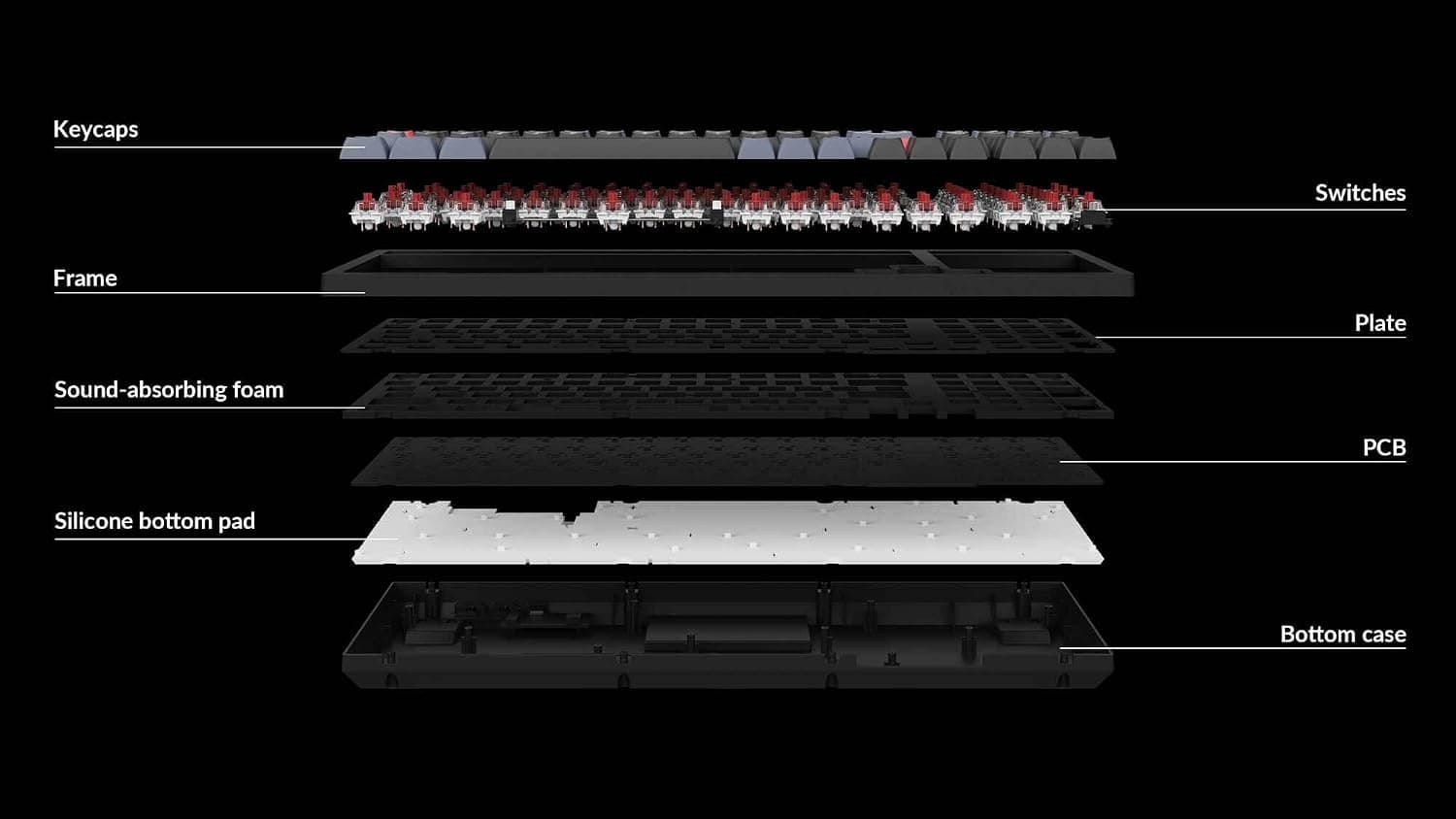
Hot-swap is not a cure-all. You can change switches, not the PCB, plate, or case — and case construction drives most of the hollowness or resonance in the sound.
Also, prying switches out with fingernails instead of a proper puller can damage a socket and kill that key permanently.
About the keycaps. Double-shot ABS keeps its legends forever but goes glossy with use.
That is material behavior, not a defect; PBT replacements fix it at extra cost.
Watch for listing inconsistencies. In the data behind this article, the overseas price entry pointed at the Japanese page with a yen figure — the sources do not line up.
Amazon listings can also misstate seller, fulfillment, or included accessories. Verify the product images, the title, and above all the layout (US vs JIS) yourself before ordering — layout is a perennial return reason.
Best Use Cases
First-time mechanical keyboard buyers. Brown sits between linear reds and clicky blues, and if it turns out wrong, you replace switches instead of the whole board — which structurally lowers the cost of a bad first guess.
People who want to tune feel. No soldering, and no requirement that every key use the same switch.
Heavier modifiers, a linear spacebar — all doable with one tool.
Mac and Windows users. The included toggle and spare keycaps make sharing one board across two machines painless.
Anyone who prefers wired on purpose. No battery to monitor, no reconnection lag; for work use that reliability often beats wireless convenience.
Conversely, numpad-dependent users, RGB fans, competitive players wanting rapid trigger, and anyone who needs a genuinely quiet keyboard should look elsewhere.
FAQ
Q. Are Brown switches quiet? A.
They lack the click of blues but are not silent switches. Bottoming out is audible.
For quiet, swap to silent linears or add O-rings.
Q. Which switches can I install? A.
MX-style 3-pin and 5-pin mechanical switches such as Gateron, Cherry, and Kailh. Low-profile and optical switches will not work.
Choose SMD-LED compatible switches to keep the backlight.
Q. Does swapping require soldering? A.
No. Pull with a switch puller and press the new one in.
Always check for bent pins before inserting; forcing a bent pin damages the socket.
Q. Does it work properly on a Mac? A.
Yes, macOS is supported, with OS toggle keys and Mac-specific keycaps included so the legends match.
Q. Can I remap keys? A.
The C1 centers on the OS toggle for layout differences rather than free QMK/VIA remapping. For deep remaps and macros, consider a QMK-capable Keychron V-series board.
Q. How long does 50 million keystrokes last? A.
Even at a heavy 10,000 presses per day, that is well over a decade by simple math. In practice keycap wear or cable failure arrives first — and both are replaceable on this board.