Overview
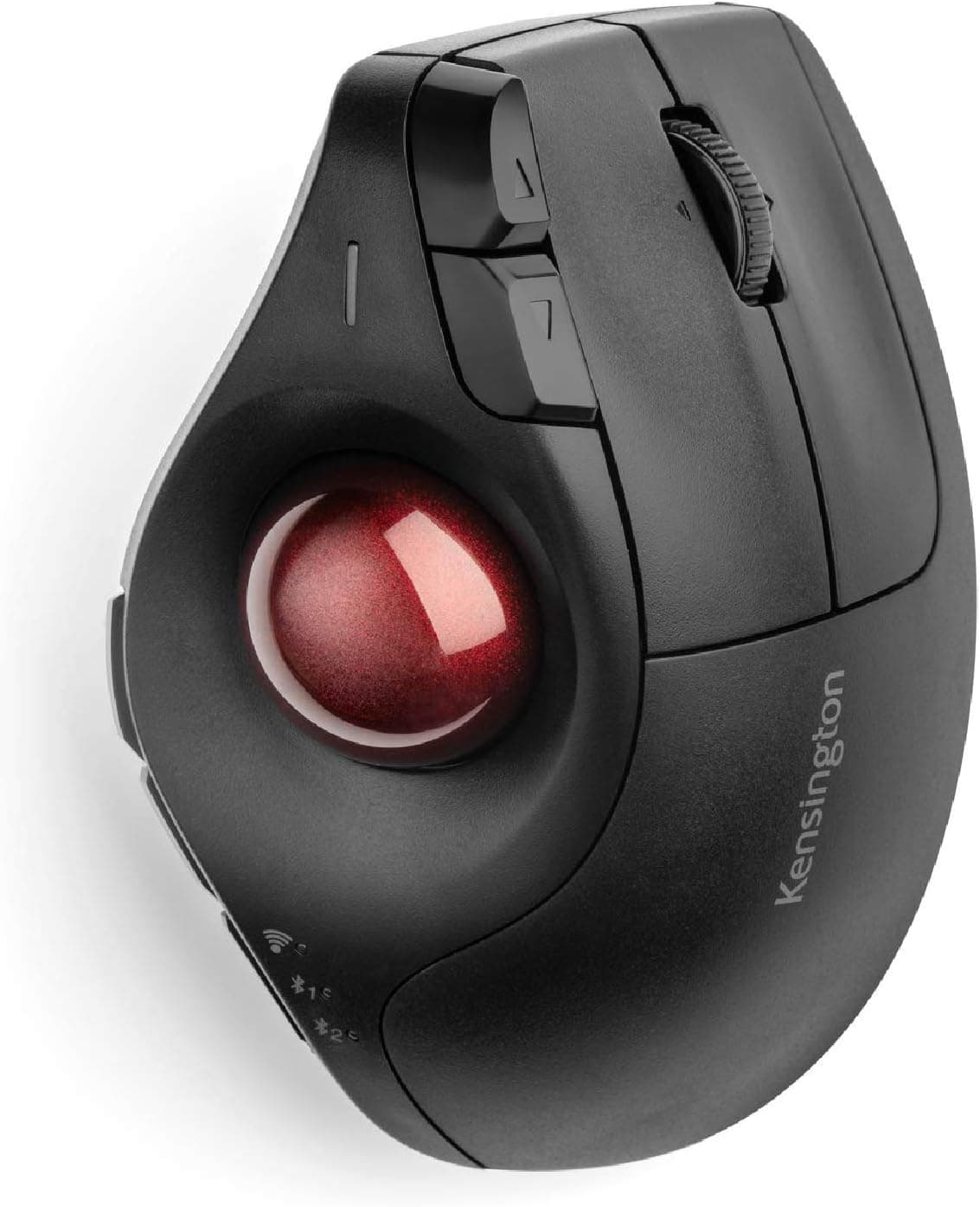
The Kensington ExpertMouse Wireless Trackball K72359JP is a fingertip-driven trackball rather than a thumb-operated one. You roll a large ball with your fingers to move the pointer, and the symmetric chassis works the same way for right- and left-handed users. Because the device itself stays put, it frees up the desk area a mouse would normally sweep through.
The red ball measures 55mm across and is built as a hard, near-perfect sphere for steady tracking. A scroll ring surrounds it, so long web pages and documents can be scrolled without reaching for a wheel. Cursor movement is handled by a Diamond Eye optical sensor, which lets you reach a target on screen with small hand movements instead of broad arm sweeps.
Wireless connection runs over Bluetooth or a 2.4GHz USB receiver. A palm rest is included so you can rest your wrist while working, and the unit carries a three-year manufacturer warranty. It launched on February 19, 2016 and has remained a long-running staple in the trackball category.
Connectivity & Compatibility
You can pair the K72359JP over Bluetooth or through the bundled 2.4GHz USB receiver, and both paths are wireless. The package includes the receiver, a palm rest, and a Japanese-language user guide.
Listed operating systems are Windows 7, 8, 8.1 and 10, macOS 10.8 through 10.11, and Chrome OS 44. Those version numbers are on the older side, so if you plan to use it with a current Windows or macOS release, check that Bluetooth pairing works in your environment before committing.
Expect a short adjustment period if you have never used a trackball. Once the motion becomes familiar, though, you can move the pointer across the screen without shifting your wrist or clearing space on the desk.
Product Info
The model is K72359JP, released on February 19, 2016. Kensington lists dimensions of 240 mm long by 130 mm wide by 1 mm high, with a weight of 500 g.
In the market it sits in the mid-to-upper range rather than the budget tier. The large ball, the scroll ring, the ambidextrous body and the included palm rest explain the premium over a basic optical mouse. This is a tool for people who want to change how their hand and wrist work through a long day, not a cheap spare pointer.
Best Use Cases
- People with a cramped desk who cannot spare room to sweep a mouse: the trackball stays in one spot while the pointer still crosses the whole screen. Not ideal for players who need fast flick aiming in shooters.
- Anyone spending most of the day in spreadsheets and documents who wants to reduce wrist and arm strain: the scroll ring handles page movement and the palm rest supports the wrist. People who prioritize raw pointer speed may find it slower.
- Households or teams where right- and left-handed users share one device: the symmetric body gives both hands the same feel. Not for anyone unwilling to spend a few days adapting to ball control.
Product Disclosure (Amazon)
- Brand: Kensington
- Model: K72359JP
- ASIN: B01BXS17N6
- Note: This article covers a manufacturer-made product based on Amazon listing details.