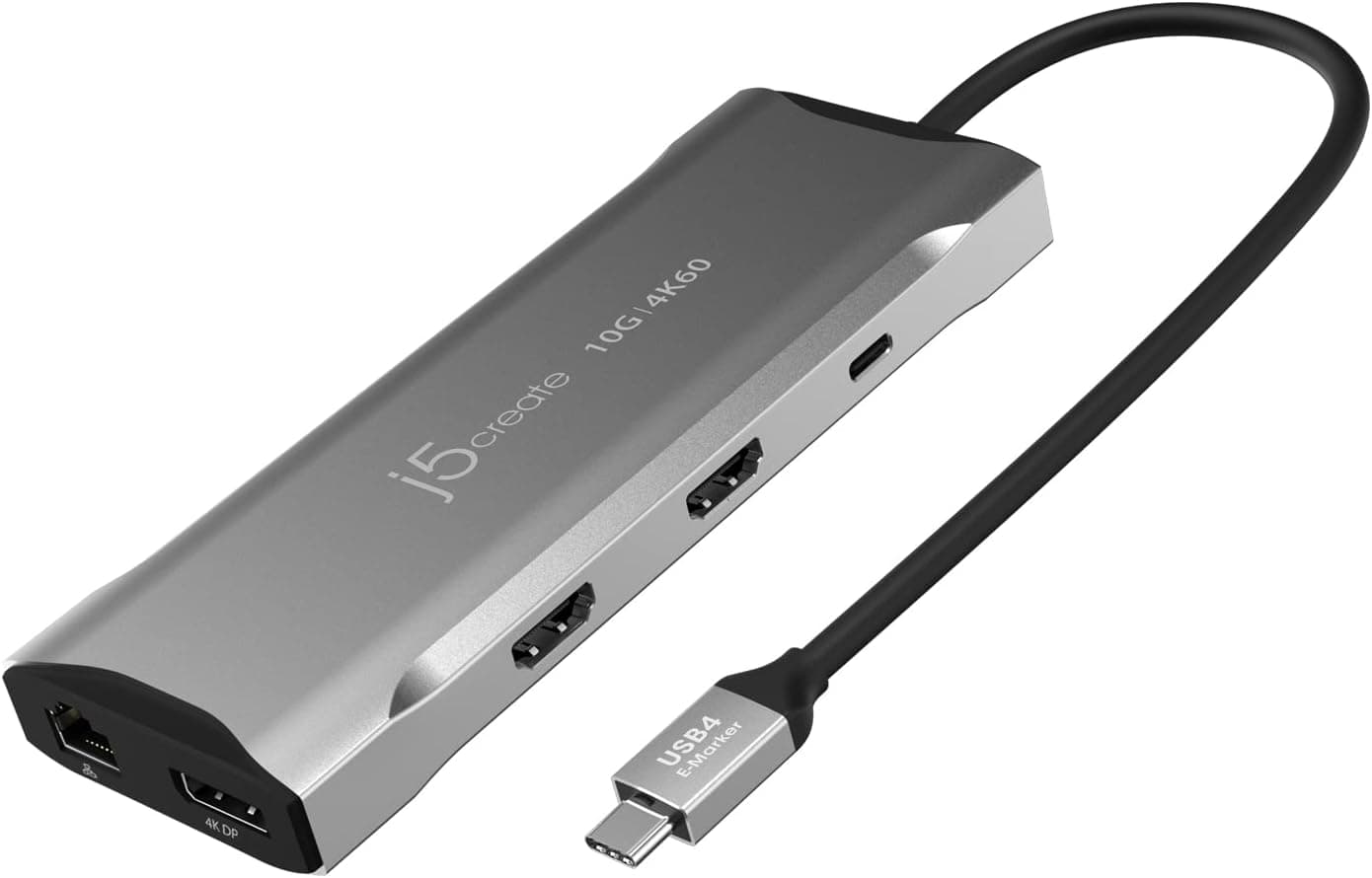
This article covers j5create USB4 8K 多機能ハブ.
Overview
The j5create JCD403 is a USB4 docking station that leverages 40Gbps bandwidth to deliver an impressive range of connectivity through a single USB-C cable. It supports 8K @ 60Hz or 4K @ 144Hz HDMI output, 2.5 Gigabit Ethernet, and 100W Power Delivery passthrough. Designed for modern MacBooks and Thunderbolt 3/4 Windows laptops, this hub is a strong fit for creative professionals and power users who need a streamlined desktop setup.
What sets the JCD403 apart is its ability to output 8K video at 60Hz via USB4, or 4K at a high 144Hz refresh rate for gaming. Two 10Gbps ports (one USB-A, one USB-C) ensure fast data transfers for external SSDs or peripherals. The built-in 2.5GbE port is a welcome addition for anyone who demands reliable wired networking without sacrificing speed.
Connectivity & Compatibility
The upstream connection is USB4 via a USB-C port, with full backward compatibility to Thunderbolt 4, Thunderbolt 3, and standard USB-C. Compatible hosts include MacBook Pro/Air (M1/M2), Mac Mini, iPad Pro (M1/M2), and Windows laptops with Thunderbolt 4 or USB4. Older Thunderbolt 3 machines work as well, though they may be limited to 4K output depending on the host.
Ports on the hub:
- USB4 upstream (USB-C)
- HDMI 2.1 (up to 8K @ 60Hz, 4K @ 144Hz)
- USB-C data port (10Gbps)
- USB-A data port (10Gbps)
- USB-C PD port (100W input, also 10Gbps data)
- 2.5 Gigabit Ethernet (RJ-45)
Note: macOS limits HDMI output to 4K @ 60Hz even if the hub can do 8K. For 8K support, the host, cable, and monitor must all be 8K-capable.
Product Info
The j5create JCD403 launched in late 2022 and sits in the mid-to-high-end USB4/Thunderbolt dock segment. At around ¥11,800 (~$80 USD) on online retailers (as of October 2026), it offers excellent value. The package includes the hub, a USB4 cable (~50 cm), and a 100W power adapter. Warranty is one year standard.
Compared to Thunderbolt 4 docks at similar prices, the JCD403 brings 8K output and 2.5GbE, making it a more future-proof option for users who plan to upgrade their display ecosystem.
Best Use Cases
MacBook Users (M1/M2)
One cable handles video, data, networking, and charging. Ideal for creative professionals who regularly use external 4K monitors and fast storage. Note that macOS HDMI output is capped at 4K60, so Windows users get the full 8K benefit.
High-Refresh-Rate Gamers
The 4K @ 144Hz HDMI output allows gamers to connect high-refresh-rate external monitors without losing frames. The 10Gbps USB ports keep gaming peripherals responsive. If you only need basic charging or Wi-Fi, a simpler hub will suffice.
Business Users with Compact Laptops
2.5GbE and 100W PD ensure stable wired networking and rapid charging in office or conference rooms. The 10Gbps data port lets you access external SSDs at full speed. If you need DisplayPort or daisy chaining, consider a Thunderbolt-specific dock.
Not for: Users who require multiple HDMI outputs, legacy ports (VGA, DVI), or Thunderbolt daisy chaining. Also, if your laptop lacks USB4/Thunderbolt 3, you cannot use this hub at full speed.
Product Disclosure (Amazon)
- Manufacturer: j5create
- ASIN: B0BP296KPX
- Note: This article covers a manufacturer-made product based on Amazon listing details.