Overview
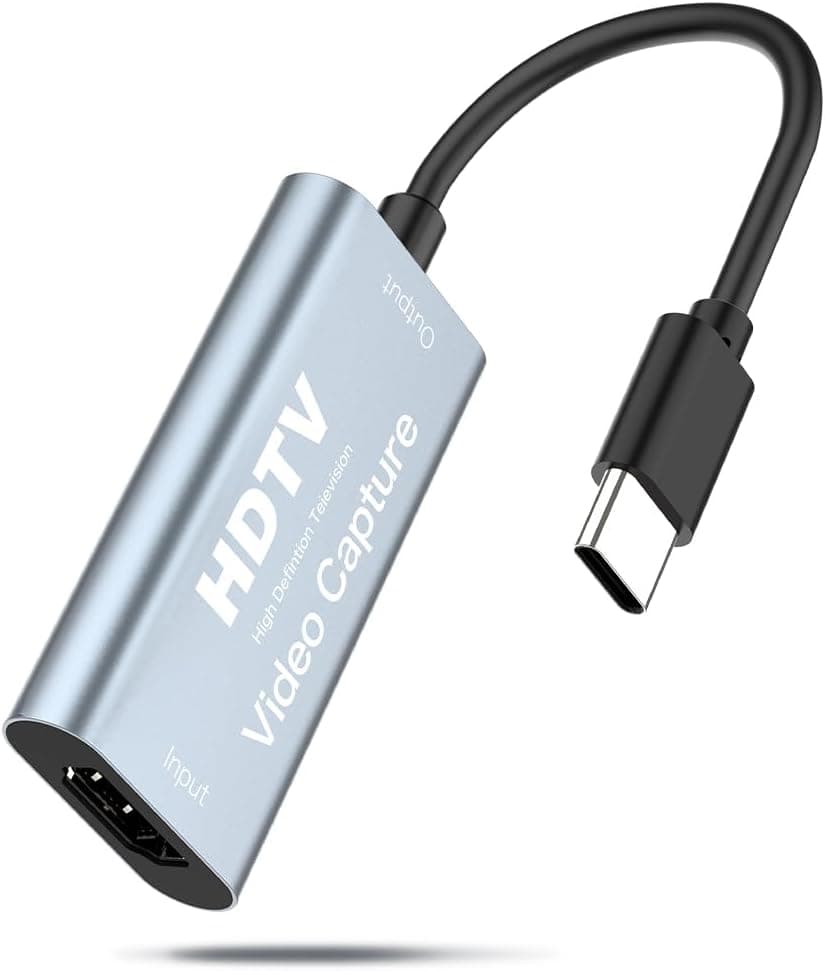
The Keymox HDMI Video Capture Card USB 3.0 HD 1080P-9 is an entry-level external video capture device that lets you grab HDMI video signals with minimal fuss. It supports up to 1080p Full HD input over USB 3.0, making it a solid choice for game streaming, recording online meetings, or capturing footage from older game consoles on your PC. One of its biggest selling points is plug-and-play simplicity — no drivers or complex setup required. Just connect an HDMI source, plug the USB cable into your computer, and you're ready to go. It works across Windows, macOS, and Linux, so compatibility is broad. If you're looking for an affordable way to dip your toes into video capture, this is a great starting point.
Connectivity & Compatibility
Input is via a standard HDMI (female) port, compatible with game consoles, cameras, set-top boxes, and any device with HDMI output. Connects to your PC using USB 3.0 (USB-A). USB 2.0 ports will work but may cause stuttering at 1080p; USB 3.0 is strongly recommended for smooth capture. Supported operating systems include Windows 10/8/7/Vista/XP, macOS 10.6 and later, and Linux 2.6.14 and later — very broad compatibility even with older machines. Important caveat: this device does not support HDCP (High-bandwidth Digital Content Protection). If your source (Blu-ray player, some streaming devices, or game consoles with HDCP enabled) uses HDCP, the capture will show a blank or black screen. Check your source's HDCP settings before purchasing.
Product Info
Released around 2020, the Keymox 1080P-9 sits firmly in the entry-level tier of the capture card market. Its price typically ranges around ¥2,600–¥3,000, making it one of the most affordable options available. Warranty is usually 30 days from the retailer (). The package includes the capture card unit only — you'll need to supply your own HDMI and USB cables.
Best Use Cases
Beginner streamers on a budget: If you want to start game streaming without a big investment, this card gets the job done at 1080p. It's recognized immediately by OBS Studio and similar software. However, it does not support 4K or 60fps capture, so serious streamers should look at higher-end models. Recording online classes or meetings: Connect an HDMI camera or tablet to your PC for easy recording. Latency is low enough for practical use, though you'll need a separate microphone for audio. * Capturing footage from older consoles (PS3, Wii U, etc.): These consoles output 1080p or lower, making this card a perfect match. Note that passthrough is not supported, so you'll need to use the PC monitor for both gameplay and capture — expect some latency for real-time play. ## FAQ
Q: Can this capture card handle 4K input? A: No, it only supports up to 1080p Full HD. Feeding it a 4K signal will likely result in no image or a garbled display. For 4K capture, you'll need a more advanced capture device. Q: How much latency should I expect for live streaming? A: Over USB 3.0, latency is typically around 100–200ms, which is acceptable for most live commentary streams. For fast-paced competitive games, the delay may be noticeable; consider using a capture card with a dedicated passthrough HDMI output for zero-latency local play. Q: Does it work on Linux? A: Yes, Linux kernel 2.6.14 and later are supported. It uses the UVC (USB Video Class) driver, so it should be recognized without additional drivers on most modern distributions. However, some advanced features may require manual configuration.
Product Disclosure (Amazon)
- Manufacturer: Keymox
- Seller: Amazon US
- Fulfilled by: Amazon US
- ASIN: B0835L5HV6
- Note: This article covers a manufacturer-made product based on Amazon listing details.