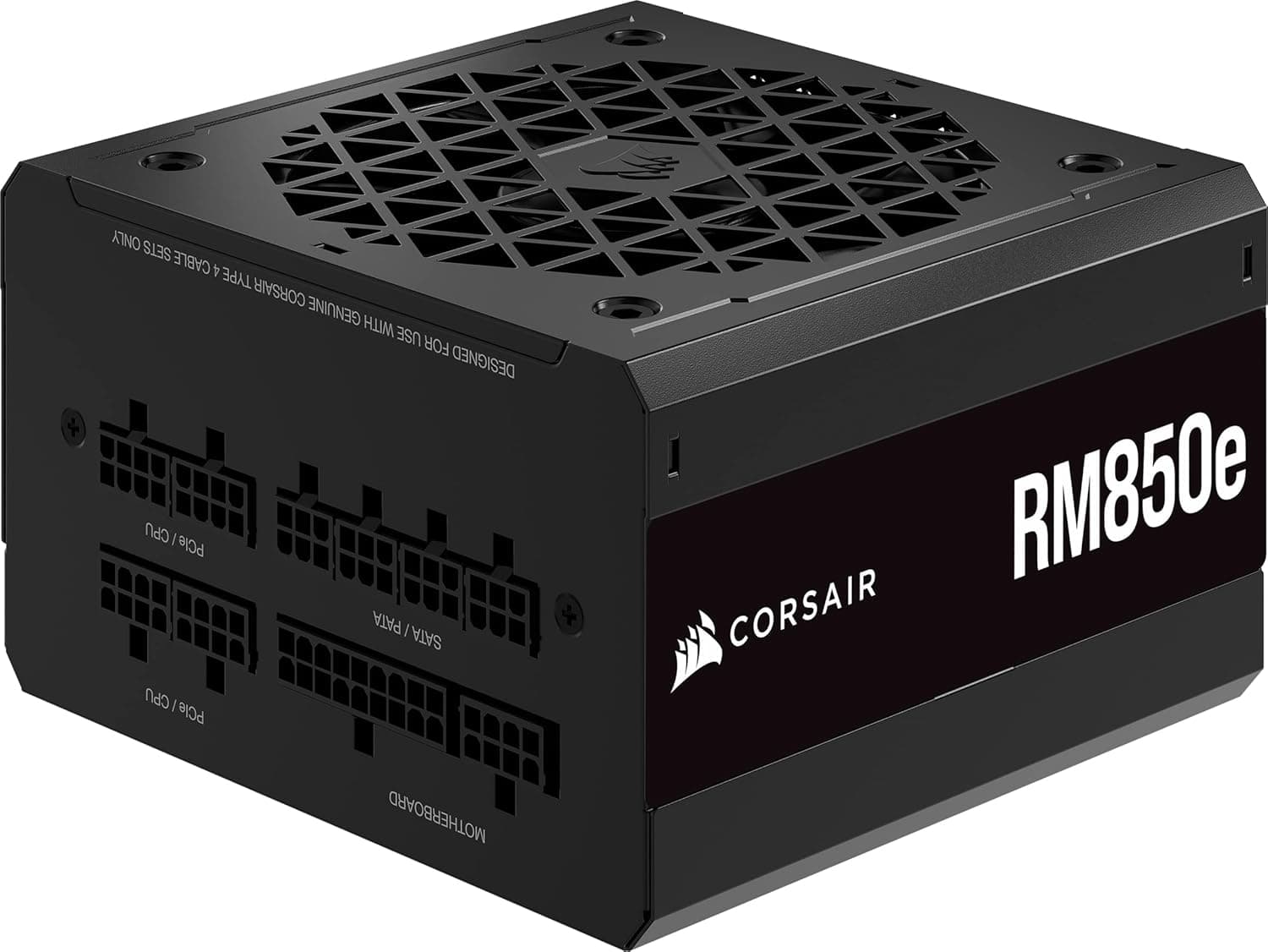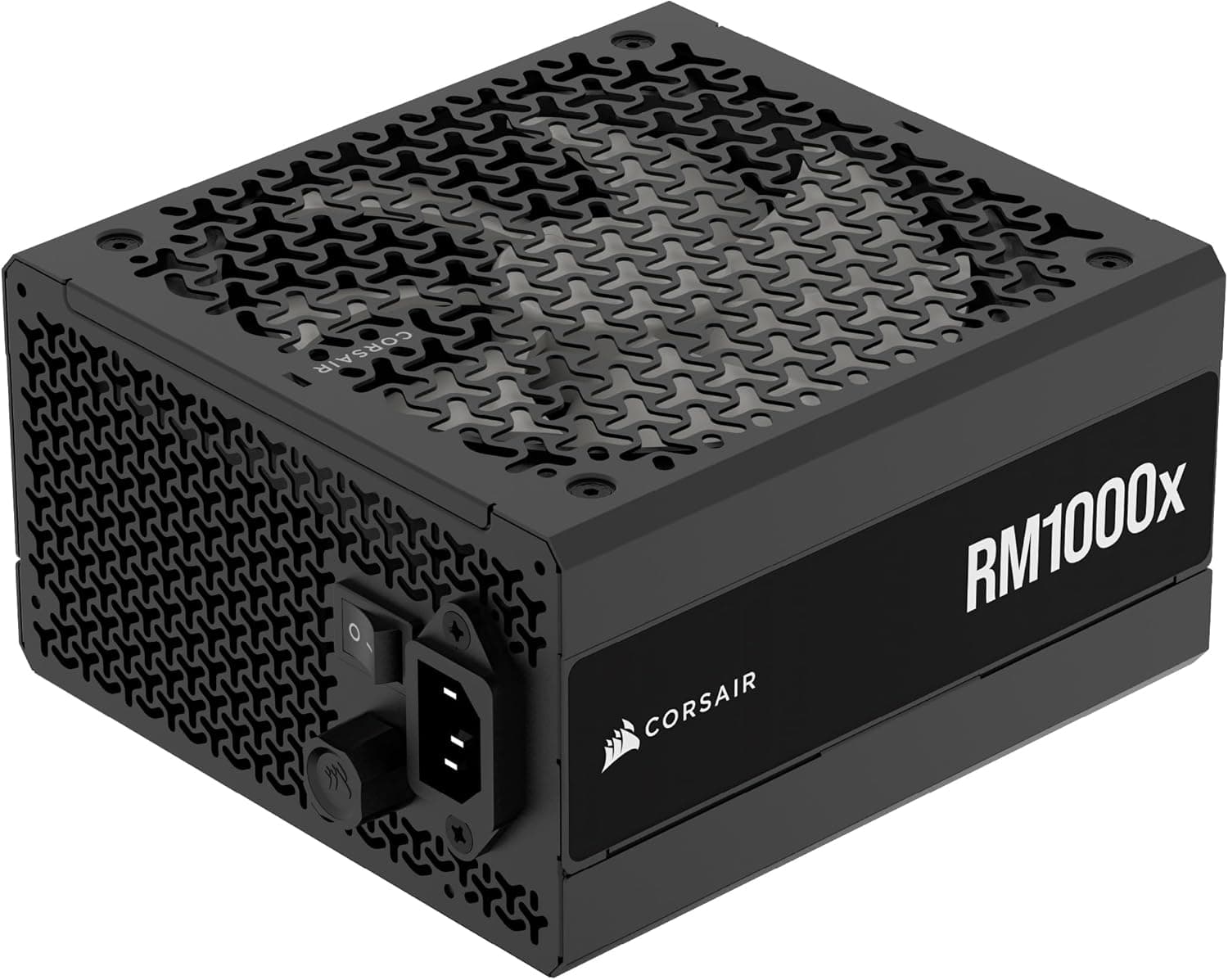
This article covers CORSAIR RM1000x 2024年モデル PC電源ユニット 1000W, a 1000W fully modular ATX power supply that complies with ATX 3.1 and PCIe 5.1.
Using the published specifications and the captured retail data, we look at which builds actually need this much capacity and where people trip up with the 12V-2x6 (12VHPWR) cable.
Overview
The RM1000x (2024) is aimed at people running an RTX 4080 or 4090 class GPU who want a quiet machine that lasts. The combination of 80 PLUS Gold certification, a 140mm fan with Zero RPM operation, fully detachable cabling, and a 10-year warranty suits a build you intend to leave alone until the next generation.
Amazon.co.jp reviews stood at 57 ratings and 4.5 stars (90% positive) as of 31 May 2026: a small sample, but a consistent one.
That said, 1000W is generous for any current single-GPU build. More capacity is not automatically better: an oversized unit spends its life outside the efficient 40-60% load band, and you never recover the price difference.
Check the sizing table below before deciding.
Does Your Build Need 1000W?
The figures below are rough whole-system peaks (GPU + CPU + storage + fans), estimated from the typical power budgets of each part rather than measured with this specific unit.
| Example build | Estimated system peak | Sensible capacity |
|---|---|---|
| RTX 4060 + Core i5 | ~300-350W | 550-650W |
| RTX 4070 Ti / Super + Core i7 | ~450-500W | 750W |
| RTX 4080 + Core i9 | ~550-650W | 850W |
| RTX 4090 + Core i9 | ~700-800W | 1000W |
The RM1000x earns its place in the bottom row: a flagship GPU paired with a high-end CPU. You can pick 1000W for an RTX 4080 build, but you need a reason, such as a planned GPU upgrade or sustained heavy loads.
For the two upper rows, the extra capacity is money spent on nothing.
The other factor people miss is transient power. ATX 3.x requires the PSU to survive power excursions well above its rated output for very short periods.
Modern GPUs can spike close to double their nominal draw on a microsecond scale, so sizing purely by average consumption leads to protection trips and sudden shutdowns. ATX 3.1 compliance is the practical benefit here.
Compatibility Guide
The form factor is standard ATX, so it drops into any mid-tower or larger case. Depth is around 140mm, which leaves room for cable routing even in bottom-mounted chassis.
Case PSU bays vary, however, so check your case specification for maximum PSU length and confirm there is no conflict with drive cages or a front radiator before ordering.
On the GPU side, one 12V-2x6 / 12VHPWR (PCIe 5.1) cable is included, so no adapter is needed for current cards.
ATX 3.1 units use the revised 12V-2x6 connector, and the cable still plugs straight into GPUs with a 12VHPWR socket.
Multiple PCIe 8-pin cables are also supplied, so RTX 30-series and Radeon RX 6000-series cards are covered.
Two installation cautions. First, seat the 12V-2x6 connector fully: partial insertion is the main cause of contact heating, so confirm the latch clicks and that no gap remains at the plug.
Second, do not bend the cable sharply at the connector; keep the first bend at least 35mm away from the plug. If your side panel glass forces a tight bend, reconsider the case rather than the cable.
| Item | Value | What it means in practice |
|---|---|---|
| Form factor | ATX | Fits standard ATX cases |
| ATX version | ATX 3.1 | Defined tolerance for short power spikes |
| PCIe connector | 12VHPWR (PCIe 5.1) | Direct GPU connection, no adapter |
| Power connectors | 12VHPWR / PCIe 8-pin | Works with older GPUs too |
| Modular type | Fully modular | Remove unused cables for airflow |
Product Info
Rated output is 1000W, efficiency certification is 80 PLUS Gold, the fan is 140mm, every cable is detachable, and the warranty runs 10 years. Typical 80 PLUS Gold thresholds at 115V are roughly 87% / 90% / 87% at 20% / 50% / 100% load, so in the 300-500W range most people actually use, expect efficiency near 90%.
The Amazon.co.jp price was ¥22,626 as captured on 31 May 2026.
For 1000W, Gold certification, full modularity, and a decade of warranty, that was a fair number at that moment. PSU pricing swings hard during sales, and this figure is a snapshot, so always check the current listing price before buying.
The eBay entry is a search link only, with no confirmed price captured.
Fan control includes Zero RPM, which stops the fan entirely under light load, and a rear switch lets you change the fan mode. You can choose silence at idle, or keep the fan turning constantly for lower internal temperatures.
Gaming builds usually want the former; long-running workstations often prefer the latter.
Competitor Comparison
In the same 1000W Gold bracket you will find options such as the ASUS TUF Gaming 1000W. On paper the gap is small.
What sets the RM1000x (2024) apart is the 10-year warranty, the Zero RPM acoustic behaviour, and the ease of fully modular cabling, qualities that matter every day rather than on a spec sheet. Compare on warranty length and noise, not peak numbers.
Stepping up means an 80 PLUS Platinum unit such as the HX1200i; stepping down means the RM750 or RM850. The efficiency gap to Platinum is around two points.
Even a machine pulling a constant 400W for five hours a day, or 1825 hours a year, only saves roughly 16kWh, a few hundred yen of electricity. That matters for a 24/7 server or render node, not for a gaming PC.
Best Use Cases
- Single flagship GPU builds: 1000W is the right size for an RTX 4090 class card. The bundled 12V-2x6 cable removes the adapter and one more connection to worry about.
- Creator workstations: When a Ryzen 9 or Core i9 and a large GPU load up simultaneously, transient swings are severe and ATX 3.1 headroom pays off. Full modularity makes adding drives painless.
- Builders who reuse the PSU: A 10-year warranty spans roughly two typical upgrade cycles, ideal if you keep the case and PSU and swap everything else.
- Quiet rooms: Zero RPM removes one noise source entirely at idle.
Things to Consider
The main caveat remains capacity. An RTX 4060 with a Core i5 will never come close to 1000W.
Dropping to the RM750x or RM850x and spending the difference on case fans or storage produces a more noticeable improvement. If your reason is a possible GPU upgrade more than three years out, remember that connector standards may well have moved on by then.
Never reuse modular cables from another PSU. The PSU-side connectors look similar across brands and generations but the pinouts differ, and the wrong cable destroys attached hardware.
If you need extra or custom cables, use only ones explicitly listed as compatible with this model, and when swapping only the PSU in an existing build, replace every cable with the ones in the box.
Only one 12V-2x6 cable is included, so multi-GPU configurations are not catered for; check availability of additional cables first if that is your plan. Efficiency is Gold, not Platinum or Titanium, so for a machine running around the clock the higher certifications remain worth comparing.
One note on listing data: in the data we used, the overseas price field carried the same yen figure as the domestic one, meaning only the Japanese price was really captured. Listing details such as supported standards, bundled cables, and dimensions can contain errors on any retail page.
Confirm capacity, certification, and cable contents against the product images and the manufacturer's official page before ordering.
FAQ
Q. Will it work with the latest high-end GPUs? A.
As an ATX 3.1 unit with a 12V-2x6 / 12VHPWR cable, the connector standard is covered.
Required capacity varies per card, so follow the GPU maker's recommended PSU wattage.
Q. Do I need an adapter? A.
No. The 12V-2x6 (12VHPWR) cable connects directly to the GPU, which also removes one connection point and one potential source of heat problems.
Q. Can I reuse modular cables from my old PSU? A.
No. Pinouts differ between makers and generations, and mismatched cables damage hardware.
Use the supplied cables or ones certified for this model.
Q. The fan is not spinning. Is it faulty? A.
That is Zero RPM working as intended; the fan stops under light load. Use the rear switch if you prefer continuous rotation.
Q. How do I claim the 10-year warranty? A.
Proof of purchase is normally required, so keep your receipt or order history for the full term. Check the manufacturer's support page for the exact procedure and conditions.
Product Disclosure (Amazon)
- Manufacturer: CORSAIR
- Seller: Amazon.co.jp
- Fulfilled by: Amazon.co.jp
- ASIN: B0D46N2YM1
- Note: This article covers a manufacturer-made product based on Amazon listing details.