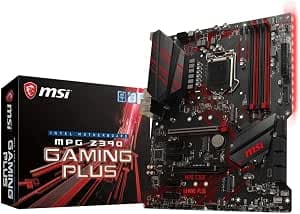
This article covers MSI MPG Z390ゲームプラスLGA1151(Intel 8thおよび9th Gen)M.2 USB 3.1 Gen 2 DDR4 HDMI DVI CFX ATX Z390ゲーム用マザーボード.
Overview
The MSI MPG Z390 Gaming Plus is an ATX motherboard designed for Intel's 8th and 9th generation processors (LGA1151). Paired with the Intel Z390 chipset, it supports overclocking, dual GPU setups (CrossFireX), and high-speed DDR4 memory up to 4400MHz (OC) with a maximum capacity of 64GB. Two M.2 slots provide fast NVMe or SATA SSD options, while USB 3.1 Gen 2 ensures speedy external connections. This board sits in the mid-range gaming segment, offering a balanced feature set at a competitive price point. Part of MSI's MPG gaming series, the board features a red LED accent and a sturdy build. It includes dual PCIe 3.0 x16 slots (supporting CrossFireX), six SATA 6Gb/s ports, and a comprehensive rear I/O with HDMI and DVI-D for integrated graphics output. For users building a capable gaming or productivity PC on a budget, the MPG Z390 Gaming Plus remains a solid choice even in 2026, especially if you already own an 8th or 9th Gen Intel CPU.
Compatibility Guide
This motherboard uses the LGA1151 socket but is strictly for Intel 8th and 9th Gen processors (Coffee Lake and Coffee Lake Refresh). It does NOT support older LGA1151 CPUs like 6th/7th Gen (Skylake/Kaby Lake). For overclocking, you need a K-series CPU (e.g., i7-9700K, i9-9900K). Memory: four DDR4 DIMM slots, dual-channel, supporting speeds from DDR4-2133 up to 4400MHz (OC) with XMP. Maximum capacity is 64GB. Form factor is standard ATX (305×244mm), fitting most mid-tower cases. Power: 24-pin main connector plus an 8-pin (4+4) CPU power connector. Expansion slots: 2× PCIe 3.0 x16 (one runs at x16, the other at x4 electrical for CrossFireX), 1× PCIe 3.0 x4, 3× PCIe 3.0 x1. Storage: 6× SATA 6Gb/s, 2× M.2 slots (M2_1 supports PCIe 3.0 x4 and SATA; M2_2 supports SATA only). Note: when both M.2 slots are occupied, some SATA ports may be disabled (refer to manual). Intel Optane Memory is supported.
Product Info
The MSI MPG Z390 Gaming Plus launched in late 2018. While new retail stock is scarce, it remains available through secondhand markets and some clearance channels. Key specs: Intel Z390 chipset, ATX form factor, 4 DDR4 slots (max 64GB, 4400MHz OC), 2× PCIe 3.0 x16, 6× SATA, 2× M.2, USB 3.1 Gen 2 (2 Type-A), HDMI/DVI-D output. Ethernet is a single Realtek 8111H Gigabit LAN; no onboard Wi-Fi. Audio is 7.1-channel via Realtek ALC892. Market positioning: mid-range gaming motherboard. It offers overclocking, dual GPU support, and decent storage options at a lower price than high-end Z390 boards like the Godlike series. It is ideal for budget-conscious gamers and DIY PC builders who want Z390 features without overspending.
Best Use Cases
Budget Gaming Build: Pair with an Intel Core i5-9600K or i7-9700K and a mid-range GPU like the RTX 2060 Super or RX 5700 XT. The Z390 chipset allows CPU overclocking to boost gaming performance without needing an expensive Z490/Z590 platform. Good for 1080p high-refresh or 1440p gaming. Who should avoid: users planning to upgrade to a 10th or 11th Gen CPU later. Secondary / HTPC Build: If you already own an 8th/9th Gen CPU, this board is a cost-effective way to assemble a dedicated gaming rig or media center. The HDMI/DVI outputs support 4K at 30Hz (via iGPU) for casual video playback. Who should avoid: users needing 4K 60Hz or HDR from the motherboard’s video ports. CrossFireX Enthusiast: With two PCIe x16 slots (second slot runs at x4), you can run two AMD GPUs in CrossFireX. This is useful for legacy multi-GPU setups or specific compute workloads. Who should avoid: modern gamers who prefer single powerful GPU or NVLink setups. Office / Light Productivity: A Pentium Gold G5600 or Core i3-9100 paired with 16GB RAM and an SSD makes a snappy office PC. The board’s SATA ports are sufficient for multiple drives. Who should avoid: users needing Thunderbolt 3, USB-C (only Type-A), or built-in Wi-Fi/Bluetooth.
Things to Consider
Socket Limitation: This motherboard only works with Intel 8th and 9th Gen CPUs. If you might upgrade to a newer platform later, consider a different motherboard (e.g., B460, Z490, or newer). M.2 Slot Caveats: The second M.2 slot is SATA-only, so you cannot run two NVMe drives. If you need dual NVMe, look for a board with both PCIe M.2 slots (e.g., higher-end Z390 boards). No Wi-Fi: The board lacks integrated Wi-Fi or Bluetooth. You will need to add a PCIe or USB adapter, which takes up a slot or port. PCIe Gen 3: Z390 is PCIe 3.0 only. If you plan to use PCIe 4.0 SSDs (like Samsung 980 Pro), they will work but at Gen 3 speeds (around 3500MB/s vs 7000MB/s). For most users, this is still very fast. BIOS Updates: While Z390 launched with 9th Gen support, a BIOS update might be needed for some newer stepping CPUs. Check the CPU support list on MSI’s website before purchasing. Power Supply: For a typical i7-9700K + RTX 3060 build, a 550W PSU is enough. For i9-99
Product Disclosure (Amazon)
- Manufacturer: MSI
- Seller: Reg shop
- Fulfilled by: Reg shop
- ASIN: B07HMG1XP7
- Note: This article covers a manufacturer-made product based on Amazon listing details.