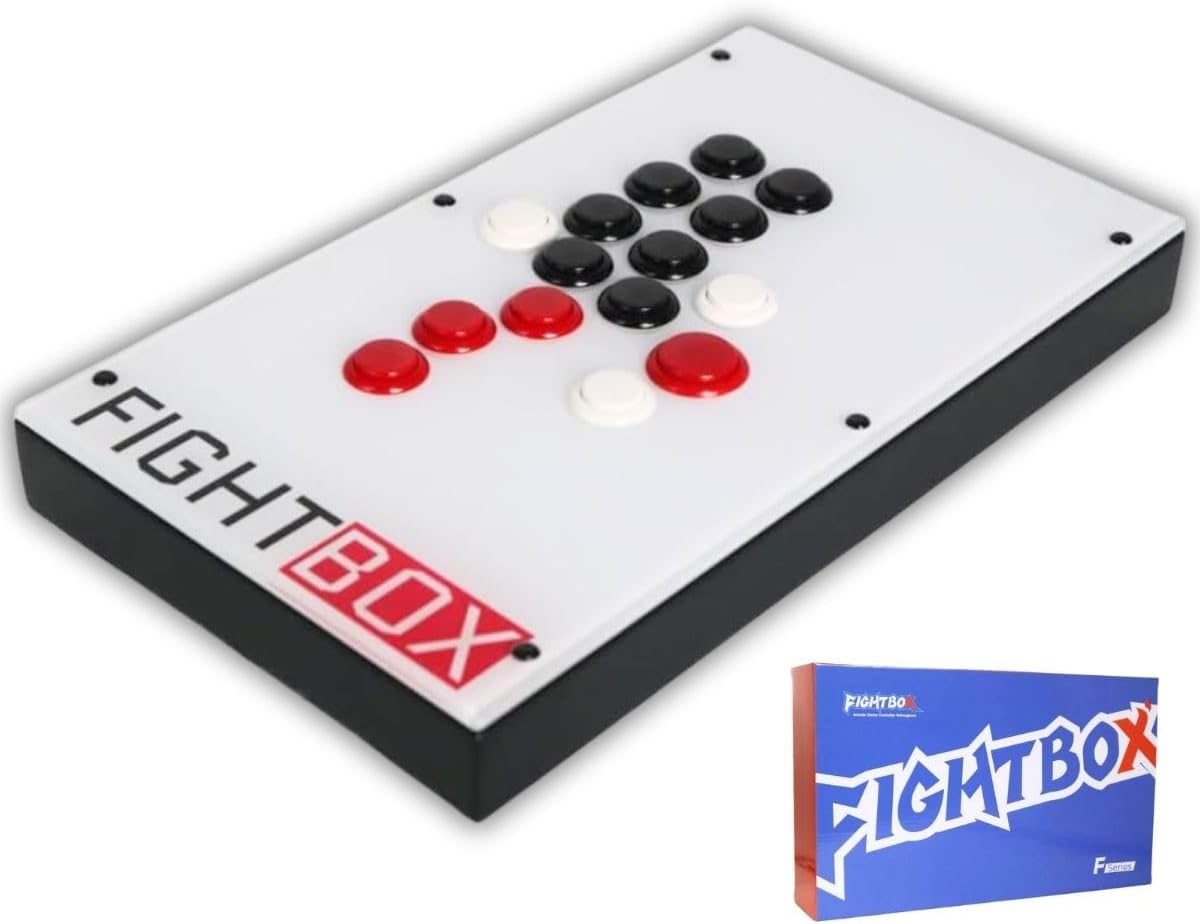
Overview
The FightBox F10-EX-PC-V2 is a leverless arcade controller designed specifically for fighting games. It replaces the traditional joystick with four directional buttons for faster and more precise inputs. Equipped with genuine Sanwa buttons, SOCD (Simultaneous Opposite Cardinal Directions) processing, and support for PC, PS3, and Nintendo Switch, this controller is a solid choice for competitive players.
Sold on Amazon.co.jp by Good Select Shop and fulfilled by Amazon, the ASIN is B0G2MLB2VC. A Japanese manual is included.
Key Features
- Leverless design: Four directional buttons replace the joystick, enabling quicker inputs and cleaner execution of complex commands.
- Sanwa buttons: Industry-standard arcade buttons known for durability and responsive feel.
- SOCD processing: Automatically resolves simultaneous opposite directional inputs to prevent unintended moves in games.
- Three extra buttons: Additional buttons can be assigned to shortcuts, macros, or other functions.
- Multi-platform compatibility: Works with PC (Windows), PS3, and Nintendo Switch via USB connection.
Compatibility Guide
- PC: Works with Windows 10/11 via XInput. Compatible with most fighting games on Steam.
- PS3: Plug-and-play via USB. Not directly compatible with PS4/PS5, but may work with adapters.
- Nintendo Switch: Works in docked and tabletop modes via USB. No wireless support.
- Note: Leverless controllers require some adjustment if you are used to a traditional joystick. Practice is recommended.
Ideal Use Cases
- Serious fighting game players looking for precise inputs.
- Players interested in trying leverless controls.
- Games like Street Fighter, Tekken, GUILTY GEAR, and other titles requiring accurate command inputs.
- Tournament or online play where consistency matters.
Upgrade Considerations
- The controller is ready to use out of the box. Buttons can be swapped with other Sanwa-compatible parts for customization.
- Leverless layouts may cause hand fatigue initially; take breaks while practicing.
- On PC, some older games may not support XInput natively. Tools like JoyToKey can map keyboard inputs.