Overview
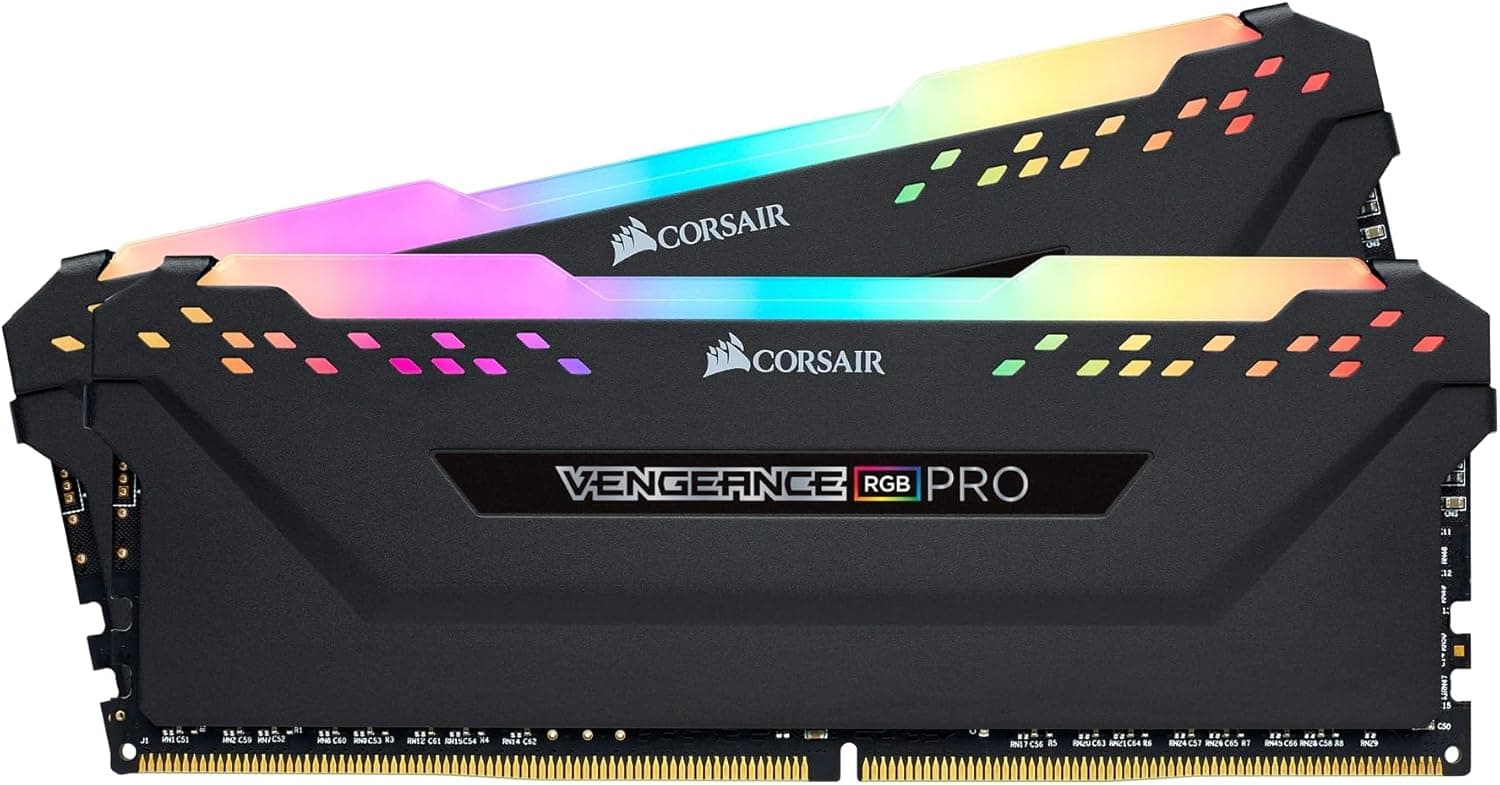
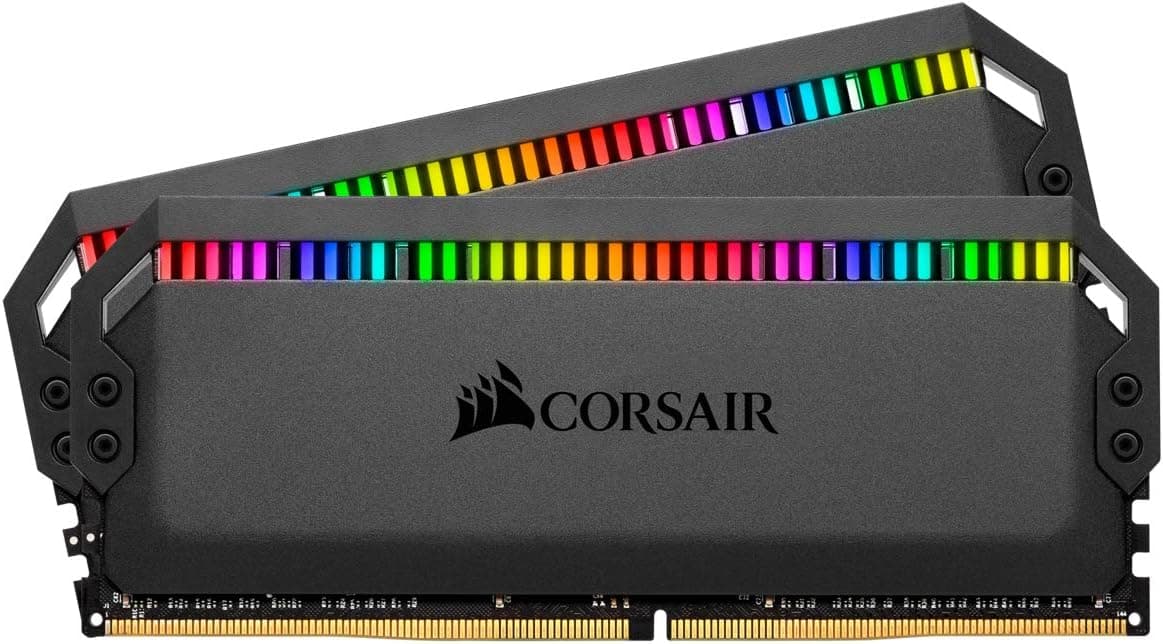
The CORSAIR DOMINATOR PLATINUM RGB CMT16GX4M2Z3200C16 is a two-module DDR4-3200 kit from Corsair's premium Dominator Platinum RGB line. It offers 16GB (2×8GB) with CL16-18-18-36 timings at 1.35V.
Heat is handled by Corsair's DHX (Dual-path Heat eXchange) cooling design and an anodized aluminum heat spreader, and each module is topped with 12 CAPELLIX RGB LEDs.
The short verdict: this kit makes the most sense for people already on a DDR4 platform (AM4 or a DDR4 LGA1700 board) who want their lighting unified in iCUE.Check the retailer's page for the latest user reviews.
It is not for new builds on AM5 or any DDR5-only motherboard, where it simply will not fit. And by 2026 standards, 16GB is a baseline rather than a comfortable amount; if you play demanding games or edit video, a 32GB kit is the safer long-term buy.
The sections below focus on the pitfalls buyers tend to discover too late.
Compatibility Guide
This is a 288-pin DDR4 DIMM for desktops. It will not fit laptop SO-DIMM slots, and the notch position prevents it from going into DDR5 slots.
The simplest rule: it works only on desktop motherboards that support DDR4.
| Platform | Works? | Notes |
|---|---|---|
| Intel LGA1151 / LGA1200 | Yes | DDR4-era boards such as Z390, Z490, Z590 |
| Intel LGA1700 | Board-dependent | Same chipsets ship in DDR4 and DDR5 versions; only DDR4 boards work |
| AMD AM4 | Yes | B450, X470, B550, X570 and similar |
| AMD AM5 | No | AM5 is DDR5-only |
LGA1700 deserves extra care. Intel 12th to 14th gen CPUs support both DDR4 and DDR5, but the motherboard decides which one you can use.
A Z690 or B760 board can come in either a DDR4 or a DDR5 version, so always check the board's memory spec.
Note that the collected compatibility notes list AMD AM5 (DDR4 models). There is no DDR4 version of the AM5 platform. If you are building on AM5, cross this kit off your list.
Physical clearance is the other common trap. The modules are about 54mm tall, taller than typical low-profile memory.
Large air coolers often overhang the DIMM slots, and if the cooler's rated RAM clearance is below 54mm, they will collide. AIO liquid coolers and air coolers designed to avoid the memory area are generally safe.
Product Info
The specifications below come from the listing data and have not been altered.
| Item | Value |
|---|---|
| Brand | Corsair |
| Model | CMT16GX4M2Z3200C16 |
| Capacity | 16GB (2×8GB) |
| Speed | 3200 MHz |
| Timings | CL16-18-18-36 |
| Voltage | 1.35V |
| XMP Profile | XMP 2.0 |
| RGB LEDs | 12× CAPELLIX RGB |
| Cooling | DHX (Dual-path Heat eXchange) |
| Heat spreader | Anodized aluminum |
Speed and timings are what matter for performance. DDR4-3200 CL16 is a sensible middle-of-the-road combination that sits within the officially supported range of many Intel and AMD CPUs, which makes it easy to run stably at rated settings.
Check the retailer's page for the latest price. Both are snapshots at the time of collection and can change significantly with sales and stock.
eBay listings vary in condition and shipping terms, so check the current price and terms on the product page before buying.
Corsair offers a limited lifetime warranty on its memory, but terms differ by region and sales channel. Grey-market or used units may not be eligible for local support, so it is worth confirming the seller.
Comparison
Common rivals at DDR4-3200 CL16 with RGB in 16GB kits include the G.Skill Trident Z RGB and Team T-Force Delta RGB.
With identical speed and timings, real-world differences in games and daily work are negligible. What differs is lighting, software, looks and price.
| Aspect | Dominator Platinum RGB | Typical RGB DDR4 kit |
|---|---|---|
| Lighting control | Unified with other Corsair gear in iCUE | Vendor software or motherboard sync |
| Cooling | DHX plus anodized aluminum | Varies by product |
| Positioning | Premium line | Many budget-oriented options |
If you already own Corsair keyboards, fans or AIO coolers, iCUE integration adds real value. If you own no Corsair gear, iCUE is just one more app to install, and a cheaper kit with the same speed will often serve you equally well.
Within the same series there is also a 32GB DDR4-4000 kit. Higher-clocked kits do not always run at rated speed on every CPU and board, though, so faster is not automatically better.
If stability is the priority, 3200MHz is a sensible choice.
Setup
The most common mistake is forgetting to enable XMP and running the memory below its rated speed. DDR4 usually boots at the board's lower default speed unless XMP is turned on.
Check your motherboard manual for the recommended slots for two modules (usually the second and fourth from the CPU).
Enter BIOS/UEFI and enable XMP (called DOCP, A-XMP or EXPO on some AMD boards).
Save, reboot and confirm the speed in Task Manager or a system info tool.
Install Corsair iCUE if you want to control the RGB lighting.
On Ryzen, DDR4-3200 is a comfortable speed for running the memory and the Infinity Fabric clock at a 1:1 ratio. If the system fails to boot with XMP enabled, a BIOS update often helps, so update the board firmware first.
Who Should Buy
- DDR4 users who want a visual upgrade. Ideal for AM4 or DDR4 LGA1700 systems getting a lighting refresh.
- iCUE users. If your fans, keyboard, mouse or AIO are Corsair, lighting stays in one app.
- Stability-first builders. 3200MHz CL16 is within the officially supported range of many CPUs.
- Light-to-moderate workloads. Browsing, office work and mid-range gaming run fine on 16GB.
Things to Consider
1. DDR4 only. It will not work on AM5, DDR5-only boards, or newer Intel Core Ultra desktop platforms.
For a brand-new build with no reason to choose a DDR4 board, a DDR5 kit offers more future headroom.
2. 16GB is tight for new builds in 2026. Demanding games, streaming with a browser open, 4K video editing and 3D work can easily exceed 16GB.
If you plan to keep the system for years, starting with a 32GB (2×16GB) kit is more reliable than adding memory later.
3. Adding a second identical kit may not be stable. Running four modules puts more load on the memory controller, and the kit may not hold 3200MHz XMP.
You may have to lower the speed or replace it with a higher-capacity two-module kit.
4. Cooler clearance at about 54mm. If you use a large air cooler, check its RAM clearance first.
Otherwise you may find the fan will not mount, or that shifting it up stops the side panel from closing.
5. RGB control requires iCUE. Running other vendors' lighting software at the same time can cause conflicts, so decide which app will manage your lighting.
**6. Running at rated XMP is the sensible choice for everyday use.
7. The collected compatibility notes contain an error. They mention AM5 DDR4 models, but AM5 is DDR5-only.
Do not treat such a listing as proof of AM5 support.
FAQ
Q. Does it work with Intel 12th to 14th gen CPUs? A.
The CPUs support DDR4, but it depends on the motherboard. DDR4 LGA1700 boards work; DDR5 boards will not accept it.
Q. Does it work with AM5 Ryzen?
A. No. AM5 is DDR5-only.
Q. Will it run at 3200MHz out of the box? A.
Usually not. You need to enable XMP (or DOCP and similar) in BIOS to get the rated 3200MHz CL16.
Q. Is 16GB enough for gaming? A.
Often yes for lighter titles, but 32GB is recommended for demanding games or when streaming and recording.
Q. Can I turn the lights off?
A. Yes, via iCUE. If you never want RGB, a cheaper non-RGB kit at the same speed is worth considering.
Product Disclosure (Amazon)
- Manufacturer: CORSAIR
- ASIN: B07N3HHLN1
- Note: This article covers a manufacturer-made product based on Amazon listing details.